
Install EncryptPad, an encrypted Text Editor in Linux Ubuntu. Encryptpad is a secure Text Editor for Ubuntu Systems that focuses heavily on privacy. It is a minimalist secure text editor and binary encryptor that implements RFC 4880 Open PGP format: symmetrically encrypted, compressed and integrity protected. The editor can protect files with passwords, key files or both. It comes with read only mode to prevent accidental file modification.
EncryptPad is a text editor and an encryption tool for binary files but it saves encrypted, compressed and integrity protected files. Unlike other OpenPGP software which main purpose is asymmetric encryption, the primary focus of EncryptPad is symmetric encryption.
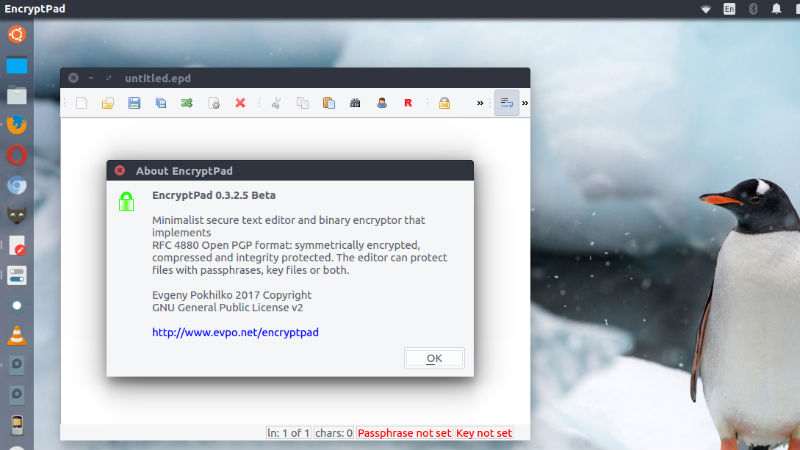
Features
- Symmetric encryption
- Passphrase protection
- Key file protection
- Combination of passphrase and key file
- Random key file generator
- Key repository in a hidden directory in the user’s home folder
- Path to a key file can be stored in an encrypted file. If enabled, you do not need to specify the key file every time you open files.
- Encryption of binary files (images, videos, archives etc.)
- Read only mode to prevent accidental file modification
- UTF8 text encoding
- Windows/Unix configurable line endings
- Customisable passphrase generator helps create strong random passphrases.
- File format compatible with OpenPGP
- Iterated and salted S2K
- Passphrases are not kept in the memory for reuse, only S2K results (more …)
- Cipher algorithms: CAST5, TripleDES, AES128, AES256
- Hash algorithms: SHA-1, SHA-256, SHA-512
- Integrity protection: SHA-1
- Compression: ZLIB, ZIP
Install EncryptPad in Ubuntu
Run the following commands to install EncryptPad in Ubuntu and Linux Mint Systems and other Ubuntu Derivatives:
sudo apt-get update

sudo add-apt-repository ppa:nilarimogard/webupd8

sudo apt-get update

sudo apt install encryptpad encryptcli
Packages in this PPA: audacious, ap-hotspot, awn-applet-radio, awn-applet-wm, calise, cmus, dockbarx, dockbarx-themes-extra, dropbox-share, emerald, exaile, fbmessenger, gnome-subtitles, gnome-window-applets, grsync, grive, gthumb, launchpad-getkeys, mc, mdm (Mint Display Manager), minitunes, minitube, musique, notifyosdconfig, nautilus-columns, powertop, ppa-purge, rosa-media-player, fixed pulseaudio-equalizer, subtitleeditor, syncwall, umplayer, unity-reboot, wimlib, youtube-dl, xfce4-dockbarx-plugin, xournal, yad, yarock and others. Almost all packages are updated to their latest version.
Once installed, open EncryptPad from Ubuntu Dash.
http://evpo.net/encryptpad