
Install Darktable 2.2.2 on Ubuntu 16.10, Ubuntu 16.04, Ubuntu 15.04, Ubuntu 14.04, Ubuntu 15.10, Ubuntu 14.10 and other Ubuntu Derivatives. darktable is an open source photography workflow application and raw developer. A virtual lighttable and darkroom for photographers. It manages your digital negatives in a database, lets you view them through a zoomable lighttable and enables you to develop raw images and enhance them.
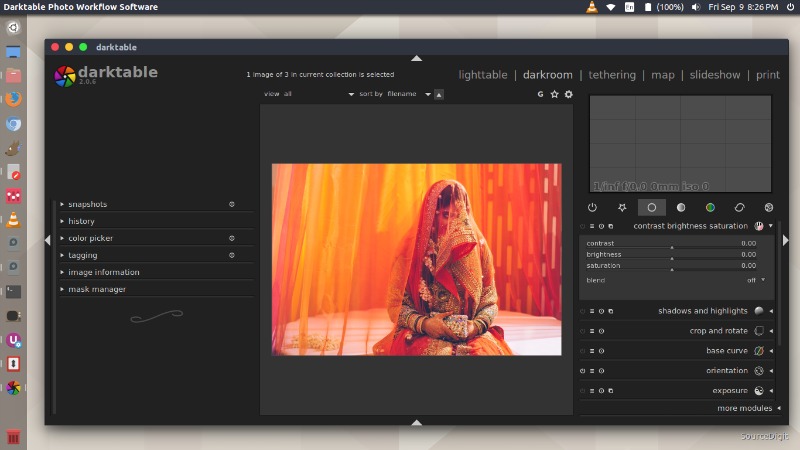
New features:
- color look up table module: include preset for helmholtz/kohlrausch monochrome
- Lens module: re-enable tiling
- Darkroom: fix some artefacts in the preview image (not the main view!)
- DNG decoder: support reading one more white balance encoding method
- Mac: display an error when too old OS version is detected
- Some documentation and tooltips updates
Bugfixes:
- Main view no longer grabs focus when mouse enters it. Prevents accidental catastrophic image rating loss.
- OSX: fix bauhaus slider popup keyboard input
- Don’t write all XMP when detaching tag
- OSX: don’t do PPD autodetection, gtk did their thing again.
- Don’t show database lock popup when DBUS is used to start darktable
- Actually delete duplicate’s XMP when deleting duplicated image
- Ignore UTF-8 BOM in GPX files
- Fix import of LR custom tone-curve
- Overwrite Xmp rating from raw when exporting
- Some memory leak fixes
- Lua: sync XMPs after some tag manipulations
- Explicitly link against math library
Base Support:
- Canon PowerShot SX40 HS (dng)
- Fujifilm X-E2S
- Leica D-LUX (Typ 109) (4:3, 3:2, 16:9, 1:1)
- Leica X2 (dng)
- Nikon LS-5000 (dng)
- Nokia Lumia 1020 (dng)
- Panasonic DMC-GF6 (16:9, 3:2, 1:1)
- Pentax K-5 (dng)
- Pentax K-r (dng)
- Pentax K10D (dng)
- Sony ILCE-6500
Noise Profiles:
- Fujifilm X-M1
- Leica X2
- Nikon Coolpix A
- Panasonic DMC-G8
- Panasonic DMC-G80
- Panasonic DMC-G81
- Panasonic DMC-G85
Install Darktable 2.2.2 on Ubuntu
Open Terminal and run the following commands in Terminal to install Darktable 2.2.2 on Ubuntu 16.10, Ubuntu 16.04, Ubuntu 15.04, Ubuntu 14.04, Ubuntu 15.10, Ubuntu 14.10 and other Ubuntu Derivatives:
sudo add-apt-repository ppa:pmjdebruijn/darktable-unstable

sudo apt-get update

sudo apt-get install darktable
Once installed, open Darktable from Ubuntu Dash or Terminal.