
• Skip to primary navigation
  • Skip to main content
  • Skip to primary sidebar
Source Digit

Source Digit

Linux, Ubuntu Tutorials & News, Technology, Gadgets & Gizmos

  • Home
  • How To
  • Ubuntu
  • Instagram
  • Blogging
  • Android
  • WordPress
  • +More
    • Cloud Computing
    • Gadgets
    • Social Media
    • Technology
  • Write for Us
Home / How To / Install Soundnode – SoundCloud Desktop App For Ubuntu Linux

Install Soundnode – SoundCloud Desktop App For Ubuntu Linux

By Sourabh / February 20, 2017 Category: How To, Ubuntu

Install Soundnode on Ubuntu Linux Systems. Soundnode is the SoundCloud Desktop App for Linux Ubuntu and Debian Systems. Soundnode App is built with Electron, Angular.js and Soundcloud API.

Please note that Soundnode relies on Soundcloud API which only allowing third party apps to play 15 thousand tracks daily. When the rate limit is reached all users aren’t able to play any song until the end of the current day the limit was reached.
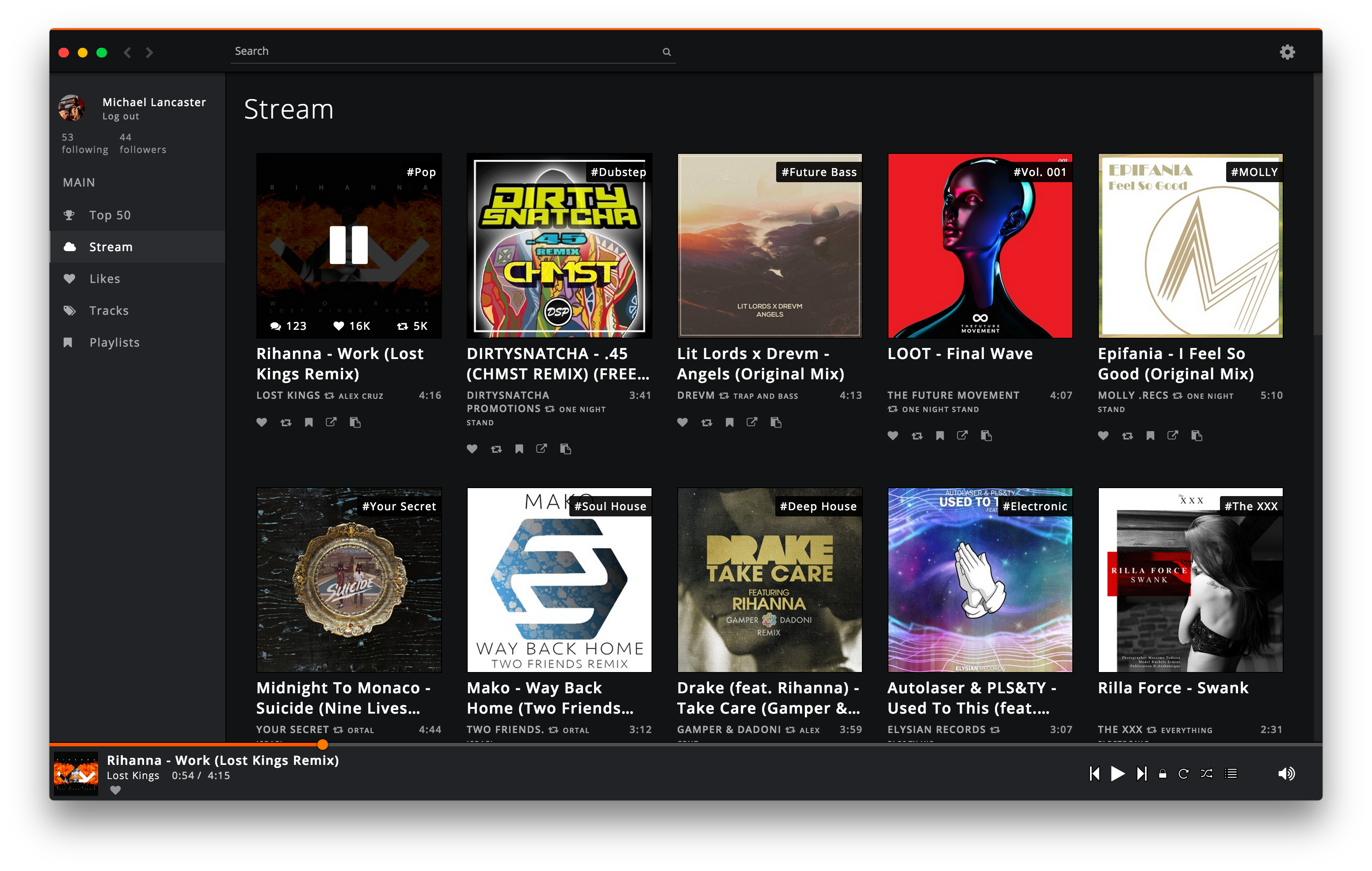
Features

  • No need to install
  • Native media keyboard shortcuts
  • Search for new songs
  • Easy navigation
  • Listen to songs from your Stream, Likes, Tracks, Following or Playlists
  • Like songs and save to your liked playlist
  • Full playlist feature
  • Follow/Unfollow users

And much more!

SoundCloud Desktop App On Ubuntu

Run the following commands in terminal to install SoundCloud Desktop App on Ubuntu and Debian based Systems:

sudo apt-get update
curl -s https://packagecloud.io/install/repositories/JonasGroeger/soundnode/script.deb.sh | sudo bash
sudo apt-get install soundnode

Once installed, open the SoundCloud Desktop App from Ubuntu Dash.

Tags: Debian SoundCloud Desktop App, Download Soundnode Ubuntu, Install Soundnode Ubuntu, Linux SoundCloud Desktop App, Mint SoundCloud Desktop App, SoundCloud Desktop App Debian, SoundCloud Desktop App Linux, SoundCloud Desktop App Mint, SoundCloud Desktop App Ubuntu, Soundnode Ubuntu, Soundnode Ubuntu PPA, Ubuntu PPA Soundnode, Ubuntu SoundCloud Desktop App, Ubuntu Soundnode

Primary Sidebar

Latest Posts

Job Scheduling Using At Command In Linux With Examples

How To Check Permissions Of A Directory In Linux Command

Delete Directory And Contents Recursively Without Prompt On Linux

Check User Login History In Ubuntu Linux Command Line

Use Locate Command To Find File In Linux Terminal By Name

How To Change Terminal Color In Ubuntu Command Line

How To Run Fsck Manually In Linux To Fix Unexpected Inconsistency

How To Fix Broken Packages On Ubuntu From Terminal

Re Execute The Previous Command In Linux Ubuntu Command Line

How Much RAM Is Needed For Ubuntu PC

© 2026 Source Digit • Linux, Ubuntu Tutorials & News, Technology, Gadgets & Gizmos

  • Home
  • About
  • Privacy Policy
  • Terms & Conditions
  • Contact Us
  • Sitemap