
• Skip to primary navigation
  • Skip to main content
  • Skip to primary sidebar
Source Digit

Source Digit

Linux, Ubuntu Tutorials & News, Technology, Gadgets & Gizmos

  • Home
  • How To
  • Ubuntu
  • Instagram
  • Blogging
  • Android
  • WordPress
  • +More
    • Cloud Computing
    • Gadgets
    • Social Media
    • Technology
  • Write for Us
Home / How To / Install Peek GIF Screen Recorder On Ubuntu

Install Peek GIF Screen Recorder On Ubuntu

By Sourabh / February 22, 2017 Category: How To, Ubuntu

Install Gif recorder on Ubuntu Linux Systems. Install Peek, animated GIF screen recorder tool for Linux Ubuntu Systems. Peek creates animated GIF screencasts using ffmpeg and imagemagick. It was built for the specific use case of recording screen areas, e.g., for easily showing UI features of your own apps or for showing a bug in bug reports. It is not a general purpose screencast app with extended features and it never will be.

Currently only Linux with X11 is supported. Other Unix like systems using X11 should work as well. It is planned to also support Wayland and maybe other operating systems in the future.
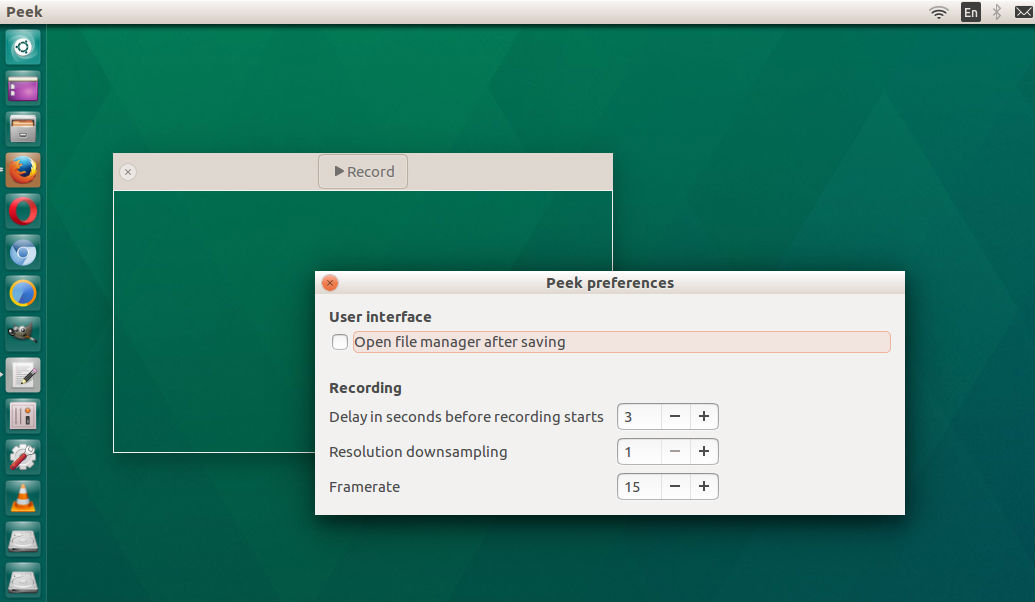
Peek 0.9.1 is the latest release. It is just a small hotfix. The previous release Peek 0.9 was a major release. It brings reduced temporary file size, improvements for Ubuntu users and many new translations.

Install Peek on Ubuntu

Peek can be easily installed on Ubuntu using the Peek PPA on Launchpad. If you wish to install Peek using Terminal, run the following commands:

sudo apt update
sudo add-apt-repository ppa:peek-developers/stable
sudo apt update
sudo apt install peek

If you want to use the latest development version there is also a PPA with daily builds available. Use the repository ppa:peek-developers/daily in the above commands.

The deb packages from these PPAs probably will also work on Debian.

Tags: GIF Recorder Tool Ubuntu, GIF Screen Recorder Tool for Linux, GIF Screen Recorder Tool Ubuntu, Peek Gif Recorder, Peek Ubuntu, Screen Recorder Tool for Linux, Screen Recorder Ubuntu, Ubuntu GIF Recorder Tool, Ubuntu GIF Screen Recorder Tool, Ubuntu Peek, Ubuntu Screen Recorder

Primary Sidebar

Latest Posts

How To Run Fsck Manually In Linux To Fix Unexpected Inconsistency

How To Fix Broken Packages On Ubuntu From Terminal

Re Execute The Previous Command In Linux Ubuntu Command Line

How Much RAM Is Needed For Ubuntu PC

How To Find Large Files And Directories In Linux Command Line

How To Use Clear Command History In Linux Terminal

Linux Command To Check RAM Size In Ubuntu Terminal In GB

How To Install Proprietary Drivers In Linux Ubuntu Using Terminal

How To Shutdown Linux With A 15 Minute Delay And Message

Free AI Courses With Certificate For Beginners In India

© 2026 Source Digit • Linux, Ubuntu Tutorials & News, Technology, Gadgets & Gizmos

  • Home
  • About
  • Privacy Policy
  • Terms & Conditions
  • Contact Us
  • Sitemap