
Install KeePass password manager on Ubuntu Linux Systems. KeePass is a free open source password manager, which helps you to manage your passwords in a secure way. You can put all your passwords in one database, which is locked with one master key or a key file. So you only have to remember one single master password or select the key file to unlock the whole database. The databases are encrypted using the best and most secure encryption algorithms currently known (AES and Twofish).
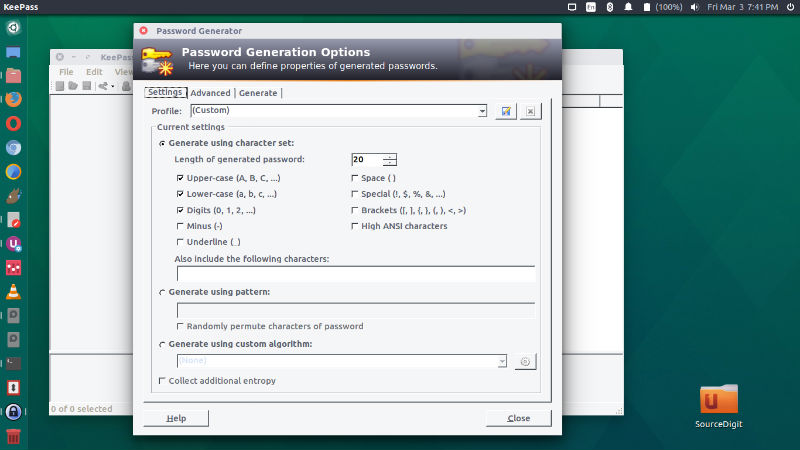
Features of KeePass
- Strong Security
- Multiple User Keys
- Portable and No Installation Required, Accessibility
- Export To TXT, HTML, XML and CSV Files
- Import From Many File Formats
- Easy Database Transfer
- Support of Password Groups
- Time Fields and Entry Attachments
- Auto-Type, Global Auto-Type Hot Key and Drag&Drop
- Intuitive and Secure Clipboard Handling
- Searching and Sorting
- Multi-Language Support
- Strong Random Password Generator
- Plugin Architecture
- Open Source!
KeePass supports the Advanced Encryption Standard (AES, Rijndael) and the Twofish algorithm to encrypt its password databases. One master password decrypts the complete database. Alternatively you can use key files. Key files provide better security than master passwords in most cases. You only have to carry the key file with you, for example on a floppy disk, USB stick, or you can burn it onto a CD. Deleting the KeePass directory (in case you downloaded the binary ZIP package) or using the uninstaller (in case you downloaded the installer package) leaves no trace of KeePass on your system.
Install KeePass on Ubuntu
KeePass password manager can be easily installed on Ubuntu system. Run the following commands to install KeePass on Ubuntu 16.10, Ubuntu 16.04, Ubuntu 15.10, Ubuntu 15.04, Ubuntu 14.10, Ubuntu 14.04 and Ubuntu Derivatives:
$ sudo add-apt-repository ppa:eugenesan/ppa

$ sudo apt-get update

$ sudo apt-get install keepass2
Once installed, open the KeePass password manager from Ubuntu Dash or Menu.
If you wish to uninstall and remove the KeePass password manager from Linux Ubuntu Systems, run the following command:
$ sudo apt-get remove keepass2