
Install digiKam 5.5.0 on Ubuntu 16.10, Ubuntu 16.04 and other Ubuntu Derivatives. digiKam 5.5.0 is an advanced digital photo management application for Linux, Windows, and Mac-OSX. digiKam is designed for editing images. It can be used to import, organize and export digital photos to and from your computer.
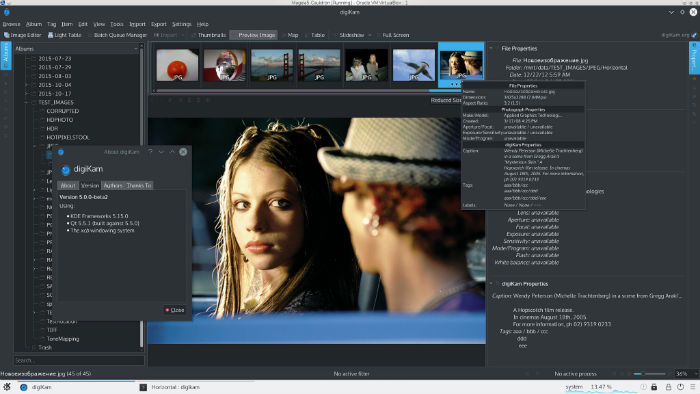
digiKam 5.5.0 has been released with many new features and more than 100 fixes. digiKam 5.5.0 introduces several improvements in database interface. This time, Mario Frank has significantly improved the threads management done in background to prevent an overload of the computer under intensive workload by batch processing of items. The maintenance now does not generate massive amounts of threads anymore. Instead, we use a queue based approach to level the load on the CPUs more appropriately. This should improve the re-activeness during maintenance.
Few enhancements in the batch queue manager Watermark tool has also been implemented. It is now possible to set the size of watermarks, adjust margin sizes, customize the text font, apply rotation manually, and respect orientation of image automatically. He also fix some dysfunctions when a watermark is placed over the image in special conditions.
Install digiKam 5.5.0
Run the following command in Terminal to install digiKam 5.5.0 on Ubuntu 16.10, Ubuntu 16.04, Ubuntu 15.10, Ubuntu 15.04, Ubuntu 14.10, Ubuntu 14.04 and other Ubuntu Derivatives:
sudo add-apt-repository ppa:philip5/extra

sudo apt update

sudo apt install digikam5
Once installed, open the digiKam application from Ubuntu Dash or Menu.