
Darktable 2.2.4 released. Install Darktable photography workflow application on Ubuntu Linux. Darktable 2.2.4 is the fourth bugfix release for the 2.2 series of Darktable application.
Darktable is an open source photography workflow application and raw developer. A virtual lighttable and darkroom for photographers. It manages your digital negatives in a database, lets you view them through a zoomable lighttable and enables you to develop raw images and enhance them.
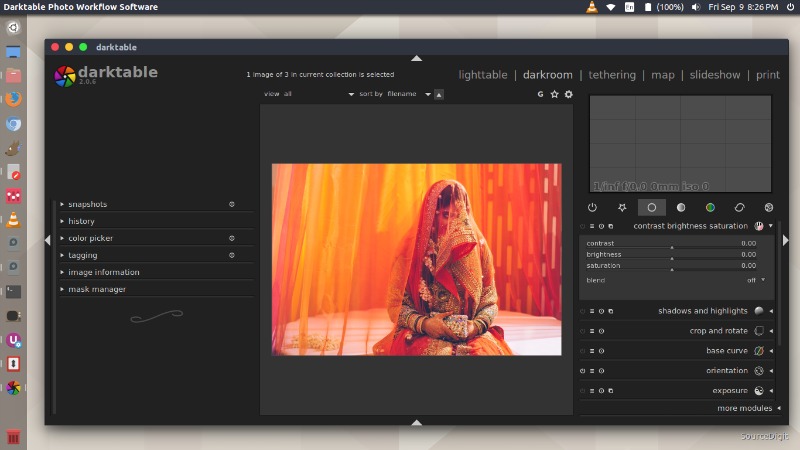
New features:
- Better brush trace handing of opacity to get better control.
- tools: Add script to purge stale thumbnails
- tools: A script to watch a folder for new images
Bugfixes:
- DNG: fix camera name demangling. It used to report some wrong name for some cameras.
- When using wayland, prefer XWayland, because native Wayland support is not fully functional yet
- EXIF: properly handle image orientation ‘2’ and ‘4’ (swap them)
- OpenCL: a few fixes in profiled denoise, demosaic and colormapping
- tiling: do not process uselessly small end tiles
- masks: avoid assertion failure in early phase of path generation,
- masks: reduce risk of unwanted self-finalization of small path shapes
- Fix rare issue when expanding $() variables in import/export string
- Camera import: fix ignore_jpg setting not having an effect
- Picasa web exporter: unbreak after upstream API change
- collection: fix query string for folders ( ‘a’ should match ‘a/b’ and ‘a/c’, but not ‘ac/’ )
Install Darktable 2.2.4 on Ubuntu
Open Terminal and run the following commands in Terminal to install Darktable 2.2.4 on Ubuntu 16.10, Ubuntu 16.04, Ubuntu 15.04, Ubuntu 14.04, Ubuntu 15.10, Ubuntu 14.10 and other Ubuntu Derivatives:
sudo add-apt-repository ppa:pmjdebruijn/darktable-unstable

sudo apt-get update

sudo apt-get install darktable
Once installed, open Darktable from Ubuntu Dash or Terminal.