
• Skip to primary navigation
  • Skip to main content
  • Skip to primary sidebar
Source Digit

Source Digit

Linux, Ubuntu Tutorials & News, Technology, Gadgets & Gizmos

  • Home
  • How To
  • Ubuntu
  • Instagram
  • Blogging
  • Android
  • WordPress
  • +More
    • Cloud Computing
    • Gadgets
    • Social Media
    • Technology
  • Write for Us
Home / How To / Install Easy Ebook Viewer on Ubuntu – ePub Reader for Linux Ubuntu

Install Easy Ebook Viewer on Ubuntu – ePub Reader for Linux Ubuntu

By Sourabh / August 4, 2017 Category: How To, Ubuntu

Install Easy Ebook Viewer on Ubuntu. Easy Ebook Viewer is a ePub reader for Linux Ubuntu – Modern GTK Python Ebook Reader app to easily read epub files. Ebook Viewer is currently in early stages of development. It’s a re-write of old ebook reader called pPub. It comes in two themes – Dark theme and Light theme.

Install Easy Ebook Viewer
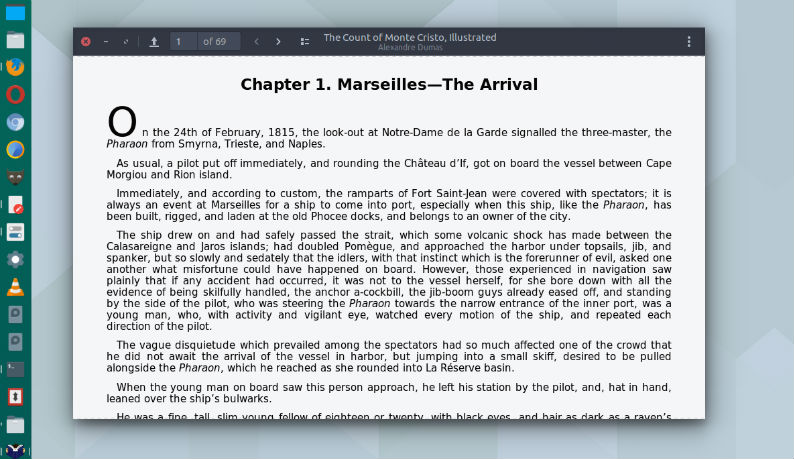
Please note that the installation of the Easy Ebook Viewer app requires gir1.2-webkit-3.0, libwebkitgtk-3.0-0, gir1.2-gtk-3.0 and python3-gi. Run the following commands in Terminal to install Easy ebook viewer on Ubuntu 17.04, Ubuntu 16.04, Ubuntu 16.10, Ubuntu 15.04, Ubuntu 15.10, Ubuntu 14.04, Ubuntu 14.10 and other Linux Ubuntu Derivatives:

$ sudo apt-get update
$ sudo apt install gir1.2-webkit-3.0 libwebkitgtk-3.0-0 gir1.2-gtk-3.0 python3-gi
$ git clone https://github.com/michaldaniel/Ebook-Viewer.git
$ cd Ebook-Viewer/
$ sudo make install

Once installed, open the Easy ebook viewer from Ubuntu Dash.

Tags: Easy Ebook Viewer, Easy Ebook Viewer Linux, Easy Ebook Viewer Ubuntu, Ebook Viewer Ubuntu, Ebook Viewer Ubuntu 17.04, Ebook Viewer Ubuntu 17.10, ePub reader Linux, ePub reader Linux Ubuntu, ePub reader Ubuntu, ePub Viewer Linux, ePub Viewer Linux Ubuntu, ePub Viewer Ubuntu, Install Easy Ebook Viewer on Ubuntu, Linux Easy Ebook Viewer, Ubuntu 17.04 Ebook Viewer, Ubuntu 17.10 Ebook Viewer, Ubuntu Easy Ebook Viewer, Ubuntu Ebook Viewer

Primary Sidebar

Latest Posts

Job Scheduling Using At Command In Linux With Examples

How To Check Permissions Of A Directory In Linux Command

Delete Directory And Contents Recursively Without Prompt On Linux

Check User Login History In Ubuntu Linux Command Line

Use Locate Command To Find File In Linux Terminal By Name

How To Change Terminal Color In Ubuntu Command Line

How To Run Fsck Manually In Linux To Fix Unexpected Inconsistency

How To Fix Broken Packages On Ubuntu From Terminal

Re Execute The Previous Command In Linux Ubuntu Command Line

How Much RAM Is Needed For Ubuntu PC

© 2026 Source Digit • Linux, Ubuntu Tutorials & News, Technology, Gadgets & Gizmos

  • Home
  • About
  • Privacy Policy
  • Terms & Conditions
  • Contact Us
  • Sitemap