
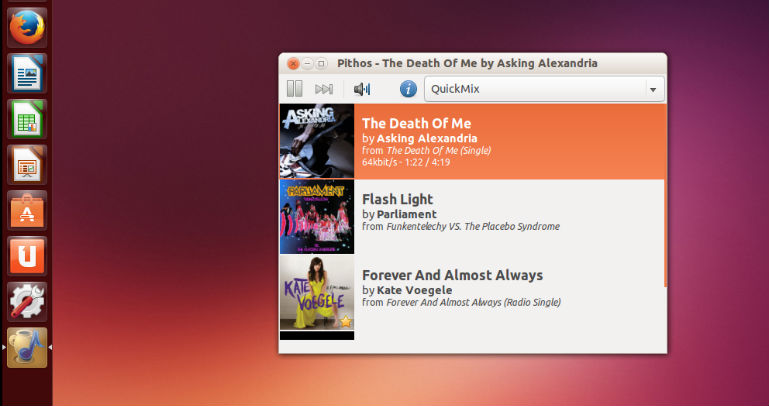
Install Pandora radio client Pithos in Ubuntu Linux. Pithos is a native Pandora Radio client for Linux. It’s much more lightweight than the Pandora.com web client, and integrates with desktop features such as media keys, notifications, and the sound menu. Pandora Internet Radio is free, personalized radio that plays music you’ll love.
- Change default quality to high (mp3)
- Mark application as DBusActivatable
- MPRIS: Fix potential unhandled exception
- Handle keyboards with a dedicated pause key
- Fix media keys support on GNOME-Shell 3.26+ and MATE
- Improve behavior on various notification servers
- Add new plugin that inhibits screensaver/suspend during playback
- Add new plugin adding a 10-band equalizer
- Add new plugin that automatically normalizes volume between tracks
- Add help entry (F1) that opens the wiki
- Replace build system with Meson
- Automatically detect if the user has Pandora One
- Improve saving and restoring window position
- Improve plugin loading performance and error reporting
- Notification Icon: Improve detecting if a tray is available
- Notification Icon: Add option to use symbolic icon
Download Pithos in Ubuntu Linux
Install Pithos in Ubuntu Linux
There are two ways to install Pandora radio client Pithos in Ubuntu Linux:
Method 1: Installing with Flatpak (Recommended)
Run the following commands in terminal to install Pandora radio client Pithos in Ubuntu Linux via Flatpak:
flatpak remote-add flathub https://flathub.org/repo/flathub.flatpakrepo

flatpak install flathub io.github.Pithos
Method 2: Installing on Ubuntu
Run the following commands in terminal to install Pandora radio client Pithos in Ubuntu Linux via PPA:
sudo add-apt-repository ppa:pithos/ppa

sudo apt-get update

sudo apt-get install --install-recommends pithos
Once installed, open Pithos from Ubuntu Dash.