
Visual Studio Code 1.20 Released. Download and install Visual Studio Code 1.20 – January 2018 release of Visual Studio Code – on Linux Ubuntu Systems.
Visual Studio Code is a lightweight but powerful source code editor which runs on your desktop and is available for Windows, macOS and Linux. It comes with built-in support for JavaScript, TypeScript and Node.js and has a rich ecosystem of extensions for other languages (such as C++, C#, Java, Python, PHP, Go) and runtimes (such as .NET and Unity).
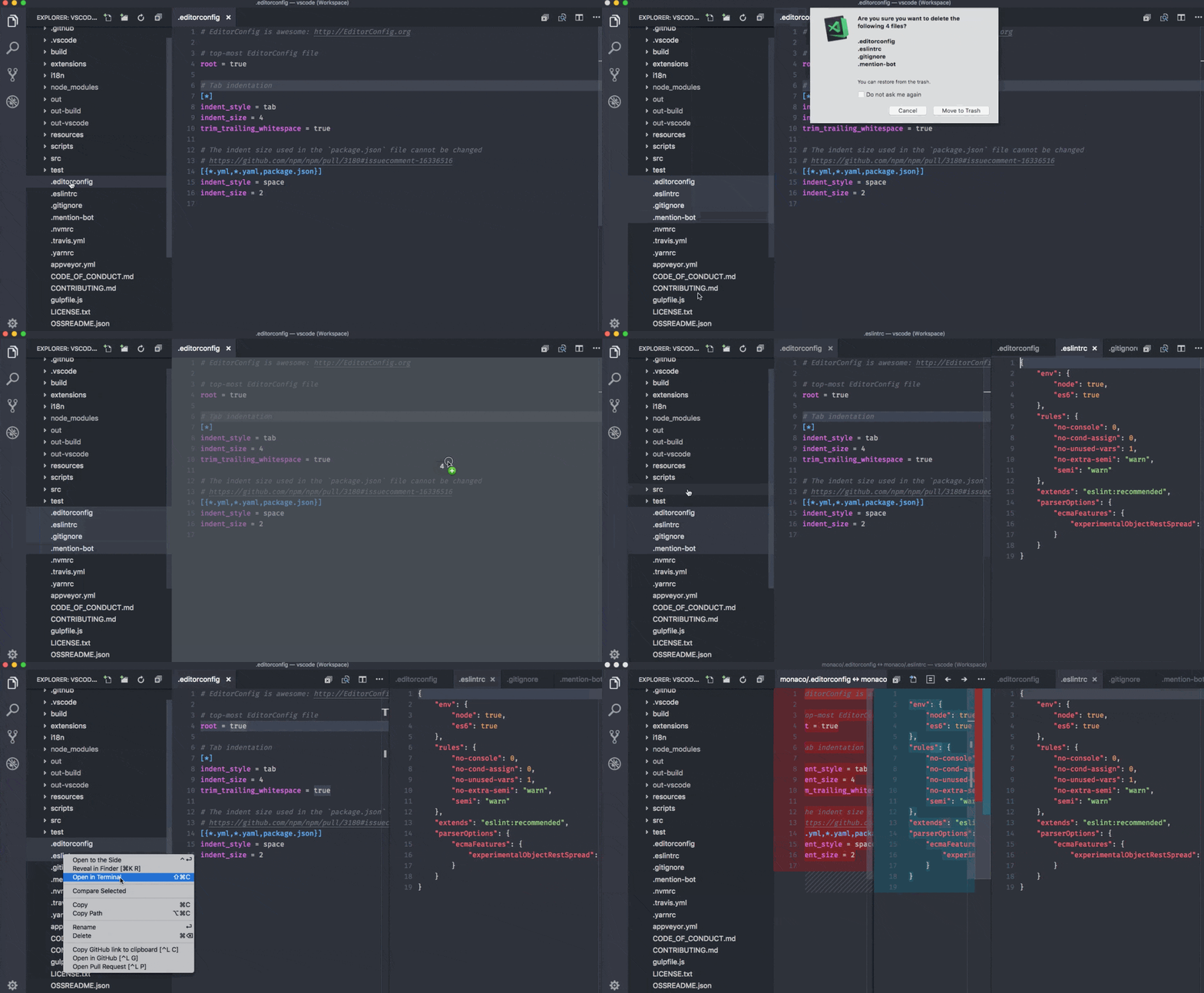
January 2018 release of Visual Studio Code includes the VS Code team’s work during the January milestone as well as the community PRs contributed in December and January which means there are a lot of great updates. Here are some of the release highlights:
- Explorer multi-selection – Perform actions on multiple files at once.
- Improved Settings search – Easily find the right setting with natural language search.
- Errors & warnings in Explorer – Quickly navigate to errors in your code base.
- Save large and protected files – Save Admin protected and >256M files within VS Code.
- Git submodule support – Perform Git operations on nested Git repositories.
- Global snippets – Create snippets you can use across all file types.
- Image preview zoom – Zoom in and out of images with your mouse, scroll wheel or track pad.
- Terminal screen reader support – Integrated Terminal now has “Screen Reader Optimized” mode.
- Debugging support for multi-root workspaces – Manage configurations across multiple projects.
- Quick Fix all for JavaScript/TypeScript – Apply the same Quick Fix to all occurrences in a file.
- New Node.js deployment tutorials – Deploy your Node.js app with Docker or Azure App Service.
Visual Studio Code 1.20
Run the following commands in terminal to install Visual Studio Code 1.20 – January 2018 release of Visual Studio Code – on Linux Ubuntu Systems
sudo apt-get update

sudo sh -c 'echo "deb [arch=amd64] https://packages.microsoft.com/repos/vscode stable main" > /etc/apt/sources.list.d/vscode.list'

curl https://packages.microsoft.com/keys/microsoft.asc | gpg --dearmor > microsoft.gpg

sudo mv microsoft.gpg /etc/apt/trusted.gpg.d/microsoft.gpg