
Install Tusk Evernote Client on Linux Ubuntu. Tusk Evernote Client is one of the best Evernote Desktop Apps for Linux Ubuntu Systems. Tusk Evernote Client 0.9.3 has added Snap package support for Linux .
Tusk Evernote Client 0.9.3 Features:
- Added Snap package support for Linux Prevent
- window resize on Shortcut Key usage Improved tray
- icon integration on Linux & Windows
- Enabled text selection on Macos Restored
- visual issues on both Vibrant Themes
- Fixed the padding of Notes list header
- Upgraded to Electron 1.7.11
Tusk Evernote desktop app feature
- 60+ Keyboard shortcuts – Toggle anything in a flash.
- Vibrant Themes – Refreshing dark & light vibrant themes.
- Sepia Theme – Perfect for glossy screens.
- Dark Theme – Silky & relaxing.
- Black Theme – Deep focus materialized.
- Focus Mode – Immerse yourself in a distraction-free note-taking mode.
- Compact Mode – Keep your productivity to the maximum no matter the screen size.
- Note Printing – Transfering your notes from screen to paper is only a keystroke away.
- Note Navigation – Navigate seamlessly without taking your hands away from the keyboard.
- Custom Shortcut Keys – Adjust Tusk to your workflow by modifying any shortcut key to your own preference.
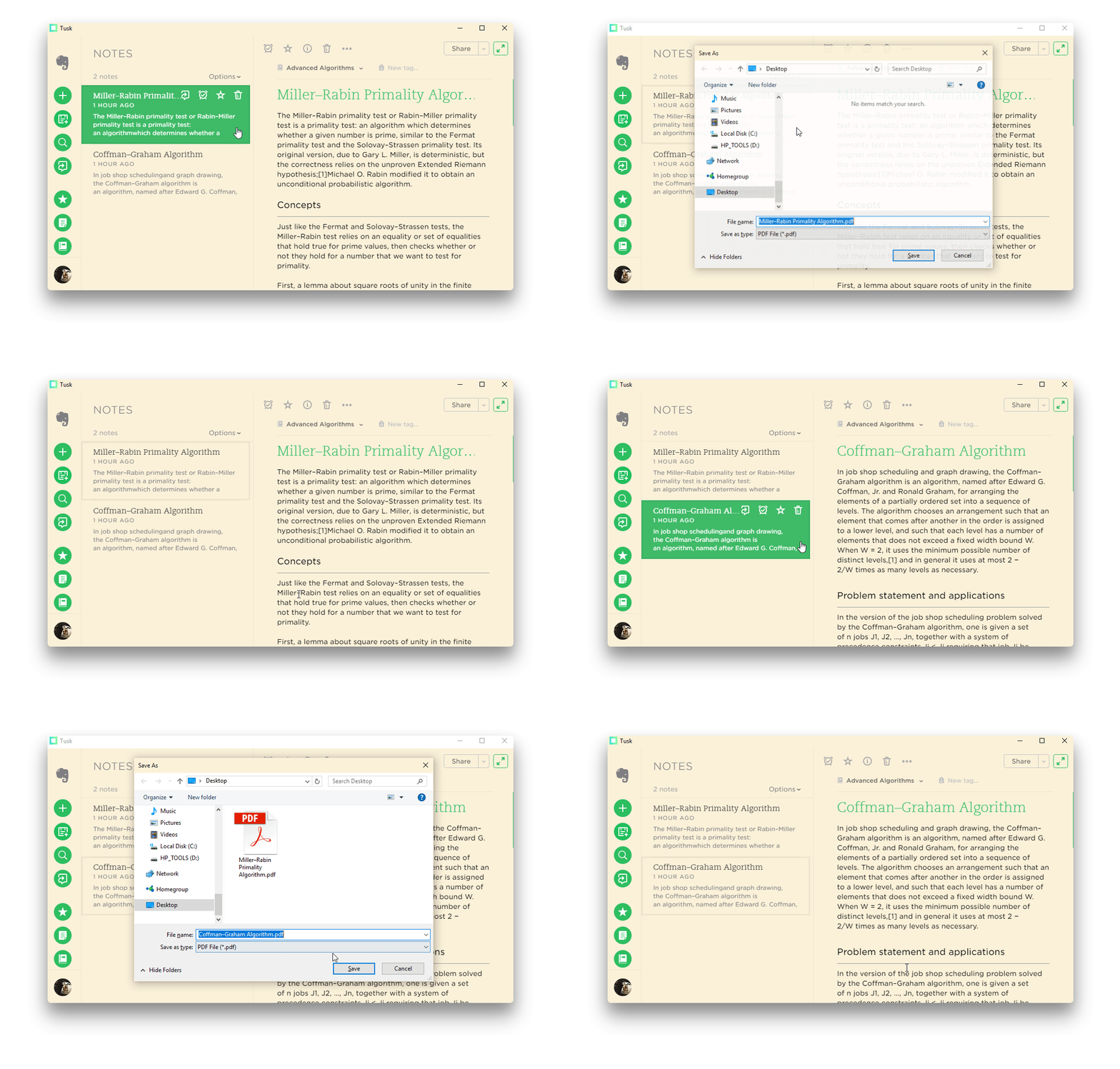
- Export Notes – Export and save your notes effortlessly on your machine as `pdf` files.
- Yinxiang Support – Login with your Yinxiang account through the Tusk > File menu.
- Scalable Interface – Adjust the zooming factor to your own preference.
- Cross Platform, Auto-updates, Markdown & more
Download Tusk on Ubuntu
- 50.9 MB tusk-0.9.3-i386.AppImage
- 49.9 MB tusk-0.9.3-x86_64.AppImage
- 60 MB tusk-macos-0.9.3.zip
- 52.5 MB tusk-Setup-0.9.3.exe
- 34 MB tusk_0.9.3_amd64.deb
- 75.6 MB tusk_0.9.3_amd64.snap
- 34.8 MB tusk_0.9.3_i386.deb
- Source code (zip)
- Source code (tar.gz)
Note that Tusk is an unofficial, open source, third-party, community driven, free app and is not affiliated in any way with Evernote.