
Twitter App Corebird 1.7.4 released. Here’s how to install Twitter App Corebird 1.7.4 in Ubuntu Linux Systems.
Corebird 1.7.4
- Twitter App Corebird 1.7.4 brings the following changes:
- Fix tweet sending on 32bit architectures.
- Fix a few spelling mistakes.
- Work around a GTK+ bug increasing the window size when typing DMs.
- Prevent the list statuses page from automatically focusing the delete button, potentially resulting in accidentally deleted lists.
- Show a language selection context menu in the compose text view.
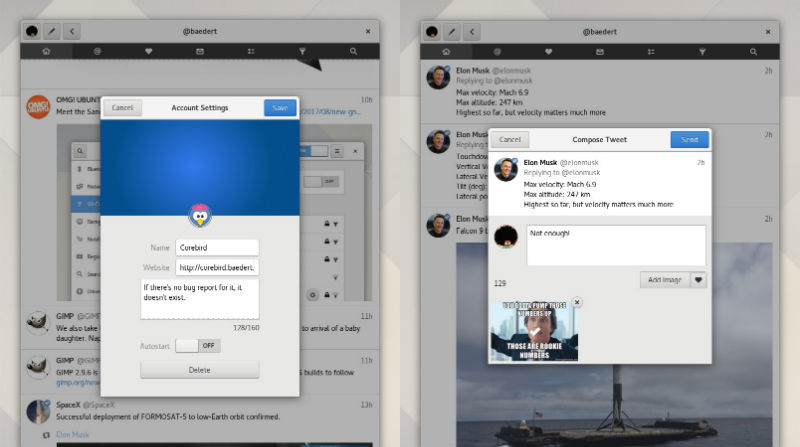
Install Corebird 1.7 Twitter Client on Ubuntu
Open terminal and run the following commands to install Corebird 1.7 on Ubuntu 17.10, Ubuntu 17.04, Ubuntu 16.10, Ubuntu 16.04, Ubuntu 15.10, Ubuntu 15.04, Ubuntu 14.04 and Ubuntu 14.10 Systems:
$ sudo add-apt-repository ppa:ubuntuhandbook1/corebird

$ sudo apt-get update

$ sudo apt-get install corebird
Installation Using Flatpak
After installing Flatpak you can run these commands:
flatpak remote-add --if-not-exists flathub https://flathub.org/repo/flathub.flatpakrepo
flatpak install flathub org.baedert.corebird
Set Up Corebird on Ubuntu
Once installed, open Corebird from Ubuntu Dash. Type Corebird and click on it to open the Twitter Client. For the first time users, you will be asked to authorise Corebird using your Twitter account. All you need is to authorize your Twitter account to use Corebird. Once done, you are ready to use Corebird.
Uninstall Corebird From Ubuntu
If you wish to remove and uninstall corebird, run the command given below:
$ sudo apt install ppa-purge

$ sudo ppa-purge ppa:ubuntuhandbook1/corebird