
Qmmp music player 1.3.2 released! How to install Qmmp music player in Ubuntu Linux. Qmmp, a Qt-based music player with winamp or xmms like interface.
Qmmp Music Player comes with an improved WASAPI support and fixed cursors support in the skinned user interface. Qmmp is a popular multimedia player similar to Winamp music player. Qmmp supports various multimedia file (video and audio) formats. Some of the most popular multimedia formats that is supported by Qmmp are MPEG1 layer 2/3, Ogg Vorbis, Ogg Opus, Native FLAC/Ogg FLAC, Musepack, WavePack, WMA and Midi.
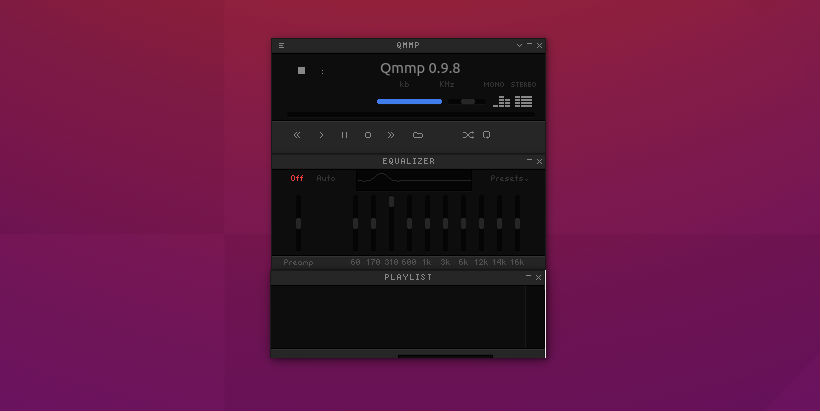
Qmmp 1.3.2
Changes since 0.12.1 and 1.3.1:
- added feature to play track on double click in the history plugin;
- enabled mpg123 decoder for Windows;
- using album cover from file by default;
- fixed lyrics plugin;
- fixed API documentation;
- fixed issue with read-only mode for FLAC files;
- fixed issue with missing properties for some CUE tracks;
- fixed shortcuts displaying in context menus under Qt 5.10 or higher (1.3.2 only);
- fixed Qt 5.13 support (1.3.2 only);
- fixed crash under Wayland session (1.3.2 only);
- fixed freezing on some corrupted files in the ffmpeg plugin;
- fixed crash on some streams in the ffmpeg plugin;
- fixed file type determination by content in the mpeg plugin.
Install Qmmp 1.3.2 in Ubuntu
Run the following commands in Terminal to install Qmmp (Winamp-like music player) on Ubuntu, via PPA:
 sudo add-apt-repository ppa:forkotov02/ppa
 sudo apt-get update
 sudo apt-get install qmmp qmmp-plugin-pack
 sudo apt-get update
 sudo apt-get install qmmp-qt4 qmmp-plugin-pack-qt4
Uninstall
If you wish to uninstall the Qmmp 1.3.2 media player, run the following commands in Terminal:
 sudo apt-get update
 sudo apt-get remove --autoremove qmmp qmmp-qt4 qmmp-plugin-pack qmmp-plugin-pack-qt4