
Kernel commands in Linux Ubuntu. Learn how to check Kernel version Ubuntu. Which is the terminal command to check Kernel version in Linux Ubuntu.
1. uname
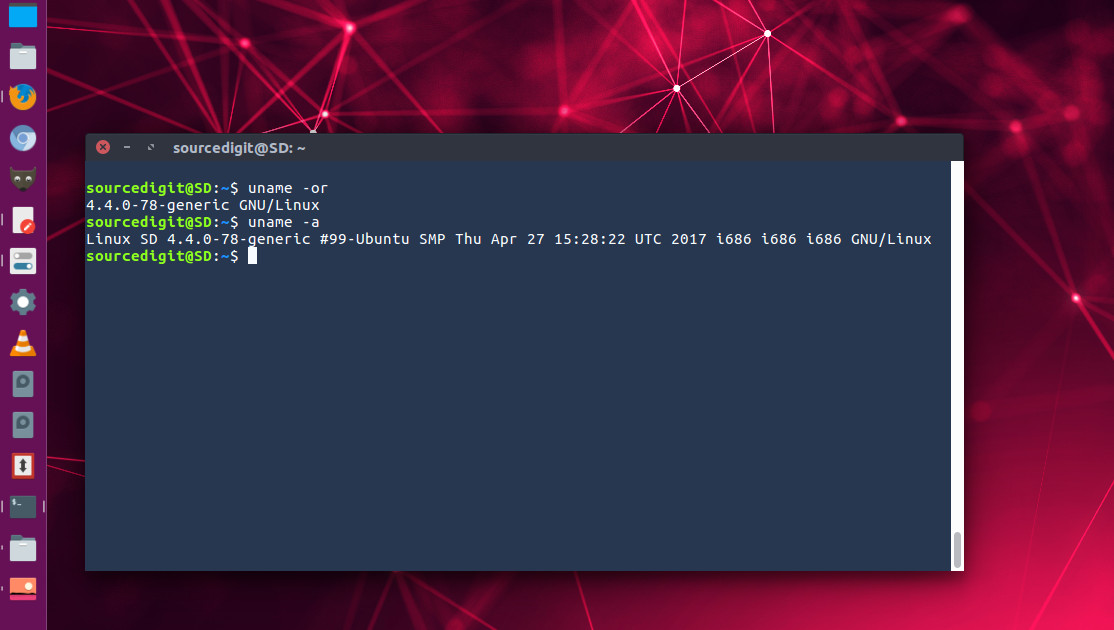
‘uname’ prints information about the machine and operating system it is run on. If no options are given, ‘uname’ acts as if the ‘-s’ option were given. If multiple options or ‘-a’ are given, the selected information is printed in this order:
KERNEL-NAME NODENAME KERNEL-RELEASE KERNEL-VERSION MACHINE PROCESSOR HARDWARE-PLATFORM OPERATING-SYSTEM
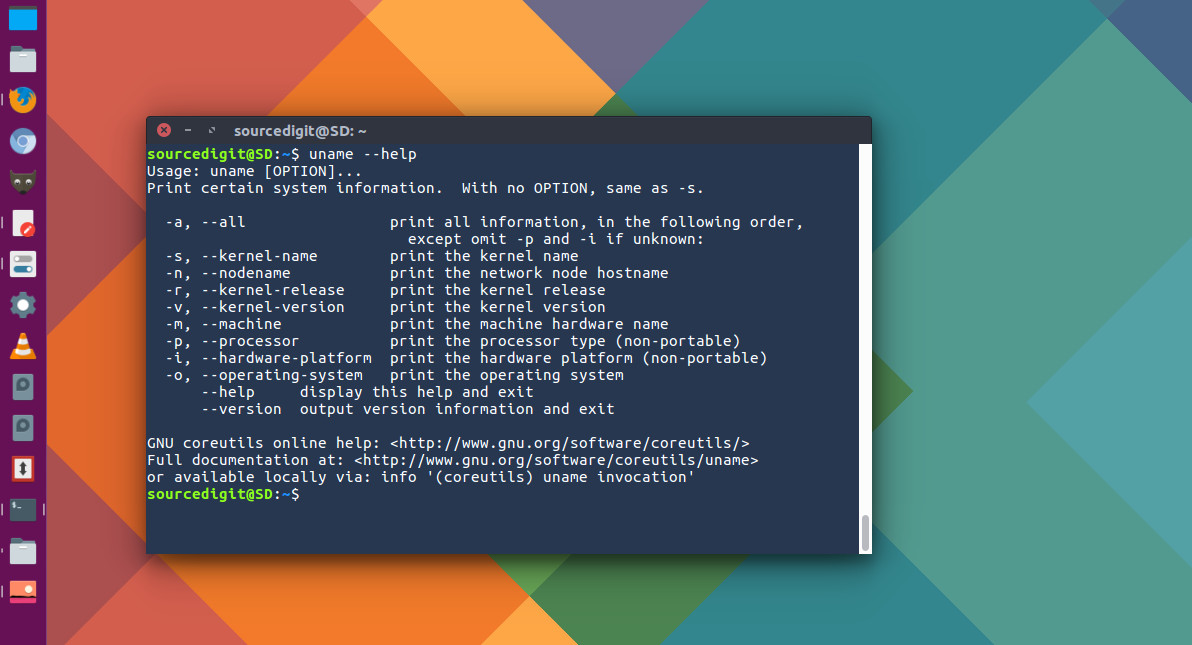
The three uname comamnds to know about Linux Kernel are “uname -r” “uname -v” and “uname -s”.
The “uname -r” prints the kernel release. The command “uname -s” prints the kernel name. The kernel name might be the same as the operating system name printed by the ‘-o’ or ‘–operating-system’ option, but it might differ. Some operating systems (e.g., FreeBSD, HP-UX) have the same name as their underlying kernels; others (e.g., GNU/Linux, Solaris) do not. And the command “uname -v” prints the kernel version.
2. /proc/version
The /proc/version file specifies the version of the Linux kernel, the version of gcc used to compile the kernel, and the time of kernel compilation. It also contains the kernel compiler’s user name (in parentheses).
cat /proc/version
3. dmesg
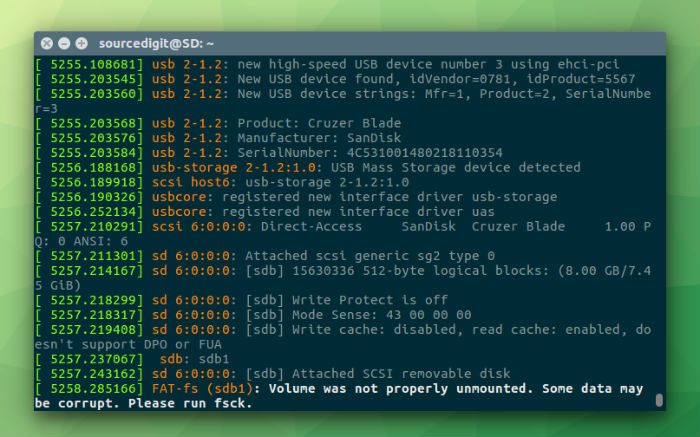
dmesg – display message or driver message – is used to examine or control the kernel ring buffer. It has the syntax “dmesg [-c] [-n level] [-s bufsize]”. The default action is to display all messages from the kernel ring buffer. And the option ‘grep’ prints lines that contain a match for a pattern.
dmesg | grep Linux