
How to use Apple Music on Linux Ubuntu. Apple Music is now available through a web browser – Apple Music web browser player launches in beta – which means you can now use the service on Linux Ubuntu Systems.
The release says “Apple is making it possible for subscribers of Apple Music to be able to listen to songs on the streaming service via a browser, with a public beta launch enabling users to log into their accounts via a web-based player for the first time.”
A new site called beta.music.apple.com offers an interface similar to what is offered when users view the service in the iOS Music app or via macOS iTunes. While it is possible for anyone to browse the service via the site, users can only listen to songs in a preview without logging in with their Apple ID.
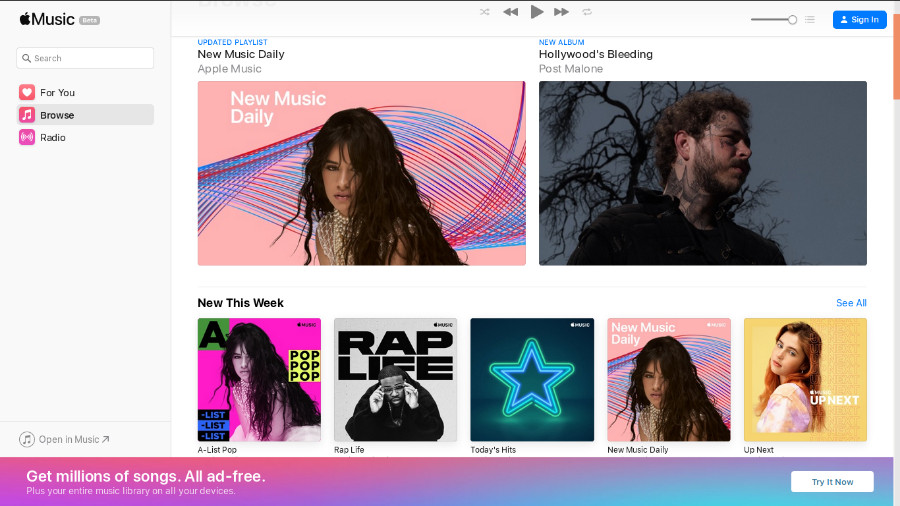
For all users, the left-hand bar offers the For You, Browse, and Radio sections to explore, standard elements of Apple Music, with the music playback interface appearing near the top of the browser window. At the bottom left is a link labeled “Open in Music,” which takes users to the Music app or iTunes , depending on the operating system.
Unsubscribed users are also offered the ability to sign up for the Apple Music trial via a banner at the bottom of the screen. Subscribers logging in to the site can access other elements, including their library and saved playlists, as well as being able to listen to full-length versions of songs.
Given the service is in beta, it is likely that more features from the main apps will be added to the web-based experience over time.