
• Skip to primary navigation
  • Skip to main content
  • Skip to primary sidebar
Source Digit

Source Digit

Linux, Ubuntu Tutorials & News, Technology, Gadgets & Gizmos

  • Home
  • How To
  • Ubuntu
  • Instagram
  • Blogging
  • Android
  • WordPress
  • +More
    • Cloud Computing
    • Gadgets
    • Social Media
    • Technology
  • Write for Us
Home / How To / How To Record Audio In Ubuntu Linux

How To Record Audio In Ubuntu Linux

By Sourabh / January 29, 2020 Category: How To, Ubuntu

How to record audio in Ubuntu Linux. I give you Ubuntu audio recorder which can record audio output on Linux Ubuntu systems.

Install Audio Recorder In Ubuntu
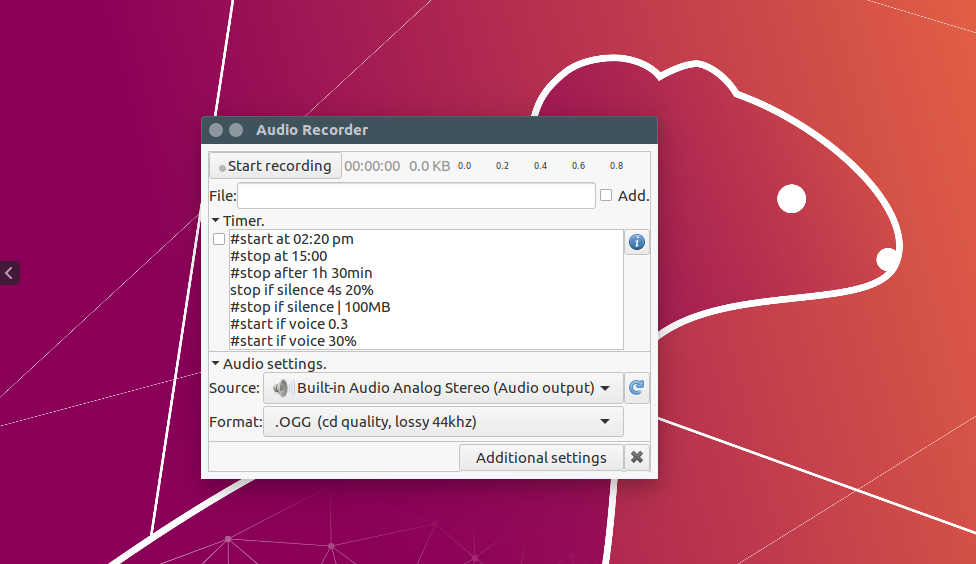
Before you begin the installation, remove the OLD, PRIVATE PPA that belonged to the developer. Run:

sudo add-apt-repository --remove ppa:osmoma/audio-recorder

Then update your package list and Install the latest version of audio-recorder. Run:

sudo add-apt-repository ppa:audio-recorder/ppa
sudo apt-get update
sudo apt install audio-recorder

Or


sudo add-apt-repository ppa:audio-recorder/ppa
sudo apt-get -y update
sudo apt-get install --reinstall audio-recorder

Once installed, open the application from Ubuntu Dash.

Primary Sidebar

Latest Posts

Using Linux Terminal How To Get Total Disk Size In GB

Count And Find Number Of Files In A Linux Directory Using Command

Check How Many Users Are Created In Linux Ubuntu

How To Check User Permissions In Linux Using Command

Check Which Folder Is Taking More Space In Ubuntu Linux

How to Install Claude Desktop App in Ubuntu Linux

Job Scheduling Using At Command In Linux With Examples

How To Check Permissions Of A Directory In Linux Command

Delete Directory And Contents Recursively Without Prompt On Linux

Check User Login History In Ubuntu Linux Command Line

© 2026 Source Digit • Linux, Ubuntu Tutorials & News, Technology, Gadgets & Gizmos

  • Home
  • About
  • Privacy Policy
  • Terms & Conditions
  • Contact Us
  • Sitemap