
Darktable 3.0.2 released. Here is how to install Darktable in Ubuntu Linux. Darktable is an open source photography workflow application and raw developer. A virtual lighttable and darkroom for photographers.
It manages your digital negatives in a database, lets you view them through a zoomable lighttable and enables you to develop raw images and enhance them.
Changes since 3.0.1
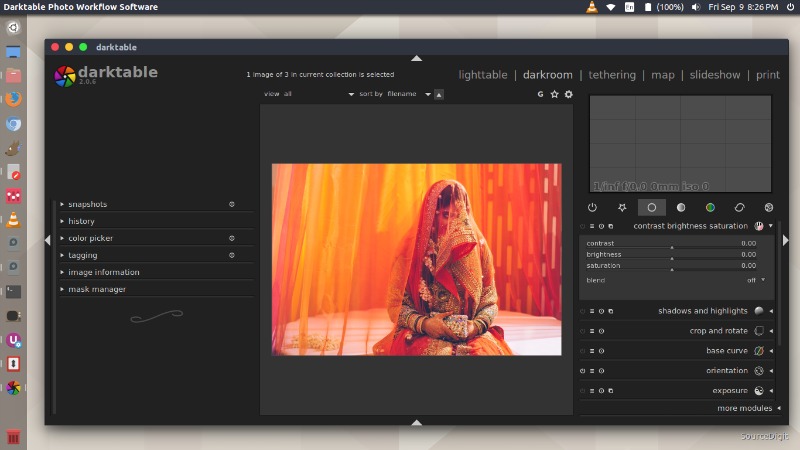
New Features And Changes
- Better UI for the blend modes which are now grouped by category.
- Ctrl+Click can be used to rename a module instance.
- Allow larger vignette scale.
- Add pseudo preset in whitebalance to keep user’s modifications.
- In crop&rotate module it is possible to allow only vertical composition change using the Shift modifier when dragging the crop area and horizontal one using the Ctrl modifier.
Bug fixes
- Fix color peaking mode in culling mode.
- Fix single expanded module in some cases.
- Fix a watermark issue that could crash darktable.
- Fix issue with gradient mask rotation in some cases.
- Fix upward compatibility support in base adjustment module.
- Fix some MacOS full-screen mode issues.
- Fix issues on some Lut 3D files.
Base Support
- Fujifilm GFX 100 (compressed)
- Fujifilm X-Pro3 (compressed)
- Fujifilm X100V (compressed)
- Nikon COOLPIX P950 (12bit-uncompressed)
- Nikon Z 50 (12bit-compressed, 14bit-compressed)
- Olympus E-M1MarkIII
- Panasonic DC-S1 (3:2)
- Panasonic DC-S1R (3:2)
- Panasonic DC-TZ91 (4:3)
- Panasonic DC-TZ95 (4:3)
- Panasonic DC-TZ96 (4:3)
- Panasonic DC-ZS80 (4:3)
- Sony ILCE-6100
White Balance Presets
- Canon EOS 77D
- Canon EOS 9000D
- Nikon COOLPIX P1000
- Panasonic DC-GH5
- Olympus E-M1MarkIII
- Olympus E-PL6
- Olympus TG-5
- Samsung NX1
Noise Profiles
- Olympus E-M1MarkIII
Translations
- Catalan
- Czech
- Danish
- German
- European Spanish
- French
- Hebrew
- Hungarian
- Italian
- Japanese
- Norwegian
- Dutch
- Polish
- Russian
- Slovenian
Install Darktable On Ubuntu Linux
Run the following commands in terminal to install Darktable on Ubuntu Linux Systems:
sudo add-apt-repository ppa:ubuntuhandbook1/darktable
sudo apt-get update
sudo apt-get install darktable
Once installed, please restart the system to apply changes.