
Here is how to install calibre ebook reader for Ubuntu. Calibre is one of the best ebook reader applications for Linux Ubuntu.
Calibre
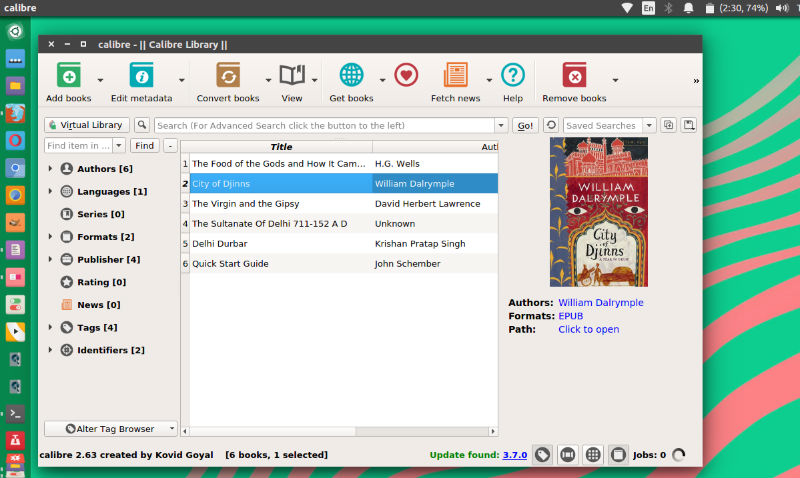
calibre is a powerful and easy to use e-book manager. Users say it’s outstanding and a must-have. It’ll allow you to do nearly everything and it takes things a step beyond normal e-book software. It’s also completely free and open source and great for both casual users and computer experts.
Save time on managing your e-book collection
Use it everywhere and with anything
Comprehensive e-book viewer
Download news/magazines from the web
Share and backup your library easily
Edit the books in your collection
Satisfy every e-book need and get support
New features
- For details on the major changes in calibre between 4.0 and 5.0, see https://calibre-ebook.com/new-in/fourteen
- E-book viewer: Add support for highlighting https://manual.calibre-ebook.com/viewer.html#highlighting-text
- E-book viewer: Add support for right-to-left and vertical text
- Switch calibre to Python 3. This means that some no longer maintained third party plugins will not work. See https://www.mobileread.com/forums/showthread.php?t=326405
- Dark mode support for the Content server and E-book viewer user interfaces
- Content server’s in-browser viewer now supports bookmarking. Bookmarks and highlights are auto-synced across devices.
- Regular expression engine used for searching the book list and reading metadata from filenames has been made more powerful.
Bug fixes
- Version 5.0.1 fixes a bug in 5.0.0 that broke connecting to devices on macOS
Download Calibre
Click Here to go to Calibre Download Page
Install Calibre
sudo -v && wget -nv -O- https://download.calibre-ebook.com/linux-installer.sh | sudo sh /dev/stdin