
How to install Sublime Text Editor in Ubuntu Command Line. Here are the terminal commands to install Sublime Text in Ubuntu 22.04, Ubuntu 21.04, Ubuntu 18.04 and Ubuntu 16.04.
Sublime Text
Sublime Text is a powerful text editor built from custom components, providing for unmatched responsiveness. From a powerful, custom cross-platform UI toolkit, to an unmatched syntax highlighting engine, Sublime Text sets the bar for performance.
Sublime Text has a powerful, Python API that allows plugins to augment built-in functionality. Package Control can be installed via the command palette, providing simple access to thousands of packages built by the community. Sublime Text is built from custom components, providing for unmatched responsiveness.
From a powerful, custom cross-platform UI toolkit, to an unmatched syntax highlighting engine, Sublime Text sets the bar for performance. Sublime Text uses a custom UI toolkit, optimized for speed and beauty, while taking advantage of native functionality on each platform.
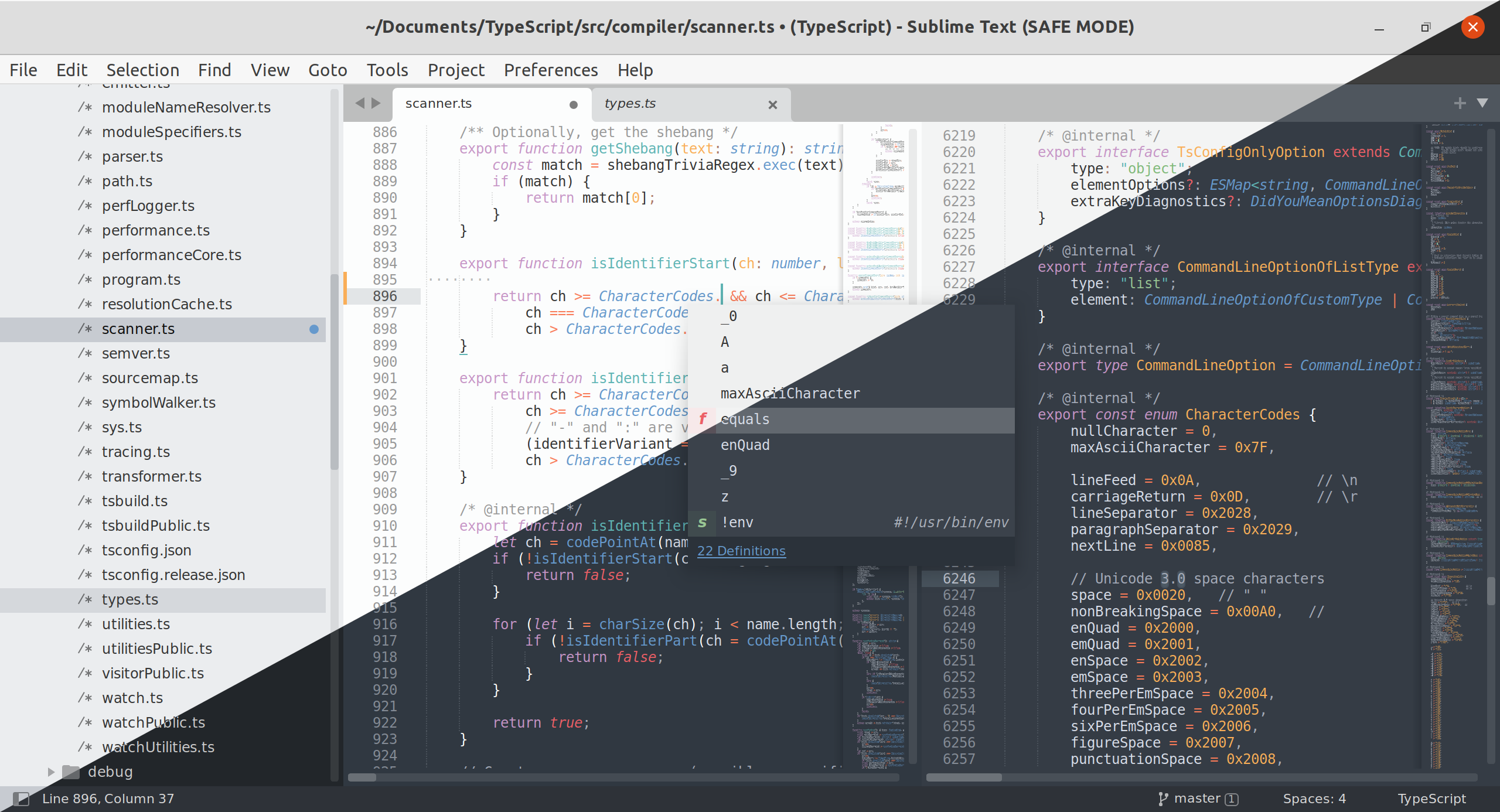
Sublime Text 4 is packed with new features and enhancements, including:
- GPU Rendering – Sublime Text can now utilize your GPU on Linux, Mac and Windows when rendering the interface. This results in a fluid UI all the way up to 8K resolutions, all while using less power than before.
- Tab Multi-Select – File tabs have been enhanced to make split views effortless, with support throughout the interface and built-in commands. The side bar, tab bar, Goto Anything, Goto Definition, auto complete and more have all been tweaked to make code navigation easier and more intuitive than ever.
- Context-Aware Auto Complete – The auto complete engine has been rewritten to provide smart completions based on existing code in a project. Suggestions are also augmented with info about their kind, and provide links to definitions.
- Refreshed UI – The Default and Adaptive themes have been refreshed with new tab styles and inactive pane dimming. Themes and Color Schemes support auto dark-mode switching. The Adaptive theme on Windows and Linux now features custom title bars.
- TypeScript, JSX and TSX Support – Support for one of the most popular new programming languages is now shipped by default. Utilize all of the smart syntax-based features of Sublime Text within the modern JavaScript ecosystem.
- Superpowered Syntax Definitions – The syntax highlighting engine has been significantly improved, with new features like handling non-deterministic grammars, multi-line constructs, lazy embeds and syntax inheritance. Memory usage has been reduced, and load times are faster than ever.
- Updated Python API – The Sublime Text API has been updated to Python 3.8, while keeping backwards compatibility with packages built for Sublime Text 3. The API has been significantly expanded, adding features that allow plugins like LSP to work better than ever.