
• Skip to primary navigation
  • Skip to main content
  • Skip to primary sidebar
Source Digit

Source Digit

Linux, Ubuntu Tutorials & News, Technology, Gadgets & Gizmos

  • Home
  • How To
  • Ubuntu
  • Instagram
  • Blogging
  • Android
  • WordPress
  • +More
    • Cloud Computing
    • Gadgets
    • Social Media
    • Technology
  • Write for Us
Home / How To / How To Get Port Number From IP Address In Linux

How To Get Port Number From IP Address In Linux

By Sourabh / December 29, 2022 Category: How To, Ubuntu

How to check what is running on port Linux? This tutorial explains how to check port 443 is open Linux or Linux check if port is open on remote server. Read how to get port number from IP address in Linux.

Find Which Process Is Running On A Specific Port Number

Run the following command to find which process is running on specific port number. For example the following command will display which process is running on port number 80 on the system:

$ sudo netstat -ltnp | grep -w ':80'
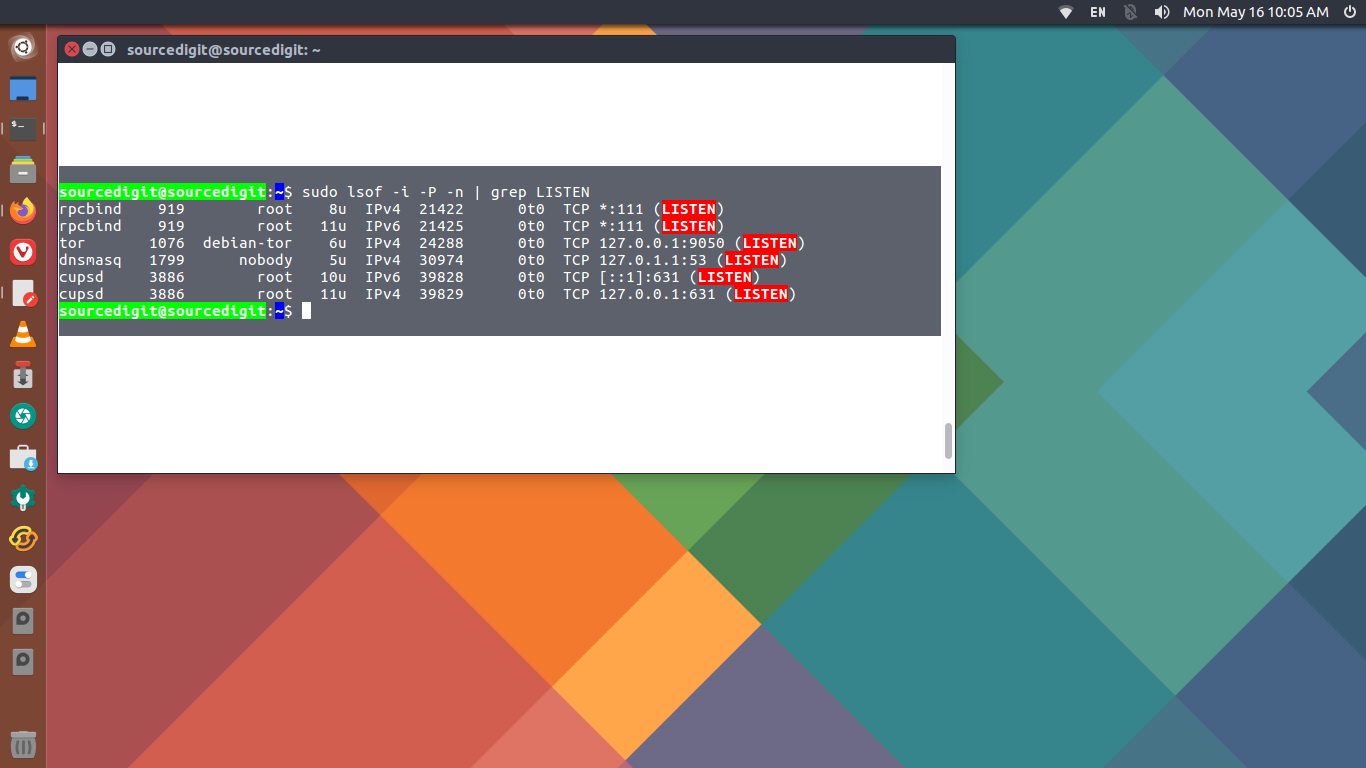
How To Find IP Address And Port Number In Ubuntu

If you want to get port number from IP address in Linux, run “netstat -a” command in terminal. This will show you a list of your active TCP connections which includes the port numbers alongwith the IP address. Note that the IP address are separated by a colon sign.

Primary Sidebar

Latest Posts

Downlaod Ubuntu 26.10 Stonking Stingray

How To Shutdown Linux With A 15 Minute Delay And Message

Using Linux Terminal How To Get Total Disk Size In GB

Count And Find Number Of Files In A Linux Directory Using Command

Check How Many Users Are Created In Linux Ubuntu

How To Check User Permissions In Linux Using Command

Check Which Folder Is Taking More Space In Ubuntu Linux

How to Install Claude Desktop App in Ubuntu Linux

Job Scheduling Using At Command In Linux With Examples

How To Check Permissions Of A Directory In Linux Command

© 2026 Source Digit • Linux, Ubuntu Tutorials & News, Technology, Gadgets & Gizmos

  • Home
  • About
  • Privacy Policy
  • Terms & Conditions
  • Contact Us
  • Sitemap