
• Skip to primary navigation
  • Skip to main content
  • Skip to primary sidebar
Source Digit

Source Digit

Linux, Ubuntu Tutorials & News, Technology, Gadgets & Gizmos

  • Home
  • How To
  • Ubuntu
  • Instagram
  • Blogging
  • Android
  • WordPress
  • +More
    • Cloud Computing
    • Gadgets
    • Social Media
    • Technology
  • Write for Us
Home / Ubuntu / How To Install Xtreme Internet Download Manager For Linux Ubuntu

How To Install Xtreme Internet Download Manager For Linux Ubuntu

By Sourabh / June 5, 2023 Category: How To, Ubuntu

If you are looking for the best free internet download manager for Linux Ubuntu, here is how to install and use xtreme download manager for Linux Ubuntu systems.

Xtreme Download Manager

Xtreme Download Manager is a powerful tool which can increase download speed up-to 500%. It can save streaming videos from YouTube, DailyMotion, Facebook, Vimeo, Google Video and 1000+ other websites. As a download manager it can resume broken/dead downloads, schedule and convert downloads.
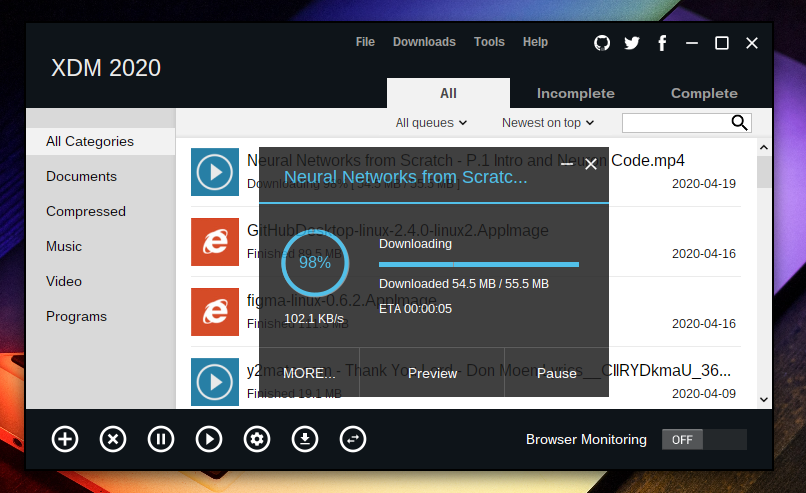
XDM has a built in video converter which lets you convert your downloaded videos to different formats.

Xtreme Download Manager can download 5 time faster. XDM can accelerate downloads by up to 5 times due to its intelligent dynamic file segmentation technology.

The Xtreme Download Manager works with all browsers. XDM supports all popular browsers including Google Chrome, Firefox Quantum, Vivaldi, Opera and many other browsers on Windows, Linux and OS X.

Run the following commands in terminal to install XDM download manager:

$ wget https://github.com/subhra74/xdm/releases/download/7.2.11/xdm-setup-7.2.11.tar.xz
$ tar -xvf xdm-setup-7.2.11.tar.xz
$ sudo sh install.sh

Once installed, opne the XDM download manager from Ubuntu Dash and start using.

Primary Sidebar

Latest Posts

Delete Directory And Contents Recursively Without Prompt On Linux

Check User Login History In Ubuntu Linux Command Line

Use Locate Command To Find File In Linux Terminal By Name

How To Change Terminal Color In Ubuntu Command Line

How To Run Fsck Manually In Linux To Fix Unexpected Inconsistency

How To Fix Broken Packages On Ubuntu From Terminal

Re Execute The Previous Command In Linux Ubuntu Command Line

How Much RAM Is Needed For Ubuntu PC

How To Find Large Files And Directories In Linux Command Line

How To Use Clear Command History In Linux Terminal

© 2026 Source Digit • Linux, Ubuntu Tutorials & News, Technology, Gadgets & Gizmos

  • Home
  • About
  • Privacy Policy
  • Terms & Conditions
  • Contact Us
  • Sitemap