
• Skip to primary navigation
  • Skip to main content
  • Skip to primary sidebar
Source Digit

Source Digit

Linux, Ubuntu Tutorials & News, Technology, Gadgets & Gizmos

  • Home
  • How To
  • Ubuntu
  • Instagram
  • Blogging
  • Android
  • WordPress
  • +More
    • Cloud Computing
    • Gadgets
    • Social Media
    • Technology
  • Write for Us
Home / How To / Install Flair Weather Conky Widget via PPA in Ubuntu 14.04 & Ubuntu 14.10

Install Flair Weather Conky Widget via PPA in Ubuntu 14.04 & Ubuntu 14.10

By Sourabh / February 3, 2015 Category: How To, Ubuntu

How to install Flair Weather Conky Widget on UBuntu 14.04, UBuntu 14.10 Desktop. The Flair Weather Widget is a beautiful conky widget for Linux systems. It shows time, date, and weather information on the desktop and comes in white and black theme.

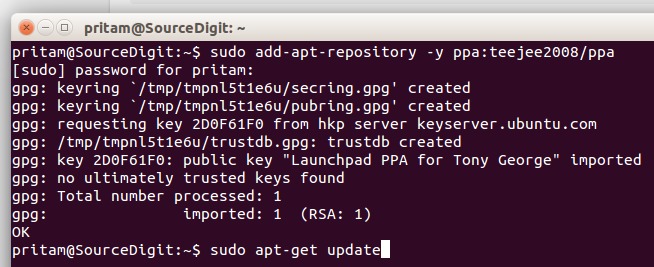
Install curl and Conky Manager, a graphical tool to manage conky themes. Open terminal and run the following commands to install Flair Weather Conky Widget via PPA:


sudo add-apt-repository -y ppa:teejee2008/ppa
sudo apt-get update
sudo apt-get install conky-manager curl
conky-weather-ubuntu

You can also download the .deb installer directly from the launchpad page, if you don’t want to add PPA. Once downloaded, get the Flair Weather Conky from deviantart.com and extract it to user Home folder. Press Ctrl+H to see hidden folders, if you are unable to see .conky folder.

Once downloaded, start/open Conky Manager widget and setup the weather location. The Conky Weather Widget uses Yahoo! Weather.
Weather-widget

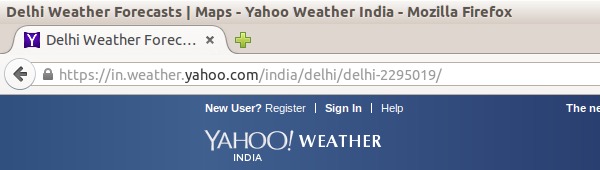
Go to weather.yahoo.com, search for your city and note down down the id in the url. Noe set the weather location for the city. Follow the below steps:

  • Open Conky manager, highlight the Flair Weather widget.
  • Click edit (the pencil icon).
  • Replace the location id with the city id.

Now for the last step, configure the widget size, location, transparency, time format and auto-start features using the widget settings and app preferences window.

Cover Image via Deviantart

Tags: Best Weather Widget for Ubuntu 14.04, Install Conky Weather Widget in Ubuntu 14.04, Install Flair Weather Conky Widget via PPA, Install Weather Widget in Ubuntu 14.04, Install Weather Widget in Ubuntu 14.10, Linux Ubuntu Install Weather Widget via PPA, Linux Ubuntu Weather Widget, Ubuntu 14.04, Ubuntu 14.10

Primary Sidebar

Latest Posts

How To Run Fsck Manually In Linux To Fix Unexpected Inconsistency

How To Fix Broken Packages On Ubuntu From Terminal

Re Execute The Previous Command In Linux Ubuntu Command Line

How Much RAM Is Needed For Ubuntu PC

How To Find Large Files And Directories In Linux Command Line

How To Use Clear Command History In Linux Terminal

Linux Command To Check RAM Size In Ubuntu Terminal In GB

How To Install Proprietary Drivers In Linux Ubuntu Using Terminal

How To Shutdown Linux With A 15 Minute Delay And Message

Free AI Courses With Certificate For Beginners In India

© 2026 Source Digit • Linux, Ubuntu Tutorials & News, Technology, Gadgets & Gizmos

  • Home
  • About
  • Privacy Policy
  • Terms & Conditions
  • Contact Us
  • Sitemap