
• Skip to primary navigation
  • Skip to main content
  • Skip to primary sidebar
Source Digit

Source Digit

Linux, Ubuntu Tutorials & News, Technology, Gadgets & Gizmos

  • Home
  • How To
  • Ubuntu
  • Instagram
  • Blogging
  • Android
  • WordPress
  • +More
    • Cloud Computing
    • Gadgets
    • Social Media
    • Technology
  • Write for Us
Home / How To / How To Install Firefox 38 on 32 bit/64 bit Ubuntu 15.04, Ubuntu 14.10 and Ubuntu 14.04

How To Install Firefox 38 on 32 bit/64 bit Ubuntu 15.04, Ubuntu 14.10 and Ubuntu 14.04

By Sourabh / May 14, 2015 Category: How To, Ubuntu

Download and install Firefox 38.0 ESR (Extended Support Release). How to install Firefox 38 on 32 bit/64 bit Ubuntu 15.04, Ubuntu 14.10 and Ubuntu 14.04.

Firefox 38.0 features new Tab-based Preferences menus and many exciting changes and improvements:

What’s New in Firefox 38:

  • New tab-based preferences.
  • Ruby annotation support.
  • Autocomplete=off is no longer supported for username/password fields.
  • Improved page load times through speculative connection warmup.
  • WebSocket suppot now available in Web Workers.
  • Implemented BroadcastChannel API.
  • Copy command added to console.
  • WebRTC now supports multistream and renegotiation.
  • Various important security fixes.

Install Firefox 38 on 64 bit Ubuntu Systems

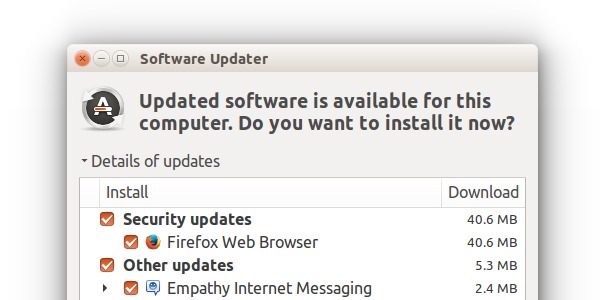
You can either install Firefox 38 via official Ubuntu repisotiry or using Terminal commands.
Screenshot-21

Open Terminal and run the following commands to install Firefix 38:


wget ftp.mozilla.org/pub/mozilla.org/firefox/releases/38.0/linux-i686/en-US/firefox-38.0.tar.bz2
tar -xjvf firefox-38.0.tar.bz2
sudo rm -rf /opt/firefox*
sudo mv firefox /opt/firefox
sudo ln -sf /opt/firefox/firefox /usr/bin/firefox

Install Firefox 38 on 64 bit Ubuntu Systems


wget ftp.mozilla.org/pub/mozilla.org/firefox/releases/38.0/linux-x86_64/en-US/firefox-38.0.tar.bz2
tar -xjvf firefox-38.0.tar.bz2
sudo rm -rf /opt/firefox*
sudo mv firefox /opt/firefox
sudo ln -sf /opt/firefox/firefox /usr/bin/firefox

Tags: Download Firefox 38.0 ESR (Extended Support Release), How to install Firefox 38 on 32 bit Ubuntu, How to install Firefox 38 on 64 bit Ubuntu, Install Firefox 38 PPA, Install Firefox 38 Ubuntu, Install Firefox 38 Ubuntu 14.04, Install Firefox 38 Ubuntu 14.10, Install Firefox 38 Ubuntu 15.04, Install Firefox 38.0 ESR (Extended Support Release), Ubuntu 14.04, Ubuntu 14.10, Ubuntu 15.04

Primary Sidebar

Latest Posts

Delete Directory And Contents Recursively Without Prompt On Linux

Check User Login History In Ubuntu Linux Command Line

Use Locate Command To Find File In Linux Terminal By Name

How To Change Terminal Color In Ubuntu Command Line

How To Run Fsck Manually In Linux To Fix Unexpected Inconsistency

How To Fix Broken Packages On Ubuntu From Terminal

Re Execute The Previous Command In Linux Ubuntu Command Line

How Much RAM Is Needed For Ubuntu PC

How To Find Large Files And Directories In Linux Command Line

How To Use Clear Command History In Linux Terminal

© 2026 Source Digit • Linux, Ubuntu Tutorials & News, Technology, Gadgets & Gizmos

  • Home
  • About
  • Privacy Policy
  • Terms & Conditions
  • Contact Us
  • Sitemap