
Install Firefox 38.0.5 on Linux Ubuntu 15.04, Ubuntu 14.04 and Derivatives. Terminal commands to install Firefox 38.0.5 on Ubuntu via PPA.
Firefox 38.0.5 is the latest version of Firefox browser relased. Firefox 38.0.5 brings Pocket integration. Pocket is a popular save-for-later service. Pocket was started as a Firefox Add-on and is now a service in Firefox Accounts. It helps you save all the articles, videos and websites that you want to read or watch later, all in one place.
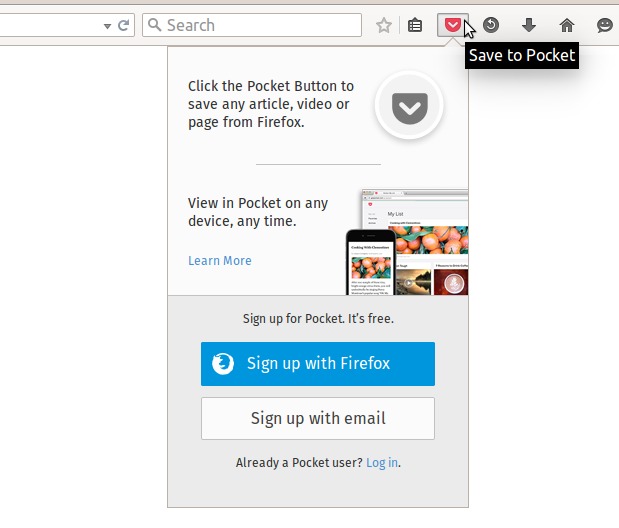
Other features are:
- Keep track of articles and videos with Pocket
- Clean formatting for articles and blog posts with Reader View
- Share the active tab or window in a Hello conversation
- A race condition that would cause Firefox to stop painting when switching tabs
- Fixed graphics performance when using the built-in VGA driver on Windows 7
Install Firefox 38.0.5 on Linux Ubuntu
Firefox 38.0.5, the latest versions of Firefox released are available as pre-compiled libraries via the Mozilla FTP. To install Firefox 38.0.5, download the archive, extract it and install the firefox file. Please note to download the installer archive as per the systems’s configuration, i386 or i686 for 32 bit systems and amd64 or x86_64 for 64 bit systems.
Install Firefox 38.0.5 on 32 bit Linux systems
Open Terminal and run the following commands to install Firefox 38.0.5 on 32 bit Linux systems:
wget ftp.mozilla.org/pub/mozilla.org/firefox/releases/38.0.5/linux-i686/en-US/firefox-38.0.5.tar.bz2

tar -xjvf firefox-38.0.5.tar.bz2

sudo rm -rf /opt/firefox*

sudo mv firefox /opt/firefox

sudo ln -sf /opt/firefox/firefox /usr/bin/firefox
Once installed, you can start Firefox via terminal or via Dash.
Install Firefox 38.0.5 on 64 bit Linux systems
Open Terminal and run the following commands to install Firefox 38.0.5 on 32 bit Linux systems:
wget ftp.mozilla.org/pub/mozilla.org/firefox/releases/38.0.5/linux-x86_64/en-US/firefox-38.0.5.tar.bz2

tar -xjvf firefox-38.0.5.tar.bz2

sudo rm -rf /opt/firefox*

sudo mv firefox /opt/firefox

sudo ln -sf /opt/firefox/firefox /usr/bin/firefox
Once installed, you can start Firefox via terminal or via Dash.