
Install DZip on Linux Ubuntu 15.04, Ubuntu 14.04 and Derivatives. Dzip is a command-line software for file compression/decompression.
It performs just as good as the competition, or slightly better, on average, both in compression ratio and time. See our comparison.
Dzip has full integration with the Windows shell. You can drag files into the Dzip window to add them to a .dz file. You can drag files out of the Dzip window wherever you would like them extracted. You can drag files on top of an icon for a .dz file to add them. Unlike WinZip, Dzip will not ‘double copy’ files when you drag them out by extracting to the temp directory and them copying them to the destination, the files go straight to the destination.
Dzip can also create self-extracting exe files out of its .dz files, so that you can share or send those files to your friends who don’t have Dzip!
Dzip has drag and drop support. Users can easily create .dz files. Unlike WinZip software, it does not copy the extracted files to temp and then move it to the destination folder, instead the files are copied to the destination directly.
Install DZip on Linux Ubuntu
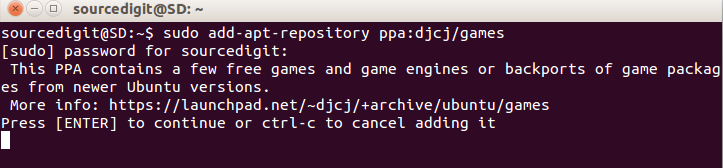
Here’s how to install the latest version of DZip on Linux Ubuntu Systems. Open Terminal and run the following commands to add the PPA to your system and install the DZip package:
$ sudo add-apt-repository ppa:djcj/games

$ sudo apt-get update

$ sudo apt-get install dzip
Once installed, open the DZip program from Ubuntu Dash. For any help type “dzip” (without quotes) in Terminal to get on-screen help.
Uninstall DZip from Linux Ubuntu and derivative
If you wish to uninstall and remove the DZip software, run the following command to remove DZip:
$ sudo apt-get remove dzip
The same set of installation instructions will also work on Ubuntu Derivatives.