
Install Krita 2.9.6 on Ubuntu 15.04 and Ubuntu 14.04, via PPA. Krita is a digital painting and illustration application for Linux Ubuntu. Krita 2.9.6 Kirta painting application has been released with lots of bugfixes and a few new features.
According to the release note, Krita 2.9.6 features the following new shortcuts:
- Shift+click: add to selection.
- Alt+click: subtract from selection.
- Shift+alt+click: intersect selection
- Ctrl+click: replace selection (for when you have set the selection mode to something else but replace).

Other new features are:
- New default workspace
- Show the tool options in a popup (toggle this on or off in the general preferences, needs restarting Krita)
- Allow preview for “Image Background Color and Transparency” dialog.
- Speed up of color balance, desaturate, dodge, hsv adjustment, index color per-channel and posterize filters.
- Add three new default shortcuts (Create group layer = Ctrl+G, Merge Selected layer = Ctrl+Alt+E, Scale image to new size = Alt+Ctrl+I )
Install Krita 2.9.6 & receive future updates:
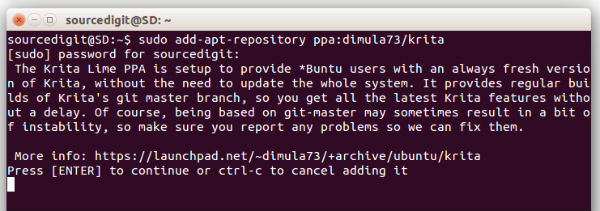
The Krita Lime PPA is setup to provide Linux Ubuntu users with an always fresh version of Krita, without the need to update the whole system. It provides regular builds of Krita’s git master branch, so you get all the latest Krita features without a delay. Of course, being based on git-master may sometimes result in a bit of instability, so make sure you report any problems so we can fix them.
Run the following commands in Terminal to install Krita Lime PPA:
$ sudo add-apt-repository ppa:dimula73/krita

$ sudo apt-get update

$ sudo apt-get install krita-2.9
Once installed, run below commands to create launcher, copy icons, and setup soft link to the Krita:
$ cd /opt/project-neon/share/ && sudo cp -r applications/ /usr/share/

$ cd /opt/project-neon/share/ && sudo cp -r icons/ /usr/share/

$ sudo ln -s /opt/project-neon/bin/krita /usr/bin/krita
After running the above commands, restart the systems.
If you wish to uninstall and remove the Kirta 2.9.6 from Linux Ubuntu systems, run the following command:
$ sudo apt-get remove krita-2.9