• Skip to primary navigation
  • Skip to main content
  • Skip to primary sidebar
Source Digit

Source Digit

Linux, Ubuntu Tutorials & News, Technology, Gadgets & Gizmos

  • Home
  • How To
  • Ubuntu
  • Instagram
  • Blogging
  • Android
  • WordPress
  • +More
    • Cloud Computing
    • Gadgets
    • Social Media
    • Technology
  • Write for Us
Home / How To / How to Create Bootable USB from ISO Linux Ubuntu

How to Create Bootable USB from ISO Linux Ubuntu

By Sourabh / October 23, 2015 Category: How To, Ubuntu

How to create a bootable USB stick on Ubuntu. How to create a Bootable USB from ISO Linux Ubuntu. Burn Linux Ubuntu ISO file to USB. How to install Ubuntu using a USB flash drive. How to create a startup disk using a CD or disc image.

1. Insert a USB stick with at least 2GB of free space.
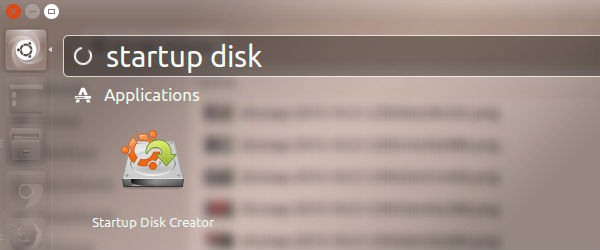
2. Open the dash and search for Startup Disk Creator.
write-011

3. Select the Startup Disk Creator to launch the app.
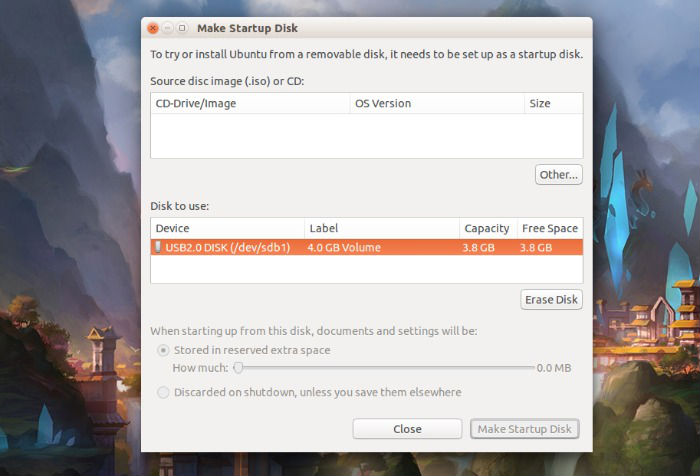
4. Click ‘Other’ to choose the downloaded ISO file.
write-012
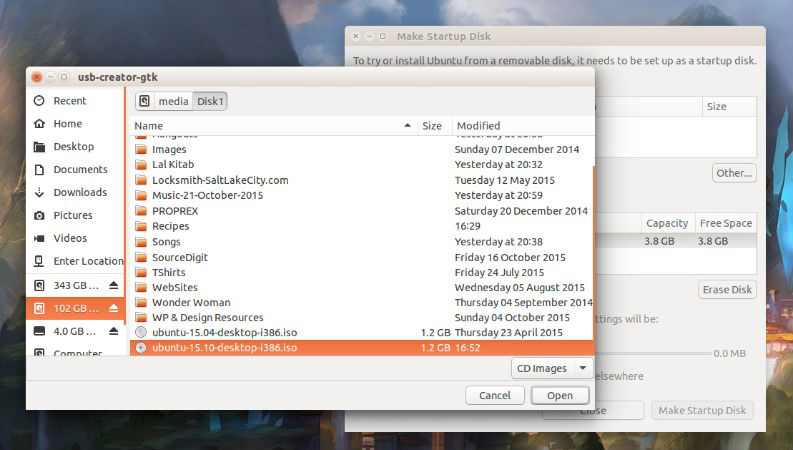
5. Select the file and click ‘Open’.

write-013
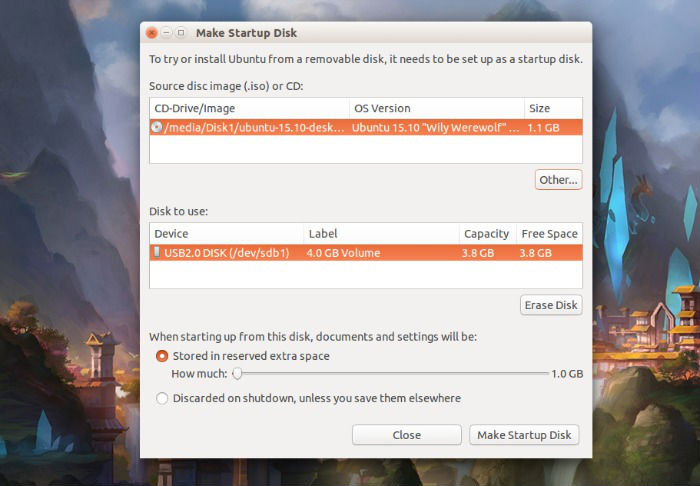
6. Select the USB stick in the bottom box and click ‘Make Startup Disk’.
write-014
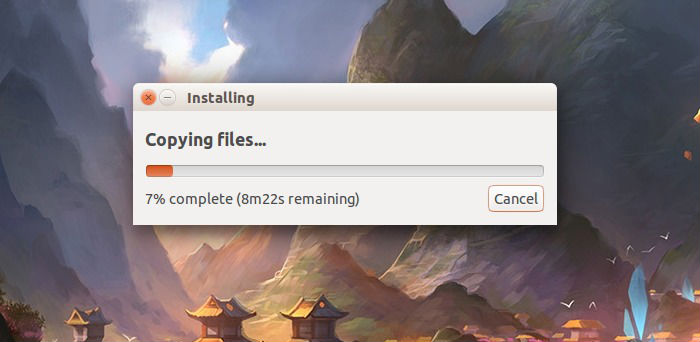
7. That’s it! When the process completes, you’ll be ready to restart your computer and begin installing Ubuntu.
write-015

Tags: How to burn .iso to USB drive, How To Burn an ISO File to USB, How to Create a Bootable USB Stick on Ubuntu, How to create a startup disk using a CD, How to create a startup disk using ISO, How to Create Bootable USB Drives, How to Install Ubuntu step by step with pictures, How to install Ubuntu using a USB flash drive, How to install Ubuntu using ISO, How to install Ubuntu using USB Pendrive, Install Ubuntu 14.04 using a USB, Install Ubuntu 14.04 using ISO, Install Ubuntu 14.10 using a USB, Install Ubuntu 14.10 using ISO, Install Ubuntu 15.04 using a USB, Install Ubuntu 15.04 using ISO, Install Ubuntu 15.10 using a USB, Install Ubuntu 15.10 using ISO, Install Ubuntu using a USB, Startup Disk Creator Ubuntu, Startup Disk Creator Ubuntu 14.04, Startup Disk Creator Ubuntu 15.04, Startup Disk Creator Ubuntu 15.10, Ubuntu 14.04 Startup Disk Creator, Ubuntu 15.04 Startup Disk Creator, Ubuntu 15.10 Startup Disk Creator, Ubuntu Startup Disk Creator

Primary Sidebar

Latest Posts

Downlaod Ubuntu 26.10 Stonking Stingray

How To Shutdown Linux With A 15 Minute Delay And Message

Using Linux Terminal How To Get Total Disk Size In GB

Count And Find Number Of Files In A Linux Directory Using Command

Check How Many Users Are Created In Linux Ubuntu

How To Check User Permissions In Linux Using Command

Check Which Folder Is Taking More Space In Ubuntu Linux

How to Install Claude Desktop App in Ubuntu Linux

Job Scheduling Using At Command In Linux With Examples

How To Check Permissions Of A Directory In Linux Command

© 2026 Source Digit • Linux, Ubuntu Tutorials & News, Technology, Gadgets & Gizmos

  • Home
  • About
  • Privacy Policy
  • Terms & Conditions
  • Contact Us
  • Sitemap