
• Skip to primary navigation
  • Skip to main content
  • Skip to primary sidebar
Source Digit

Source Digit

Linux, Ubuntu Tutorials & News, Technology, Gadgets & Gizmos

  • Home
  • How To
  • Ubuntu
  • Instagram
  • Blogging
  • Android
  • WordPress
  • +More
    • Cloud Computing
    • Gadgets
    • Social Media
    • Technology
  • Write for Us
Home / How To / Install Linux Note Taking App “Indicator Stickynotes” on Ubuntu

Install Linux Note Taking App “Indicator Stickynotes” on Ubuntu

By Sourabh / December 7, 2015 Category: How To, Ubuntu

Linux note taking App “Indicator Stickynotes.” How to install Indicator Stickynotes 0.5.6 on Ubuntu 15.10, Ubuntu 14.04 and Derivative Systems. Terminal commands to install Indicator Stickynotes, via PPA on Linux Ubuntu Systems.
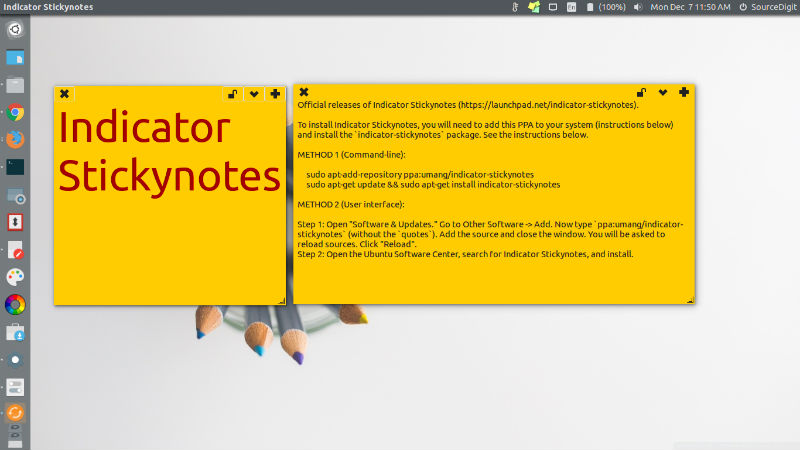
stickynotes-app

To install Indicator Stickynotes, you will need to add this PPA to your system (instructions below) and install the `indicator-stickynotes` package. See the instructions below.

METHOD 1 (Command-line):
sticky-notes

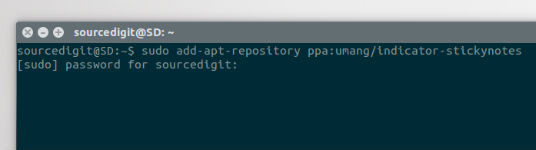
Run the following commands in Terminal to install Indicator Stickynotes in Ubuntu Systems:

$ sudo add-apt-repository ppa:umang/indicator-stickynotes
$ sudo apt-get update
$ sudo apt-get install indicator-stickynotes

METHOD 2 (User interface):

  • Step 1: Open “Software & Updates.” Go to Other Software -> Add. Now type `ppa:umang/indicator-stickynotes` (without the `quotes`). Add the source and close the window. You will be asked to reload sources. Click “Reload”.
  • Step 2: Open the Ubuntu Software Center, search for Indicator Stickynotes, and install.

Once installed, open Indicator Stickynotes via Ubuntu Dash.

Tags: Download Indicator Stickynotes Ubuntu, Install Indicator Stickynotes 0.5.6 on Ubuntu 14.04, Install Indicator Stickynotes 0.5.6 on Ubuntu 15.10, Install Indicator Stickynotes Ubuntu, Install Indicator Stickynotes Ubuntu 14.04, Install Indicator Stickynotes Ubuntu 15.10, Linux Note-taking App "Indicator Stickynotes", Note Taking App Ubuntu, Note Taking Application Ubuntu, Note Taking Software Ubuntu, Ubuntu Note Taking App, Ubuntu Note Taking Application, Ubuntu Note Taking Software

Primary Sidebar

Latest Posts

Delete Directory And Contents Recursively Without Prompt On Linux

Check User Login History In Ubuntu Linux Command Line

Use Locate Command To Find File In Linux Terminal By Name

How To Change Terminal Color In Ubuntu Command Line

How To Run Fsck Manually In Linux To Fix Unexpected Inconsistency

How To Fix Broken Packages On Ubuntu From Terminal

Re Execute The Previous Command In Linux Ubuntu Command Line

How Much RAM Is Needed For Ubuntu PC

How To Find Large Files And Directories In Linux Command Line

How To Use Clear Command History In Linux Terminal

© 2026 Source Digit • Linux, Ubuntu Tutorials & News, Technology, Gadgets & Gizmos

  • Home
  • About
  • Privacy Policy
  • Terms & Conditions
  • Contact Us
  • Sitemap