
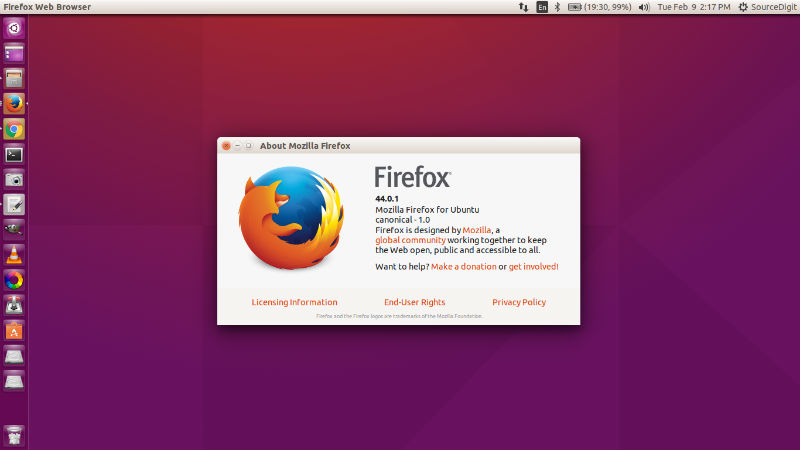
Firefox 44.0.1 has been released. Here’s how to install Firefox 44 on Linux Ubuntu 15.10, Ubuntu 14.04, Ubuntu 15.04, Ubuntu 14.10 and Linux Mint Systems. The latest version of Mozilla Firefox browser (Firefox 44.0.1) has been released with only few fixes and improvements. The most notable is the fix for graphics startup crash (GNU/Linux).
Other are:
- Fix issue which could lead to the removal of stored passwords under certain circumstances
- Allows spaces in cookie names
- Fix WebSockets when used in a Service Worker context
- Disable opus/vorbis audio with H.264
- Require NSS 3.21
- Ship the Gecko SDK
- Fix for graphics startup crash (GNU/Linux)
- Fix a crash in cache networking
Install Firefox 44 on Ubuntu
Firefox 44 can easily be installed or upgraded on Linux Ubuntu 15.10, Ubuntu 14.04, Ubuntu 15.04 and Ubuntu 14.10 Systems. You can either upgrade the xisting Firefox, via Software Update or via Terminal commands. The Firefox 44.0.1 is available as pre-compiled libraries via the Mozilla FTP.
Here’s how to install Firefox 44.0.1 on Linux systems, via Terminal commands:
On 32 Bit
Run the following commands in Terminal to install Firefox 44 on 32 Bit Linux Ubuntu Systems:
$ wget https://ftp.mozilla.org/pub/mozilla.org/firefox/releases/44.0.1/linux-i686/en-US/firefox-44.0.1.tar.bz2

$ tar -xjvf firefox-*.tar.bz2

$ sudo rm -rf /opt/firefox*

$ sudo mv firefox /opt/firefox

$ sudo ln -sf /opt/firefox/firefox /usr/bin/firefox
On 64 Bit
Run the following commands in Terminal to install Firefox 44 on 64 Bit Linux Ubuntu Systems:
$ wget https://ftp.mozilla.org/pub/mozilla.org/firefox/releases/44.0.1/linux-x86_64/en-US/firefox-44.0.1.tar.bz2

$ tar -xjvf firefox-*.tar.bz2

$ sudo rm -rf /opt/firefox*

$ sudo mv firefox /opt/firefox

$ sudo ln -sf /opt/firefox/firefox /usr/bin/firefox
Once installed, open the Firefox from Ubuntu Dsh or from Terminal – type firefox and press enter.