
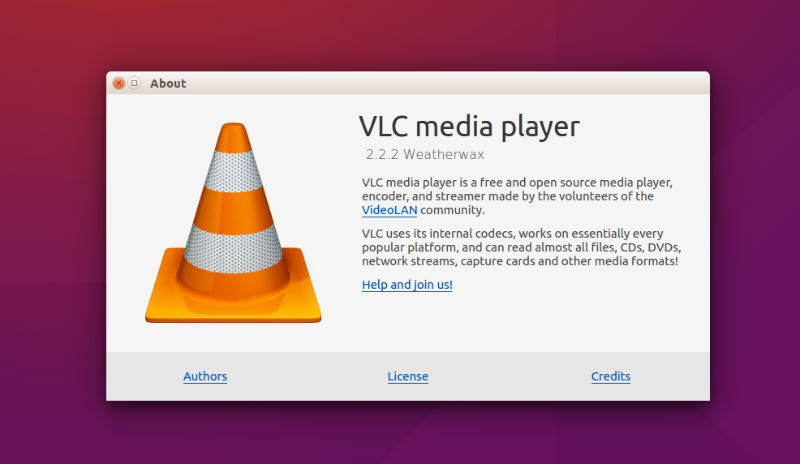
Upgrade to the latest VLC 2.2.2 media player on Ubuntu, via PPA. Here’s how to install VLC 2.2.2 in Ubuntu 15.10, Ubuntu 15.04, Ubuntu 14.04, Ubuntu 14.10 and Linux Mint. VLC 2.2.2 is the second bugfix release for VLC 2.2 series and has been released with numerous security fixes and improvements.
Other prominent features in the VLC 2.2.2 release are:
- Access:
Fix SetupFormat for continuous framesize in v4l2
Fix off-by-one buffer overflow in RealRtsp module
Fix screen recording aspect-ratio, framerate and potential crash
Fix Windows directshow input freeze
Fix MMS segmentation fault/abort when server forces a large allocation - Demux:
Fix support for ms-dvr files
Fix time detection in AVI files over HTTP
HLS: fix hang on stop, crashes and small improvements
Fix mp4 NULL dereference reported by by Fortinet’s FortiGuard Labs
Fix regression for VC-1 in WMV
Fix MXF crashes on stop
Fix EAC3 detection in some TS files - Decoders:
Fix importing surface from main memory in VDPAU
Fix possible double-free in ADPCM decoder
Support 9-bit and 10-bit GBR planar formats
Support GoToMeeting 2 and GoToMeeting 3 codecs
Fix crash in teletext (zvbi) decoder
Fix Bluray subtitles (PGS) timestamps - Audio output:
Fix audio drop after a flush with pulseaudio
Fix audio initialization on iOS
Fix audio stuttering with AirPlay devices on OS X (2 sec delay needs to
be set manually by the user)
Fix pulseaudio latency computation
Fix alsa default device selection - Skins2:
Fix video control that fails to show up
Fix UTF-8 conversion issues
Fix Unicode folders location failing to open the skins
Fix crash over malformed skins bitmaps
Fix fullscreen for Gnome3/Unity Window Managers - Qt:
Fix crash when opening multiple items on Windows
Fix recent items appending when using a playlist
Improve addons manager dialog, playlist
Fix changing the audio-device in the menu
Fix key and mouse event support for Qt >= 5.5 under X11
Fix memory leaks - Video Output:
Fix build if one disables XCB but activate VDPAU on Unix
Fix Direct3D plane allocation size to avoid colour bleeding
Fix some crashes in swscale resizing - Misc:
Fix build with recent FreeRDP versions
Fix interface crashes when input-title-format option is empty
Fix MP4 mux divide-by-zero crash
Improve PNG encoding time
Fix some UPnP initialization lag
Rewrite of the Jamendo Service Discovery
Fix snapshot aspect ratio for anamorphic contents
Fix custom snapshot sizes
Dynamic generation of GnuTLS Diffie-Hellman parameters
Fix “vb” transcoding parameter
Fix superfluous audio channel extraction in the core
Fix miscellaneous crashes, double-frees, integer overflows, infinite loops,
read overflow, invalid frees and division by zero issues
Fix support for lua 5.2 and fix XSS in the http interface
Update and improve Soundcloud, Vimeo and Youtube scripts
Update of codecs and libraries to fix 3rd party security issues (like
TALOS-CAN-0036, TALOS-CAN-0037, CVE-2015-7981, CVE-2015-8126 - Translations:
Add Kashmiri and Maithili languages
Update of most translations
Install VLC 2.2.2 in Ubuntu
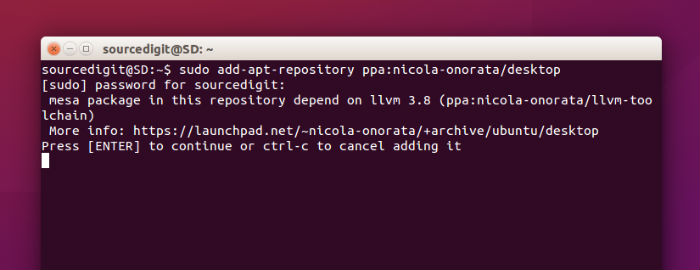
Run the following commands in Terminal to install the latest VLC 2.2.2 media player on Ubuntu, via PPA:
sudo add-apt-repository ppa:nicola-onorata/desktop

sudo apt-get update

sudo apt-get install vlc
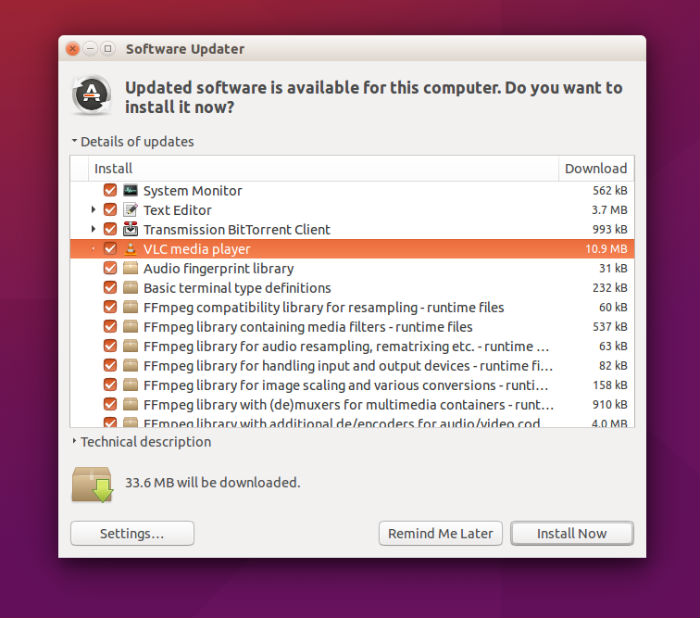
You can also upgrade the VLC media player via Software Updater. Simply run the following command to add the PPA and then launch Software Updater and upgrade the VLC.
sudo add-apt-repository ppa:nicola-onorata/desktop
Once you are done, open the Software Updater from Ubuntu Dash and look for available updates. You will find VLC updates here. Simply install these updates from here. Although it’s not necessary, you must restart the system after the upgrade process.
Once installed, open the VLC media player from Ubuntu Dash.
If you wish uninstall and revert back the VLC 2.2.1 release, run the command given below to purge the PPA:
sudo apt-get install ppa-purge && sudo ppa-purge ppa:nicola-onorata/desktop