
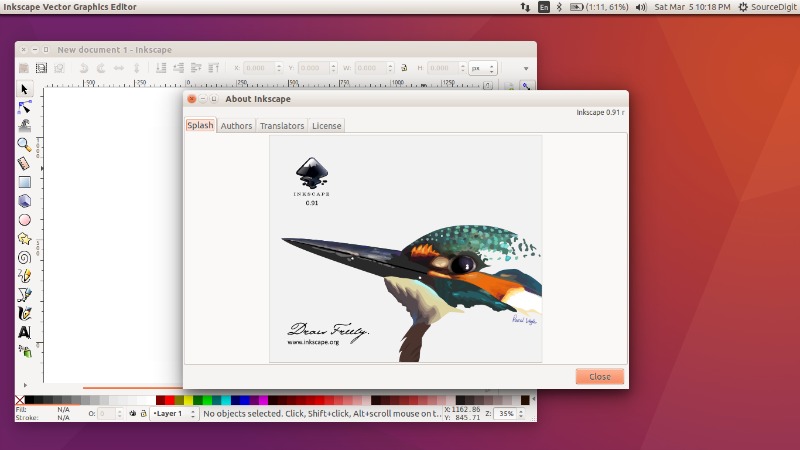
Inkscape Vector Graphics Editor for Linux Ubuntu Systems. Install Inkscape on Ubuntu 15.10, Ubuntu 15.04, Ubuntu 14.04 and Ubuntu 14.10 Systems. Inkscape is an open-source vector graphics editor similar to Adobe Illustrator, Corel Draw, Freehand, or Xara X. What sets Inkscape apart is its use of Scalable Vector Graphics (SVG), an open XML-based W3C standard, as the native format. Inkscape comes with various flexible drawing tools and a powerful text tool. The software has a broad file format compatibility.
Features of Inkscape
Object creation
- Drawing: pencil tool (freehand drawing with simple paths), pen tool (creating Bézier curves and straight lines), calligraphy tool (freehand drawing using filled paths representing calligraphic strokes)
- Shape tools: rectangles (may have rounded corners), ellipses (includes circles, arcs, segments), stars/polygons (can be rounded and/or randomized), spirals
- Text tool (multi-line text, full on-canvas editing)
- Embedded bitmaps (with a command to create and embed bitmaps of selected objects)
- Clones (“live” linked copies of objects), including a tool to create patterns and arrangements of clones
Fill and stroke
- Color selector (RGB, HSL, CMYK, color wheel, CMS)
- Color picker tool
- Copy/paste style
- A gradient editor capable of multi-stop gradients
- Pattern fills (bitmap/vectors)
- Dashed strokes, with many predefined dash patterns
- Path markers (ending, middle and/or beginning marks, e.g. arrowheads)
It supports various file formats such as:
- Perfectly compliant SVG format file generation and editing
- Live watching and editing the document tree in the XML editor
- PNG, OpenDocument Drawing, DXF, sk1, PDF, EPS and PostScript export formats and more
- Command line options for export and conversions
Install Inkscape On Ubuntu

Run the following commands in Terminal to install Inkscape on Ubuntu 15.10, Ubuntu 15.04, Ubuntu 14.04 and Ubuntu 14.10 Systems:
sudo add-apt-repository ppa:inkscape.dev/stable

sudo apt-get update

sudo apt-get install inkscape
Once installed, open the Inkscape from Ubuntu Dash or Terminal.
Uninstall Inkscape From Ubuntu
sudo apt-get install inkscape