
Snapcraft – Canonical’s tool for creating Snappy Packages. Install Snapcraft 2.6 on Ubuntu 16.04, Ubuntu 15.04, Ubuntu 14.04, Ubuntu 14.10 and Ubuntu 15.10 Systems. Snapcraft is a build and packaging tool which helps you package your software as a snap. It makes it easy to incorporate components from different sources and build technologies or solutions.
A .snap package for the Ubuntu Core system contains all its dependencies. This has a couple of advantages over traditional deb or rpm based dependency handling, the most important being that a developer can always be assured that there are no regressions triggered by changes to the system underneath their app. Snapcraft makes bundling these dependencies easy by allowing you to specify them as “parts” in the snapcraft.yaml file.
Snappy Ubuntu Core is a new rendition of Ubuntu with transactional updates – a minimal server image with the same libraries as today’s Ubuntu, but applications are provided through a simpler mechanism.
Snappy apps and Ubuntu Core itself can be upgraded atomically and rolled back if needed. Apps are also strictly confined and sandboxed to safeguard your data and system.
Snapcraft 2.6
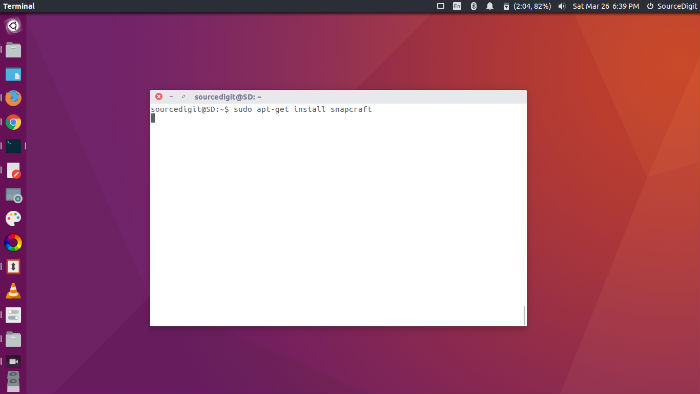
This release includes some interesting improvements and features such as:
- Better snapcraft clean support that can work per step (pull, build, stage and snap) and tracks depdendant parts better (use of after).
- Support of `setup` for static non-declared assets (such as icons).
- We have also improved our testing, updated documentation and resolved errors, worth of mention are fixes for:
-missing `archictures` when snapping from a directory,
-filtering out include and library paths that don’t exist when building.
-support for building the os snap (from a directory).
Install Snapcraft 2.6 on Ubuntu 16.04
To consume the latest snapcraft release on Xenial Xerus (16.04), we suggest you install the snapcraft package from the Ubuntu Archives:
sudo apt update

sudo apt install snapcraft
If you don’t want to consume the examples from the source branch you can also install the examples package:
sudo apt install snapcraft-examples
Install Snapcraft 2.6 on Ubuntu Systems
To consume the latest snapcraft release on ubuntu, we suggest you install snapcraft package from the snappy tools release ppa:
sudo add-apt-repository ppa:snappy-dev/tools

sudo apt-get update

sudo apt-get install snapcraft
If you prefer to keep tracking our daily trunk builds, use our
tools-proposed ppa:
sudo add-apt-repository ppa:snappy-dev/tools-proposed

sudo apt-get update

sudo apt-get install snapcraft
If you don’t want to consume the examples from the source branch you can also get them from the ppas above:
sudo apt-get install snapcraft-examples
After installing this you can find them in /usr/share/doc/snapcraft-examples/examples.
If you wish to uninstall and remove Snappy from Ubuntu Systems, run the command given below:
sudo apt-get remove snapcraft
For more info visit https://developer.ubuntu.com/en/snappy/build-apps/