• Skip to primary navigation
  • Skip to main content
  • Skip to primary sidebar
Source Digit

Source Digit

Linux, Ubuntu Tutorials & News, Technology, Gadgets & Gizmos

  • Home
  • How To
  • Ubuntu
  • Instagram
  • Blogging
  • Android
  • WordPress
  • +More
    • Cloud Computing
    • Gadgets
    • Social Media
    • Technology
  • Write for Us
Home / How To / Install Mailnag Email Notifier On Ubuntu Linux Systems

Install Mailnag Email Notifier On Ubuntu Linux Systems

By Sourabh / April 2, 2016 Category: How To, Ubuntu

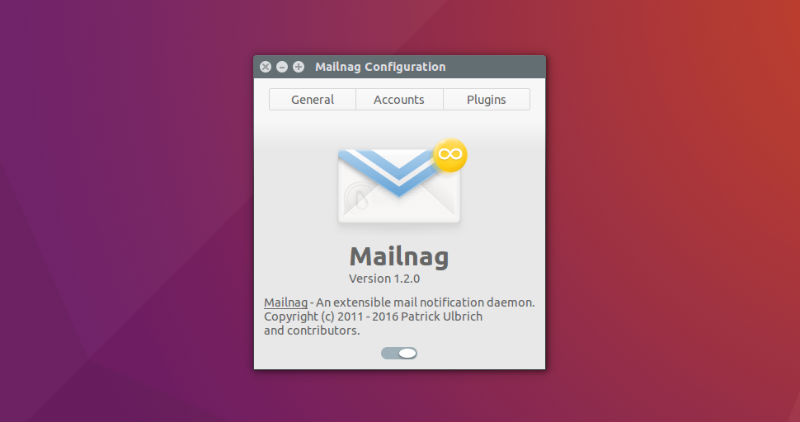
Email Notification application for Linux Ubuntu. Install Mailnag email notifier on Ubuntu 16.04, Ubuntu 15.10, Ubuntu 15.04, Ubuntu 14.04 and Ubuntu 14.10 and Linux Derivatives. Mailnag is an extensible mail notification daemon.

Features:

  • Mailnag is a daemon program that checks POP3 and IMAP servers for new mail.
  • On mail arrival it performs various actions provided by plugins.
  • Mailnag comes with a set of desktop-independent default plugins for
  • visual/sound notifications, script execution etc. and can be extended
  • with additional plugins easily.

mailnag-ubuntu

Install Mailnag On Ubuntu

mail-linux

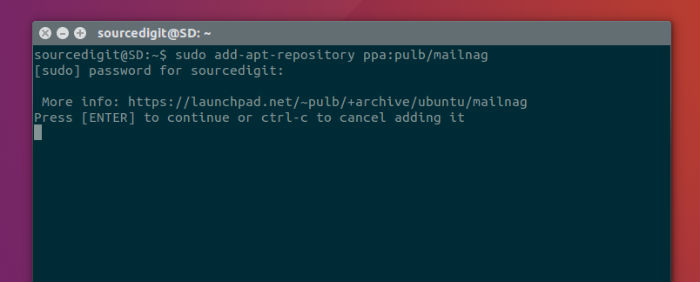
Ubuntu / Linux Mint (and derivatives) users can install the latest Mailnag by using its PPA. Add the Mailnag PPA and install the application by using the following commands:

sudo add-apt-repository ppa:pulb/mailnag
sudo apt-get update
sudo apt-get install mailnag

As of Ubuntu 13.04 (Raring), Mailnag is also available in the official repos.

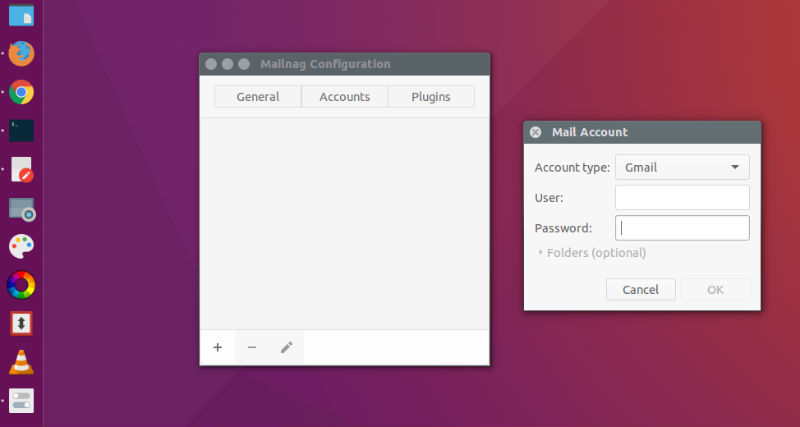
Once installed, open the app from Ubuntu Dash or run sudo apt-get install mailnag in a terminal to install it.
mailnag-open

Configure Mailnag

  • Run command mailnag-config to setup Mailnag.
  • Closing the configuration window will start Mailnag automatically.
  • Default Mail Client
  • Clicking a mail notification popup will open the default mail client specified in GNOME Control Center > Details > Default Applications.

Desktop Integration Plugins

Mailnag Unity Plugin

sudo apt-get install mailnag-unity-plugin

Mailnag GNOME Shell Extension

sudo apt-get install gnome-shell-mailnag

Mailnag GNOME Online Accounts Plugin

sudo apt-get install mailnag-goa-plugin

More Info: https://github.com/pulb/mailnag

Tags: Email Notification App, Email Notification App Linux, Email Notification App Ubuntu, Email Notification App Ubuntu 16.04, Email Notifier for Linux, Email Notifier for Ubuntu, Install Email Notification App on Linux, Install Email Notification App on Ubuntu, Install Mailnag Email Notifier On Ubuntu Linux, Install Mailnag on Linux, Install Mailnag On Ubuntu, Linux Email Notification App, Linux Email Notifier, Mailnag CLI Wget, Mailnag Ubuntu, Mailnag Ubuntu PPA, PPA Ubuntu Mailnag, Ubuntu 16.04 Email Notification App, Ubuntu Email Notification App, Ubuntu Email Notifier, Ubuntu Mailnag

Primary Sidebar

Latest Posts

Delete Directory And Contents Recursively Without Prompt On Linux

Check User Login History In Ubuntu Linux Command Line

Use Locate Command To Find File In Linux Terminal By Name

How To Change Terminal Color In Ubuntu Command Line

How To Run Fsck Manually In Linux To Fix Unexpected Inconsistency

How To Fix Broken Packages On Ubuntu From Terminal

Re Execute The Previous Command In Linux Ubuntu Command Line

How Much RAM Is Needed For Ubuntu PC

How To Find Large Files And Directories In Linux Command Line

How To Use Clear Command History In Linux Terminal

© 2026 Source Digit • Linux, Ubuntu Tutorials & News, Technology, Gadgets & Gizmos

  • Home
  • About
  • Privacy Policy
  • Terms & Conditions
  • Contact Us
  • Sitemap