
VLC 2.2.3 “Weatherwax” is the latest stable release of VLC Media Player for Linux Ubuntu. Install VLC 2.2.3 on Ubuntu 16.04, Ubuntu 14.04, Ubuntu 15.04, Ubuntu 15.10 and Derivatives. VLC 2.2.3 “Weatherwax” is the third update to VLC’s 2.2 release series.
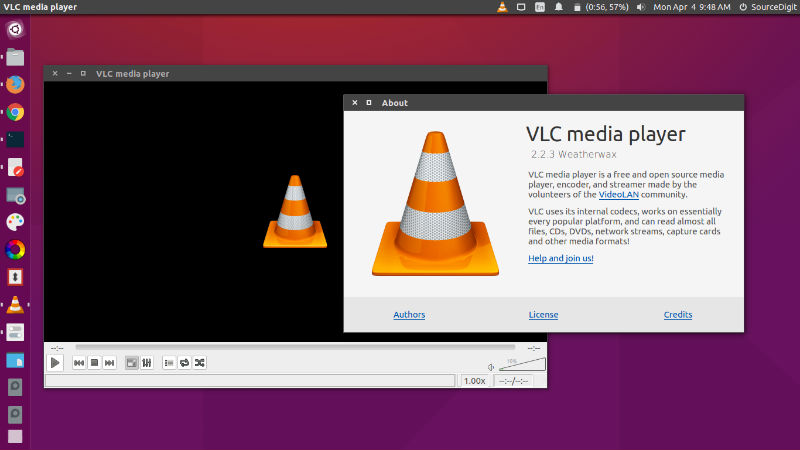
VLC is a free and open source cross-platform multimedia player and framework that plays most multimedia files as well as DVDs, Audio CDs, VCDs, and various streaming protocols. VLC Media Player plays everything – Files, Discs, Webcams, Devices and Streams. It plays most codecs with no codec packs needed – MPEG-2, MPEG-4, H.264, MKV, WebM, WMV, MP3.
VLC 2.2.3 fixes numerous security issues, notably in the MP4, RealRtsp and Sparkle modules, but also important crashes for the MXF, ADPCM, Telextext, Skins and Qt modules. It also improves our codec support by adding new formats and providing faster decompression. More than 100 fixes for issues reported for 2.2.1.
Full support of Mac OS X 10.11 El Capitan.
- Support for BD-Java menus and overlay in Blu-Ray
- Acceleration of VP9 and H.265/HEVC decoders
- Rewritten support for WMV, Ogg, MP4 and AVI, notably for seeking
- Support for encoding in H.265, Opus and VP9
- Support for WebVTT, Ogg/VP8, Opus/MKV, CAF
- Support for THP, Renderware and Escape Replay videogames files
- Support for SRT language detection
- Support for MMS split streams for audio selection (European Parliament)
- Support FTPS (FTP/TLS) protocol
- New decoder for VP8 and VP9 using libvpx for Linux distributions without avcodec
- Improvements on Teletext, Subrip, and Tx3g subtitles
- Support for MSN audio, Atrac3+, VP7, Bink, TAK, On2 AVC, DK3, DK4
- Support for IMC, Vivo g723.1, Smacker, FIC, Auravision, Canopus Lossless
- Support x264 and FFv1 codecs RGB modes
- Fixes for DVD, Audio-CD, M2TS LPCM audio, Speex
Install VLC 2.2.3 On Ubuntu

Run the following commands in Terminal to install Install VLC 2.2.3 on Ubuntu 16.04, Ubuntu 15.04, Ubuntu 14.04, Ubuntu 15.10, Ubuntu 14.10, Linux Mint and Ubuntu Derivatives.
$ sudo add-apt-repository ppa:videolan/stable-daily

$ sudo apt-get update

$ sudo apt-get install vlc
Once installed, open the VLC media player from Ubuntu Dash or Terminal.
If you wish to uninstall or remove VLC 2.2.3 from Ubuntu Systems, run the command given below:
$ sudo apt-get remove vlc