
• Skip to primary navigation
  • Skip to main content
  • Skip to primary sidebar
Source Digit

Source Digit

Linux, Ubuntu Tutorials & News, Technology, Gadgets & Gizmos

  • Home
  • How To
  • Ubuntu
  • Instagram
  • Blogging
  • Android
  • WordPress
  • +More
    • Cloud Computing
    • Gadgets
    • Social Media
    • Technology
  • Write for Us
Home / How To / Install CoverGloobus Ubuntu Desktop Music Widget

Install CoverGloobus Ubuntu Desktop Music Widget

By Sourabh / April 15, 2016 Category: How To, Ubuntu

Install CoverGloobus, a Ubuntu Desktop music widget. CoverGloobus is a simple application to show the cover and the info of what is playing in your favorite player. It also downloads the lyrics of the songs middle clicking on the applet.

You can create your themes with a easy XML file and plugins for different players are also really easy to implement. And plugins for different lyric engines are even easier!!
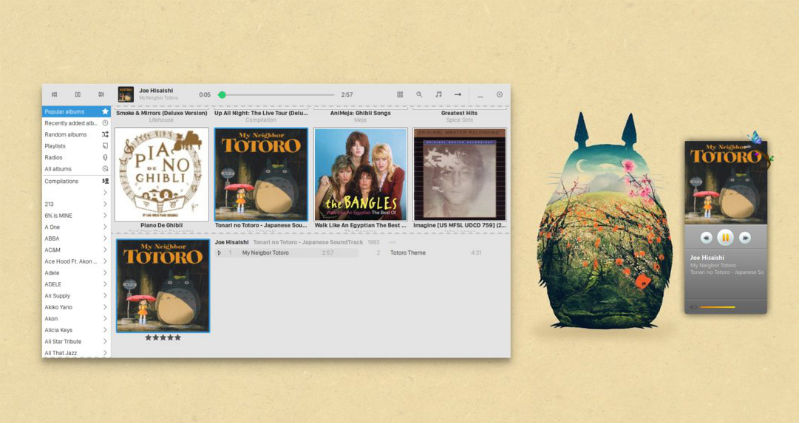
ubuntu-covergloobus

Players currently supported:

Amarok2
Audacious
Banshee
Clementine
Exaile 0.2.x
Exaile 0.3.x
gmusicbrowser
Guayadeque
Listen
MOC
MPD (requires python-mpd)
QuodLibet
Rythmbox
Songbird (requires MPRIS plugin for Songbird)
Spotify
Totem
VLC ( > 0.9.0)

Lyrics Engines:
absolutelyrics.com
lyrics.com
lyrics.wikia.com
lyricsfly.com
lyricsplugin.com

Tabs Engines:
Ultimate guitar

When no cover is found, Covergloobus tries to fetch it from Amazon.

Download CoverGloobus ( 32bit Deb)

Download CoverGloobus ( 64bit Deb)
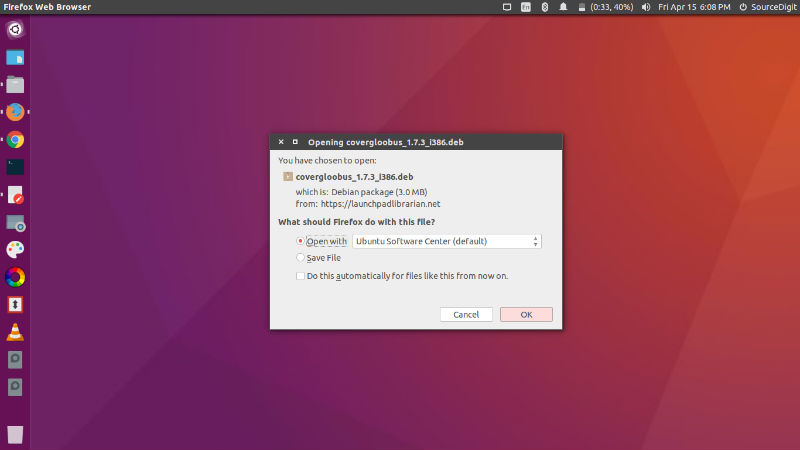
covergloobus-deb

Once installed, open the CoverGloobus app from Ubuntu Dash:
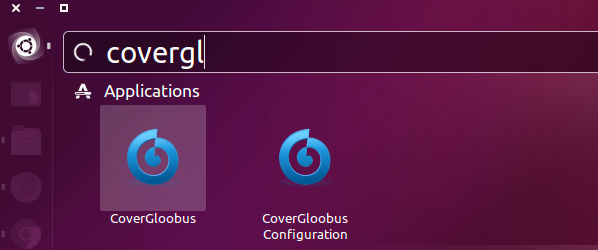
open-cover

You can also download and install various CoverGloobus themes. To install a theme you download (follow the DeviantArt link given below) and extract it. Now move the extracted folder to home/user/.CoverGloobus/themes directory.

Now to change a theme, simply go to CoverGloobus > Config > Themes and select the Theme to use.

http://www.deviantart.com/browse/all/customization/skins/linuxutil/applications/covergloobus/?offset=24

Tags: CoverGloobus Desktop Music Widget, CoverGloobus Desktop Music Widget Ubuntu, CoverGloobus Ubuntu, CoverGloobus Ubuntu Desktop Music Widget, Ubuntu CoverGloobus

Primary Sidebar

Latest Posts

Downlaod Ubuntu 26.10 Stonking Stingray

How To Shutdown Linux With A 15 Minute Delay And Message

Using Linux Terminal How To Get Total Disk Size In GB

Count And Find Number Of Files In A Linux Directory Using Command

Check How Many Users Are Created In Linux Ubuntu

How To Check User Permissions In Linux Using Command

Check Which Folder Is Taking More Space In Ubuntu Linux

How to Install Claude Desktop App in Ubuntu Linux

Job Scheduling Using At Command In Linux With Examples

How To Check Permissions Of A Directory In Linux Command

© 2026 Source Digit • Linux, Ubuntu Tutorials & News, Technology, Gadgets & Gizmos

  • Home
  • About
  • Privacy Policy
  • Terms & Conditions
  • Contact Us
  • Sitemap