
• Skip to primary navigation
  • Skip to main content
  • Skip to primary sidebar
Source Digit

Source Digit

Linux, Ubuntu Tutorials & News, Technology, Gadgets & Gizmos

  • Home
  • How To
  • Ubuntu
  • Instagram
  • Blogging
  • Android
  • WordPress
  • +More
    • Cloud Computing
    • Gadgets
    • Social Media
    • Technology
  • Write for Us
Home / Ubuntu / Install FileZilla 3.21.0 FTP Client On Ubuntu 16.04

Install FileZilla 3.21.0 FTP Client On Ubuntu 16.04

By Sourabh / August 30, 2016 Category: How To, Ubuntu

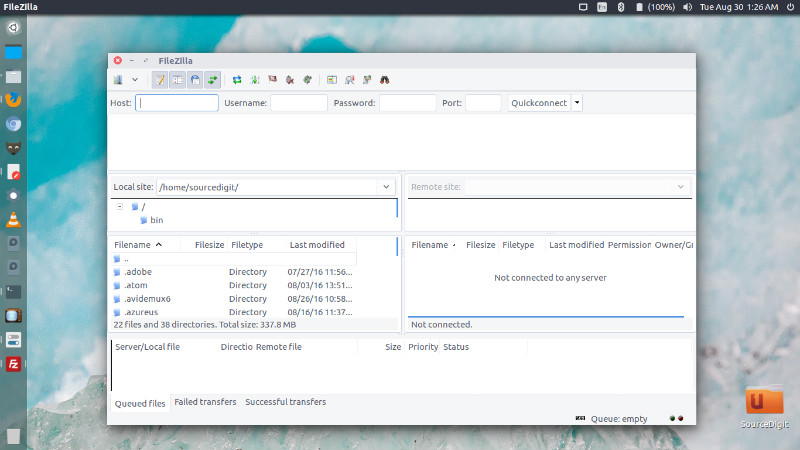
FileZilla FTP Client for Linux Ubuntu. Install FileZilla 3.21.0 Client on Ubuntu 16.04. FileZilla Client is a fast and reliable cross-platform FTP, FTPS and SFTP client with lots of useful features and an intuitive graphical user interface.
Features

FileZilla supports many features, such as it supports FTP, FTP over SSL/TLS (FTPS) and SSH File Transfer Protocol (SFTP). It support IPv6 and can resume and transfer of large files >4GB. It comes with a powerful tabbed user interface, site manager and transfer queue. Users can also configure transfer speed limits and remote file search.

FileZilla 3.21.0
filezilla-ubuntu-16

FileZilla 3.21.0 is the latest release of FileZilla Client. FileZilla Client 3.21.0 is released with the following changes:

Fixed vulnerabilities:

  • Fixed a string format vulnerability introduced in 3.20.0-rc1 when listing directories using SFTP

New features:

  • SFTP: Added support for AES-GCM ciphers as implemented in OpenSSH
  • OS X: Ctrl+Tab and Ctrl+Shift+Tab can now be used to switch forward and backward between opened tabs

Bugfixes and minor changes:

  • Reduced time between TCP keepalive packets to 15 minutes on supporting platforms
  • Fixed saving of directory listing filters with an attribute condition

Install FileZilla 3.21.0 Client on Ubuntu
filezilla-cli-16

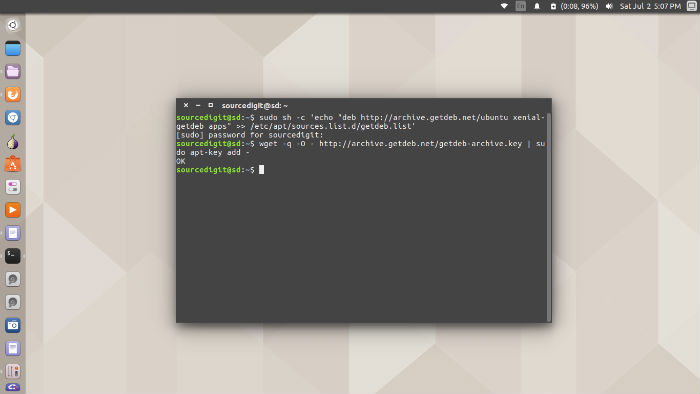
Run the following commands in Terminal to install FileZilla 3.21.0 on Ubuntu Systems:

wget -q -O - http://archive.getdeb.net/getdeb-archive.key | sudo apt-key add -
sudo sh -c 'echo "deb http://archive.getdeb.net/ubuntu xenial-getdeb apps" >> /etc/apt/sources.list.d/getdeb.list'
sudo apt-get update
sudo apt-get install filezilla

Once installed, open FileZilla from Ubuntu Dash.

Tags: FileZilla 3.21.0 Client Ubuntu, FileZilla 3.21.0 Ubuntu, FileZilla Client Ubuntu, FileZilla Client Ubuntu 16.04, FileZilla Client Ubuntu 16.10, FileZilla Ubuntu, FileZilla Ubuntu 16.04, FileZilla Ubuntu 16.10, Install FileZilla 3.21.0 Client on Ubuntu, Install FileZilla 3.21.0 FTP Client On Ubuntu 16.04, Install FileZilla 3.21.0 on Ubuntu, Install FileZilla FTP Client On Ubuntu 16.04, Install FileZilla on Ubuntu, Install FileZilla Ubuntu 16.04, Install FileZilla Ubuntu 16.10, Ubuntu 16.04 Filezilla, Ubuntu 16.04 FileZilla Client, Ubuntu 16.04 Install FileZilla, Ubuntu 16.10 FileZilla, Ubuntu 16.10 FileZilla Client, Ubuntu 16.10 Install FileZilla, Ubuntu FileZilla, Ubuntu FileZilla Client

Primary Sidebar

Latest Posts

How To Run Fsck Manually In Linux To Fix Unexpected Inconsistency

How To Fix Broken Packages On Ubuntu From Terminal

Re Execute The Previous Command In Linux Ubuntu Command Line

How Much RAM Is Needed For Ubuntu PC

How To Find Large Files And Directories In Linux Command Line

How To Use Clear Command History In Linux Terminal

Linux Command To Check RAM Size In Ubuntu Terminal In GB

How To Install Proprietary Drivers In Linux Ubuntu Using Terminal

How To Shutdown Linux With A 15 Minute Delay And Message

Free AI Courses With Certificate For Beginners In India

© 2026 Source Digit • Linux, Ubuntu Tutorials & News, Technology, Gadgets & Gizmos

  • Home
  • About
  • Privacy Policy
  • Terms & Conditions
  • Contact Us
  • Sitemap