
Install Yandex Browser on Ubuntu 16.04. Yandex Browser is a web browser that is powered by Google’s WebKit-forked ‘Blink’ layout engine and is based on the Chromium open source project. Yandex Browser is compatible with Chrome Web store and Opera add-ons and comes with an in-built pepper flash player. It automatically enables Opera Turbo mode for faster page loading on slow Internet connection.
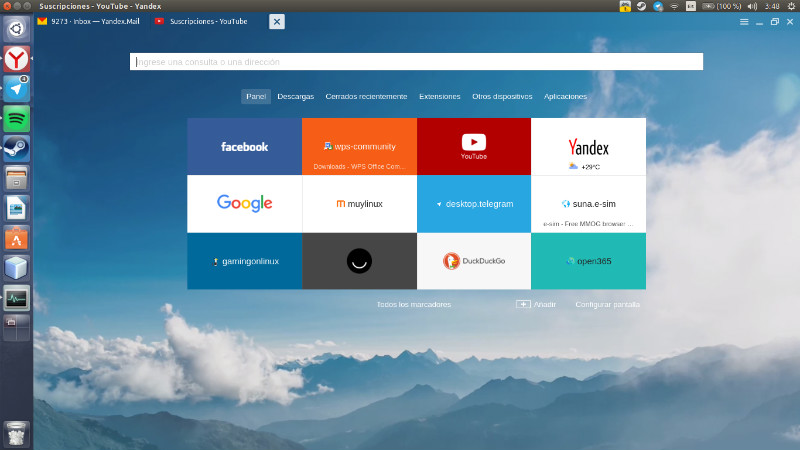
Yandex Browser Features
- Content recommendations – Interesting articles, news, and videos in your personalised Zen feed, right on the browser’s start screen. Zen analyzes yours interests and the feedback you share to refine its recommendations with ever-increasing accuracy.
- Turbo mode – Slow connections won’t slow you down. When internet speeds drop, Turbo mode is enabled, which will speed up how fast pages load and save on your data charges.
- DNS Spoofing Protection – With the DNSCrypt technology on board, Yandex Browser ensures secure communication with a DNS resolver, encrypting data and preventing DNS spoofing or cache poisoning attacks.
- SmartBox – If you need the latest exchange rates or weather forecast, the suggestions have your answer. If you want to visit a site but you don’t remember the exact address, enter its name and Yandex Browser will do the rest.
- Backgrounds – Change the background in the browser to suit your mood. You can select one of many preset backgrounds, or upload your favorite picture.
Install Yandex Browser on Ubuntu
Yandex Browser can be installed on Ubuntu Systems via Terminal. Run the following commands to install Yandex Browser:
wget https://repo.yandex.ru/yandex-browser/YANDEX-BROWSER-KEY.GPG

sudo apt-key add YANDEX-BROWSER-KEY.GPG

sudo apt update

sudo apt install yandex-browser-beta
Once installed, open Yandex Browser from Ubuntu Dash or Terminal.
You can also enable to egt the latest updates for Yandex Browser. To do so create a source list file for Yandex browser. Run the following command:
sudo nano /etc/apt/sources.list.d/yandex-browser.list
Add the following line to the file.
deb [arch=amd64] http://repo.yandex.ru/yandex-browser/deb beta main
https://browser.yandex.com/