
• Skip to primary navigation
  • Skip to main content
  • Skip to primary sidebar
Source Digit

Source Digit

Linux, Ubuntu Tutorials & News, Technology, Gadgets & Gizmos

  • Home
  • How To
  • Ubuntu
  • Instagram
  • Blogging
  • Android
  • WordPress
  • +More
    • Cloud Computing
    • Gadgets
    • Social Media
    • Technology
  • Write for Us
Home / Ubuntu / How To Install ScreenStudio Screencaster On Ubuntu 16.04

How To Install ScreenStudio Screencaster On Ubuntu 16.04

By Sourabh / September 5, 2016 Category: How To, Ubuntu

How to install ScreenStudio Screencaster on Ubuntu 16.04/16.10 Systems. Users can easily create a screencast of Linux Desktop using ScreenStudio. ScreenStudio will let you record your desktop in a full HD video files. Overlay some text or even your webcam. It will also let you stream your desktop to services like UStream, Hitbox or Twitch.tv.

Built around “ffmpeg” that is currently available on all Linux distros and should work “out-of-the-box”.  ScreenStudio is compatible with Ubuntu/Linux (3.x) and OS X (2.x).
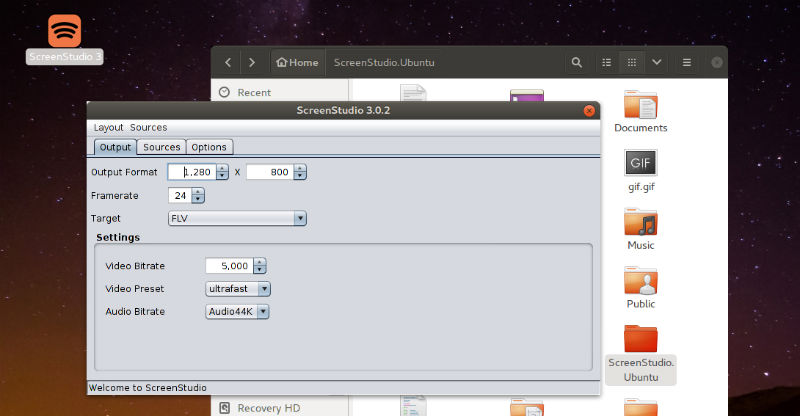
ScreenStudio

ScreenStudio features:

  • Record video from the webcam during the screen cast
  • Record audio from both the microphone and speakers
  • Allows you to select which screen you want to record if there are multiple ones
  • Customizable FPS (frame per second)
  • You can choose the desired resolution for recording video from the webcam
  • Stream directly to YouTube Live, Twitch.tv, HitBox and Ustream.
  • Screencast live over UDP
  • Supports FLV, MOV and MP4 formats

Please note that in version 2.x, video files will be saved in a subfolder “Capture” in your installation folder. The service will define the video file format.

Install ScreenStudio On Ubuntu

Run the following commands in Terminal to install ScreenStudio on Ubuntu 16.04:

wget http://screenstudio.crombz.com/archives/ubuntu/ScreenStudio-Ubuntu-3.0.3-bin.tar.gz
sudo apt install ffmpeg openjdk-8-jre
tar xvf ScreenStudio-Ubuntu-3.0.3-bin.tar.gz
cd ScreenStudio.Ubuntu
./ScreenStudio.sh

Ubuntu users can also install ScreenStudio on Ubuntu Systems, via PPA:

sudo add-apt-repository ppa:soylent-tv/screenstudio
sudo apt update
sudo apt install screenstudio

Once installed, open ScreenStudio from Ubuntu Dash or Terminal.

Tags: Install ScreenStudio on Ubuntu, Install ScreenStudio on Ubuntu 16.04, Install ScreenStudio on Ubuntu 16.10, Install ScreenStudio Screencaster, ScreenStudio Screencaster, ScreenStudio Ubuntu 16.04, ScreenStudio Ubuntu 16.10, Ubuntu 16.04 Install ScreenStudio, Ubuntu 16.04 ScreenStudio, Ubuntu 16.10 Install ScreenStudio, Ubuntu 16.10 ScreenStudio

Primary Sidebar

Latest Posts

Delete Directory And Contents Recursively Without Prompt On Linux

Check User Login History In Ubuntu Linux Command Line

Use Locate Command To Find File In Linux Terminal By Name

How To Change Terminal Color In Ubuntu Command Line

How To Run Fsck Manually In Linux To Fix Unexpected Inconsistency

How To Fix Broken Packages On Ubuntu From Terminal

Re Execute The Previous Command In Linux Ubuntu Command Line

How Much RAM Is Needed For Ubuntu PC

How To Find Large Files And Directories In Linux Command Line

How To Use Clear Command History In Linux Terminal

© 2026 Source Digit • Linux, Ubuntu Tutorials & News, Technology, Gadgets & Gizmos

  • Home
  • About
  • Privacy Policy
  • Terms & Conditions
  • Contact Us
  • Sitemap