
• Skip to primary navigation
  • Skip to main content
  • Skip to primary sidebar
Source Digit

Source Digit

Linux, Ubuntu Tutorials & News, Technology, Gadgets & Gizmos

  • Home
  • How To
  • Ubuntu
  • Instagram
  • Blogging
  • Android
  • WordPress
  • +More
    • Cloud Computing
    • Gadgets
    • Social Media
    • Technology
  • Write for Us
Home / Ubuntu / ImageMagick 7.0.3-0 Released – Install Imagemagick On Ubuntu Via Apt-Get Command

ImageMagick 7.0.3-0 Released – Install Imagemagick On Ubuntu Via Apt-Get Command

By Sourabh / September 7, 2016 Category: How To, Ubuntu

ImageMagick 7.0.3-0 released. Install Imagemagick on Ubuntu Via Command Line. Apt-get terminal command to install Imagemagick on Ubuntu Systems.

ImageMagick is a software suite to create, edit, compose, or convert bitmap images. It can read and write images in a variety of formats (over 200) including PNG, JPEG, JPEG-2000, GIF, TIFF, DPX, EXR, WebP, Postscript, PDF, and SVG. Use ImageMagick to resize, flip, mirror, rotate, distort, shear and transform images, adjust image colors, apply various special effects, or draw text, lines, polygons, ellipses and Bézier curves.
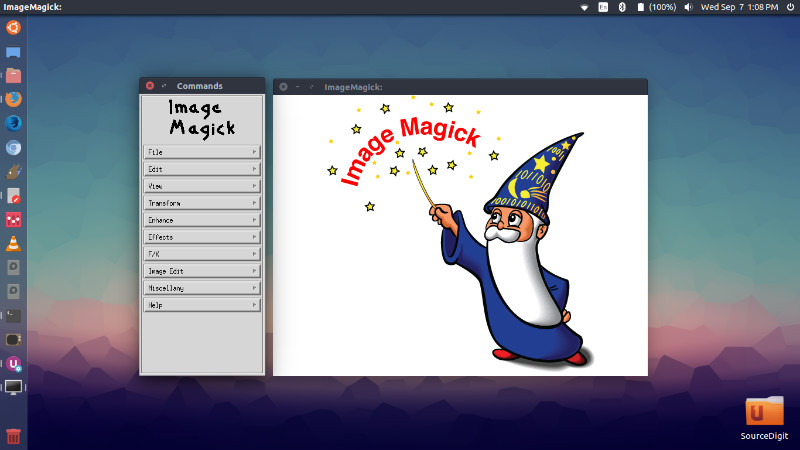
ubuntu-imagemagick

ImageMagick 7.0.3-0

The current release is ImageMagick 7.0.3-0. It has been released with the following changes:

  • Fixed reading DXT1 images with an alpha channel.
  • Fixed incorrect padding calculation in PSD encoder.
  • Added define ‘psd:additional-info’ to preserve the additional information in a PSD file
  • Prevent buffer overflow in BMP & SGI coders
  • Prevent buffer overflow and other problems in SIXEL, PDB, MAP, TIFF and CALS coders
  • The -stream option now increments the pixel pointer properly
  • Fix compile error in opencl.c
  • Eliminate compiler warning
  • Prevent spurious removal of MPC cache files
  • Note alpha channel when combining 4 or more images
  • Evaluate lazy pixel cache morphology to prevent buffer overflow
  • Prevent buffer overflow
  • Prevent memory use after free
  • Support -region option

Install ImageMagick 7.0.3-0 on Ubuntu

Run the following commands in Terminal to install ImageMagick 7.0.3-0 on Ubuntu 16.04, Ubuntu 15.04, Ubuntu 14.04 and other Ubuntu Derivatives:

wget http://www.imagemagick.org/download/imagemagick.tar.gz
tar -xvf ImageMagick.tar.gz
cd ImageMagick-7.*
./configure
make
sudo make install
sudo ldconfig /usr/local/lib

Once insatlled, to start ImageMagick type “display” in Terminal

display

To verify ImageMagick is working properly, type the following on the command line:

magick logo: logo.gif
identify logo.gif
display logo.gif

Tags: Apt-Get Install Imagemagick Ubuntu, How To Install Imagemagick On Linux Server, Imagemagick Apt-Get, Imagemagick Linux Download, Imagemagick Linux Install, Install Imagemagick Brew, Install Imagemagick Centos, Install Imagemagick Mac, Install Imagemagick Php Ubuntu, Install Imagemagick Ubuntu, Install Imagemagick Ubuntu 16.04, Install Imagemagick Ubuntu 16.10, Install Imagemagick Ubuntu Command Line, Install Imagemagick Ubuntu Rails, Install Imagemagick Ubuntu Terminal, Install Imagemagick Ubuntu Xampp, Install Imagemagick Windows, Ubuntu 16.04 Install Imagemagick, Ubuntu 16.10 Install Imagemagick

Primary Sidebar

Latest Posts

Delete Directory And Contents Recursively Without Prompt On Linux

Check User Login History In Ubuntu Linux Command Line

Use Locate Command To Find File In Linux Terminal By Name

How To Change Terminal Color In Ubuntu Command Line

How To Run Fsck Manually In Linux To Fix Unexpected Inconsistency

How To Fix Broken Packages On Ubuntu From Terminal

Re Execute The Previous Command In Linux Ubuntu Command Line

How Much RAM Is Needed For Ubuntu PC

How To Find Large Files And Directories In Linux Command Line

How To Use Clear Command History In Linux Terminal

© 2026 Source Digit • Linux, Ubuntu Tutorials & News, Technology, Gadgets & Gizmos

  • Home
  • About
  • Privacy Policy
  • Terms & Conditions
  • Contact Us
  • Sitemap