
Upgrade and install Krita 3.0.1 (Digital Painting Software) on Ubuntu Linux Systems. Krita 3.0.1 released with various new features and bug fixes. Krita is an open-source sketching and painting program for Linux Ubuntu Systems. It was created with the following types of art in mind:
- concept art
- texture or matte painting
- illustrations and comics
There are a lot of great features that can help you make art.
Krita 3.0.1
Krita 3.0.1 is the first release after Krita 3.0. The new 3.0.1 release brings a combination of new features and bug fixes. This release already contains the first results of the 2016 Google Summer of Code projects, as well as kickstarter-funded features. Users can now see how the artwork will look like when converting to CMYK. There is an additional “out of gamut” display to show what color data will be getting lost.
Krita 3.0.1 brings various exciting functions such as:
- Tweak Brush settings in the pop-up palette
- Soft Proofing
- Improved Mirror Tools
- Threshold and Wavelet Decompose Added
- Quick Flip and Rotate buttons
- Improved Dockers, such as Histogram Docker, Channel Docker and others
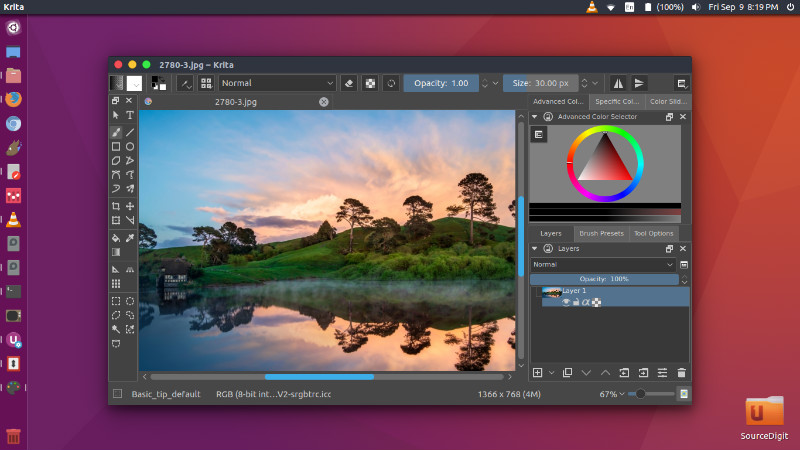
Other features released with Krita 3.0.1
- Smarter input boxes that can accept simple maths! Unit conversion is still coming! This feature was created by Laurent Jospin.
- Per-stroke fuzziness sensor, called “Fuzzy: Stroke”, perfect for all those grassblades that need to be subtly different.
- Added “Ratio” property to the brush editor. This allows you to map the brush width and height aspect ratio to your pen. This feature was created by Nishant Rodriguez
- Gradient Maps can now be added as filter layers.
- New option to convert a group into an animated layer
- Added showing coordinates when using the Move Tool. Enable this feature from the tool options.
- Added Japanese animation template (by Saisho Kazuki)
- Snap free transform tool with the Shift key
- Improved Pixel 1 Preset
- Improved default onion skin settings to make it easier to use
- Use relative zooming so you zoom based off your cursor instead of the center of the screen
- Add ability to enter groups with PgUp/PgDown shortcuts
- Gray out sliders for disabled onion skin columns
- Added Breeze color themes
- re-organized the layers menu and layer context-click menu so they take up less space
- Improved verbiage for “paste to simple source” dialog. It is now called “Missing Color Profile”. Added option to remember your selection.
- Visibility of status bar is now saved
- Show previous color in Advanced Colors Selector docker
- Retired the support for the little-used OpenJPEG export format. (Note: this has nothing to do with JPEG support!)
- There is an optional button available for the toolbars to switch pressure sensitivity off and on (patch by Grigory Tantsevov)
Install Krita 3.0.1 on Linux Ubuntu
Install Krita via PPA
Run the following commands in Terminal to install and update Krita on Ubuntu, Linux Mint and other Ubuntu Derivatives:
sudo add-apt-repository ppa:dimula73/krita

sudo apt-get update

sudo apt-get install krita3-testing
Once installed, open the Krita application from Ubuntu Dash or Terminal.
Install Krita via AppImage
For Linux, we offer AppImages that should run on any reasonable recent Linux distribution. You can download the appimage, make it executable and run it in place. No installation is needed. At this moment, we only have appimages for 64 bits versions of Linux. This appimage has experimental desktop integration.
You can also get Krita from Ubuntu’s App Store in snap format. This version includes the translations for Krita itself. Install with
snap refresh --stable krita (if you've installed the beta)
snap install krita (if not)