
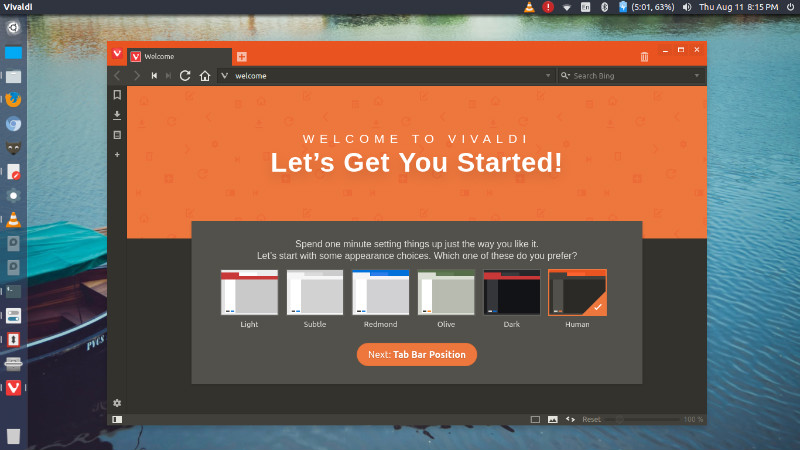
Install Vivaldi 1.4 web browser on Ubuntu 16.04 Systems. Vivaldi 1.4 is released with more control! Schedule, Restore and get more flexibility!
Changelog
- [New feature] [Themes] Theme change scheduling (VB-20445)
- [New feature][Trash] Let middle-click on Trash icon restore recently closed tab (VB-20624)
- [Regression] [Mac] Escaping fullscreen crashes vivaldi (VB-20886)
- [Regression] History entry in URL dropdown cannot be deleted (VB-21017)
- [Regression] Can’t delete history on search box if the entry is too long (VB-16086)
- [Regression] Vivaldi crashes when denying web notifications after leaving the website (VB-20855)
- [Regression] Tab not displayed on tab Trash list if closed on Speed Dial (VB-10032)
- [Fixed] Bookmark bar folder is not removed from toolbar when deleted (VB-20804)
- [Fixed] Bookmark added twice after confirming with Enter (VB-15345)
- [Fixed] Add Scots Gaelic to installer and settings (VB-20992)
- [Fixed] Resizing panels pushes right-placed tabs (VB-20839)
- [Fixed] Search in notes does not look into URL field (VB-16919)
- [Fixed] Drop URLs on Tab Bar or individual tabs (VB-1369)
- [Fixed] Auto-update fails with non-ASCII character in user name (VB-20771)
- [Mac] Gestures don’t work in Settings in a tab (VB-20258)
- [Mac] Tab stack indicator not visible if native window is used (VB-12504)
- [Mac] Top bar lost in full screen state when switching tabs (VB-20156)
- [Bookmarks] Panel – no collapse after pressing left arrow key on subitem? (VB-16434)
- [Bookmarks] Import of Bookmarks from Firefox fails (VB-20401)
- [Bookmarks] Add bookmark pop-up looks wrong (VB-20276)
- [Bookmarks][URL] Matching bookmarks do not show up in URL field drop down (VB-20705)
- [Notes] Adding an attachment to a Note is impractical (VB-20603)
- [Notes] Panel not keyboard accessible (VB-10240)
- [Panels] Add configurable buttons to Web panels and separate resize to all panels (VB-20503)
- [Panels] Let web panels delay loading until activated the first time (VB-20595)
- [Spatnav] Can’t select Righmost “Login” button and leftmost “Vivaldi blog team” is not reachable (VB-13014)
- [Search] After pressing enter in search field, dropdown flickers (VB-20746)
- [Search] Can’t delete search field typed history (VB-20744)
- [URL] Autocomplete on Vivaldi URLs in URL field (VB-19107)
- [URL] Do not add invalid URLs to typed history (VB-19106)
- [Zoom] Create setting to disable zooming with CTRL/CMD + scrolling (VB-20069)
- [Zoom] Maximum Zoom with Scrollwheel is 300% (VB-17298)
Install Vivaldi 1.4 on Ubuntu
On 32 Bit
Run the following commands in Terminal to install Vivaldi 1.4 on 32 bit Ubuntu 16.04 and Ubuntu Derivatives:
sudo apt-get install gdebi

wget https://downloads.vivaldi.com/stable/vivaldi-stable_1.4.589.11-1_i386.deb -O vivaldi-i386.deb

sudo gdebi vivaldi-i386.deb
On 64 Bit
Run the following commands in Terminal to install Vivaldi 1.4 on 64 bit Ubuntu 16.04 and Ubuntu Derivatives:
sudo apt-get install gdebi

wget https://downloads.vivaldi.com/stable/vivaldi-stable_1.4.589.11-1_amd64.deb -O vivaldi-amd64.deb

sudo gdebi vivaldi-amd64.deb
Once installed, open Vivaldi web browser from Ubuntu Dash.