
LibreOffice 5.2.2 is the latest version of LibreOffice available for Ubuntu 16.10 Systems. Install LibreOffice 5.2.2 on Ubuntu 16.10, via Terminal command line. LibreOffice 5.2.2 has been released with few updates and new features.
LibreOffice 5.2.2
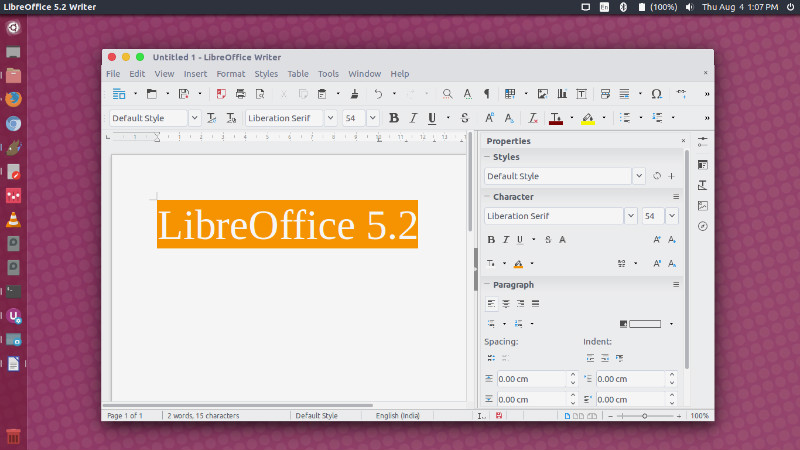
GUI Changes
- Print to File now available within the list of printers in Print dialog.
- Video clips, charts and OLE objects will resize proportionately by default.
- Improved resizing behavior for images, videos and OLE objects: Dragging a corner will resize proportionately while dragging an edge will resize unproportionately.
- Simplification of Character spacing. tdf#89953 (Samuel Mehrbrodt [CIB], Oliver Specht [CIB])
- “Save as Template” is now available in the Save toolbar button dropdown.
- Native gtk3 tooltips, popovers and context menus. blog post.
Other Changes
- Revamped Find & Replace Dialog – Added Find Previous button and a new wide layout for the Find & Replace dialog.
- Document’s Features – A new single toolbar mode has been added to Writer, to really help you focus on your content, while new toolbar buttons and redesigned dialogs help you to work more efficiently.
- Spreadsheets’s Features – Calc, LibreOffice’s spreadsheet tool, has many updates in version 5.2: new functions (including tooltips that describe them), more view options in the status bar, quick-access operations to freeze columns and rows, and a single toolbar mode.
- Presentations’ Features -New features helps you to create professional presentations with ease. This release include a new Slide panel in the Properties sidebar, a quicker way to add effects to custom animations, and a toolbar button to quickly show or hide the drawing tools.
Download LibreOffice 5.2.2
LibreOffice 5.2.2 is immediately available for download from the following link: http://www.libreoffice.org/download/libreoffice-fresh/.
Install LibreOffice
sudo add-apt-repository ppa:libreoffice/ppa

sudo apt update

sudo apt dist-upgrade
Please Note: The Linux package can be installed in parallel to LibreOffice 5.1, but not run simultaneously – documents will be opened in the version you’ve started first.