
Fotoxx 17.08 image editor for Ubuntu. Fotoxx is an image editing and collection management software for Linux Ubuntu. Fotoxx can import RAW images and perform all processing in deep color (24 bits per color used internally).
Batch functions are available to copy, move, rename, resize, upright, convert format, and add/revise metadata. Several tools are available to change size and shape: crop, resize, rotate, fix perspective, flatten curved book pages, curve/warp the whole image or selected areas within the image. Edited images can be saved as JPEG, TIFF (8/16 bits/color), or PNG (8/16 bits).
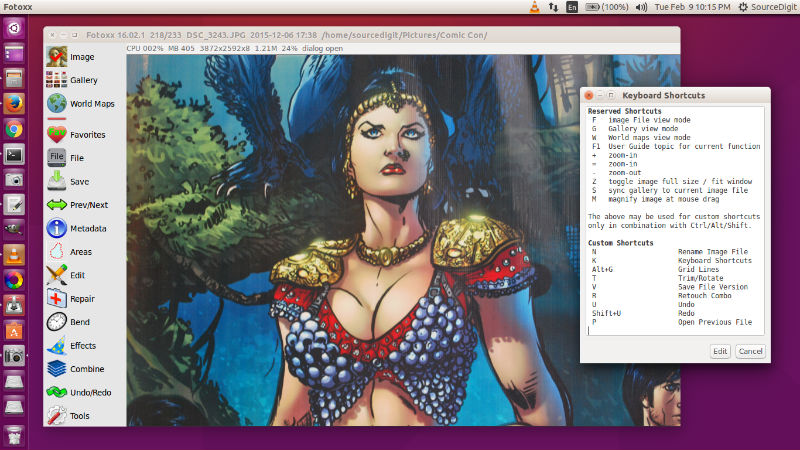
Fotoxx Release 17.08 { 2017 Aug 01 }
- Technical Changes
- Thumbnails were enlarged to 512 pixels for faster galleries when using large
thumbnails. To implement, delete your thumbnails directory and re-index. - Use of shell “cp filename” was replaced with a copyfile() function, which makes
batch functions fail-safe against special characters in file names. - New widget types were implemented to make some dialogs smaller, covering
less of the image being viewed. Number values can be indexed up or down using
the mouse wheel, keyboard up/down arrow keys, or the [+] [-] keys. The shift key
can be held down to increase the step size and speed by 10x.
- Thumbnails were enlarged to 512 pixels for faster galleries when using large
- Functional Changes
- Video files display as both images (initial frame) and gallery thumbnails.
Click to play. Also editable metadata, albums, search, and slide show play. - Maps: save and recall user-named map locations (map position and scale).
- Panorama: the flatten function was made variable and reversible.
- Retouch Combo: the curve edit user interface was improved.
- Galleries remember and restore their last scroll position with each view.
- Select Hairy: improved algorithm, faster and better user interface.
- Select Area > Find Gap: fatter lines are drawn for better visibility.
- Custom Kernel: added functionality. Ten more pre-installed filters.
- Paint Image: added an HSL color chooser as an additional color method.
- Slide Show: 2 new transition types. 5 others made faster on slow computers.
- Color Profile: EXIF “ICCProfileName” is updated and embedded profile deleted.
- Export Image Files: added metadata relevant for photo web services.
- Search Images: match ‘all’ or ‘any’ logic was implemented for location.
- Gallery List View expanded: show small thumbnails + most relevant metadata.
- Video files display as both images (initial frame) and gallery thumbnails.
- Bug Fixes
- Slide Show: workaround for GDK pixbuf scaling bug.
- Flickr Upload stopped working and was removed. Flickr and other photo web
services can do this directly. The User Guide describes a simple procedure. - A startup album name (if any) was getting replaced with blanks.
- Retouch Combo: failed if directory for saved settings is missing (create it).
- Index Image Files: failed if recent files file is missing (create it).
- Possible crash if Trim/Rotate [level] button is used (EXIF tilt angle).
Install Fotoxx 17.08 image editor
Run the following commands in Terminal to install Fotoxx 17.08 image editor on Ubuntu Systems:
$ wget http://www.kornelix.net/downloads/tarballs/fotoxx-17.08.tar.gz

$ cd Downloads

$ tar -xzf fotoxx-17.08.tar.gz

$ cd appname

$ make

$ sudo make install
Once installed, open the Fotoxx app from Ubuntu Dash or Menu.