
• Skip to primary navigation
  • Skip to main content
  • Skip to primary sidebar
Source Digit

Source Digit

Linux, Ubuntu Tutorials & News, Technology, Gadgets & Gizmos

  • Home
  • How To
  • Ubuntu
  • Instagram
  • Blogging
  • Android
  • WordPress
  • +More
    • Cloud Computing
    • Gadgets
    • Social Media
    • Technology
  • Write for Us
Home / How To / How To Install Notepad++ In Ubuntu Using Terminal

How To Install Notepad++ In Ubuntu Using Terminal

By Sourabh / August 19, 2019 Category: How To, Ubuntu

How to install Notepad++ in Ubuntu using terminal; install Notepad++ in Ubuntu via command line. Notepadqq is similar to Notepad++ text editor. The Notepadqq editor has many exciting editing features such as syntax highlighing, support for programming languages and text formatting features. It also support search, find and replace and bookmarks function.
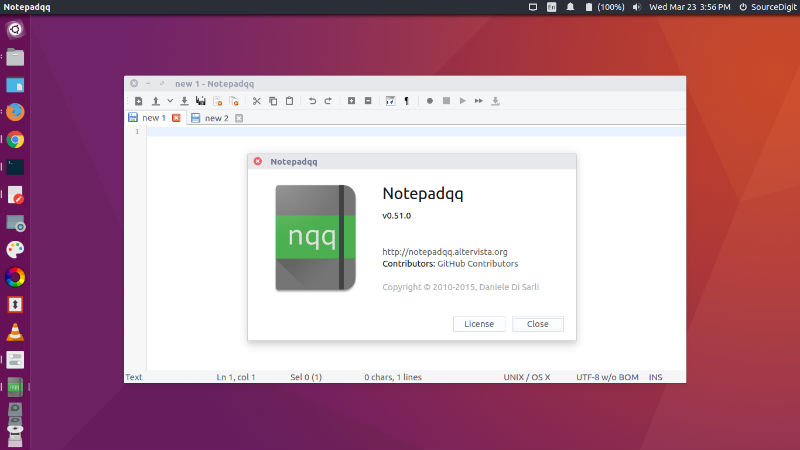
notepad-ubuntu

Install notepadqq via Snap

Notepadqq is now available as a Snap package! The same Snap package works on a lot of different distributions, and it’s really easy to install:

sudo snap install notepadqq

Snap packages can bring plenty of advantages for the end user, such as:

  • getting updates faster
  • having a package which is trusted and officially maintained, for any distro
  • ability to choose the release type (e.g. stable, testing, or bleeding-edge releases)
  • forgetting any problem with Qt and other dependencies

Install Notepadqq on Ubuntu

Run the following commands to install Notepadqq on Ubuntu 17.10, Ubuntu 17.04, Ubuntu 16.04, Ubuntu 16.10, Ubuntu 15.10, Ubuntu 15.04, Ubuntu 14.10, Ubuntu 14.04 and other Ubuntu Derivative Systems:


$ sudo add-apt-repository ppa:notepadqq-team/notepadqq
$ sudo apt-get update
$ sudo apt-get install notepadqq

Once installed, open the Notepadqq from Ubuntu Dash or Menu.

Run the following command to uninstall and remove Notepadqq:

$ sudo apt purge notepadqq
$ sudo add-apt-repository --remove ppa:notepadqq-team/notepadqq


Tags: Download Notepad++ For Linux, How To Install Notepad++ In Ubuntu 16.04 Using Terminal, How To Install Notepad++ In Ubuntu Using Terminal, How To Open Notepad In Ubuntu Terminal, How To Open Text Editor In Ubuntu, Install Notepad++ Ubuntu Command Line, Ubuntu Edit Text File Command Line, Unable To Locate Package Notepadqq

Primary Sidebar

Latest Posts

Delete Directory And Contents Recursively Without Prompt On Linux

Check User Login History In Ubuntu Linux Command Line

Use Locate Command To Find File In Linux Terminal By Name

How To Change Terminal Color In Ubuntu Command Line

How To Run Fsck Manually In Linux To Fix Unexpected Inconsistency

How To Fix Broken Packages On Ubuntu From Terminal

Re Execute The Previous Command In Linux Ubuntu Command Line

How Much RAM Is Needed For Ubuntu PC

How To Find Large Files And Directories In Linux Command Line

How To Use Clear Command History In Linux Terminal

© 2026 Source Digit • Linux, Ubuntu Tutorials & News, Technology, Gadgets & Gizmos

  • Home
  • About
  • Privacy Policy
  • Terms & Conditions
  • Contact Us
  • Sitemap