
Learn how to use ping command in Linux Ubuntu. See ping command examples in Linux.
Ping
Ping is a computer network administration software utility used to test the reachability of a host on an Internet Protocol network. It sends ICMP ECHO_REQUEST to network hosts
Ping Syntax
ping [-aAbBdDfhLnOqrRUvV6] [-c count] [-F flowlabel] [-i interval] [-I interface] [-l preload] [-m mark] [-M pmtudisc_option] [-N nodeinfo_option] [-w deadline] [-W timeout] [-p pattern] [-Q tos] [-s packetsize] [-S sndbuf] [-t ttl] [-T timestamp option] [hop ...] destination
When we execute ping command, the command {ping} uses the ICMP protocol’s mandatory ECHO_REQUEST datagram to elicit an ICMP ECHO_RESPONSE from a host or gateway. ECHO_REQUEST datagrams (”pings”) have an IP and ICMP header, followed by a struct timeval and then an arbitrary number of ”pad” bytes used to fill out the packet.
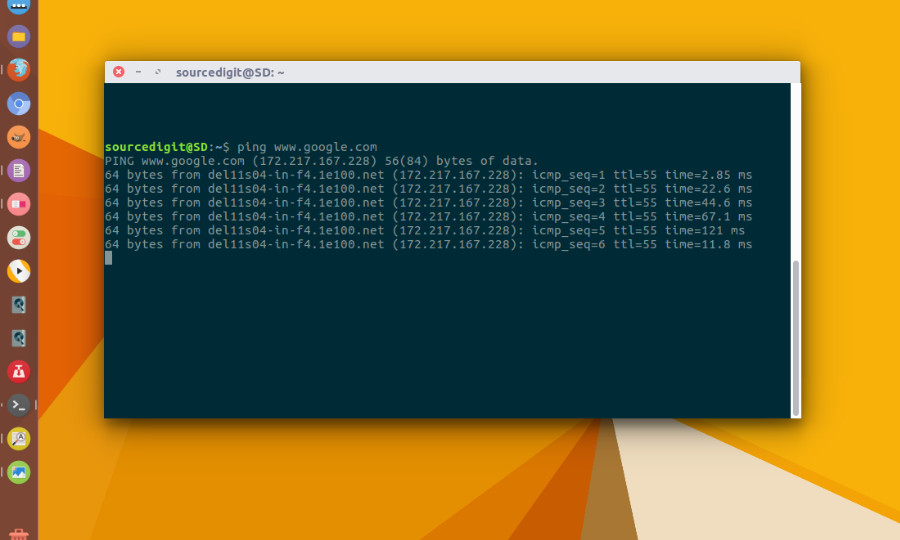
Ping Command Examples for Linux
Basic ping command
To use ping command:
ping www.google.com
Press ctrl+c to stop.
Limit Number of Packets
The ping command -c option is used to limit the number of packets. One can specify any number of packets to send to the destination server. It will automatically stop after completing sending the given number of packets. For example, run below command to send only 4 packets to the destination server www.google.com and stop it:
ping -c 4 www.google.com
Ping With Sound
You can use ping command with sound. Ping command can play a beep when a packet is received, by using -a option. This option plays a beep each a packet is successfully received. To run ping with beep sound, execute the command:
ping -a www.google.com
You will have to use Ctrl+c to stop ping command from sending packets.