
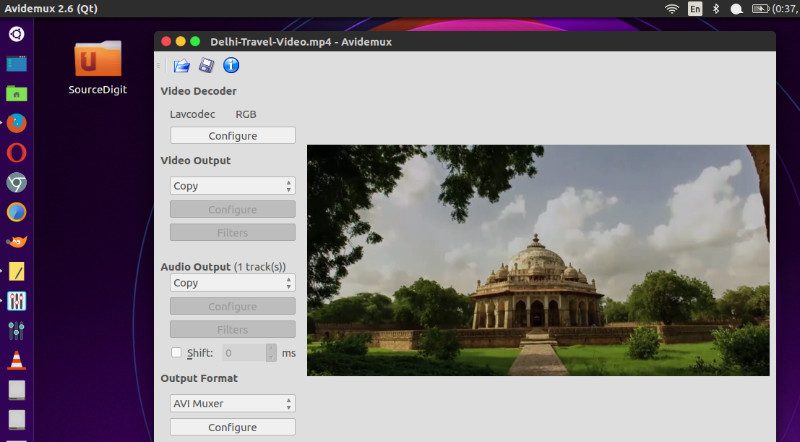
Avidemux 2.7.4 is released. Here is how to install Avidemux Video Editor in Ubuntu Linux. Avidemux 2.7.4 brings FFmpeg 4.1.4 and many new features and improvements.
Avidemux 2.7.4 – Features
* New Feature: Detect and warn when cut points in H.264 video streams may result in playback issues despite being on keyframes
* FFmpeg:Update to the 4.1.4 release
* Core:Fix MSVC++ builds do not run when the path to user directory contains non-ASCII characters
* Decoder:Fix DXVA2 HW accelerated decoding on Windows 7
* Decoder:Fix DXVA2 HW accelerated decoding stops sometimes on cuts
* Decoder:Enable HW accelerated decoding of 8-bit HEVC for recent versions of Intel graphics driver on Windows
* Encoder:Fix regression with saved x264 and x265 profiles not found (MSVC++ only)
* Demuxer:Dynamically load VapourSynth Script library to avoid error messages on Windows if VapourSynth is not found
* Demuxer:Provide correct average audio bitrate in the Mp4 demuxer if the exact value for the particular codec is unknown
* Demuxer:Fix crash loading MP4 file with number of audio tracks exceeding the max supported
* Demuxer:Support audio tracks in fragmented MP4 files (the variety with empty moov only)
* Demuxer:Support E-AC3 audio tracks in MP4 files
* Demuxer:Fix ASF demuxer still broken by chance with MSVC++ only, the fix relevant for all platforms
* Demuxer:Support more varieties of BMP images
* Muxer:Optimize output of the Mp4 muxer for streaming on Windows too
* Muxer:Add option to the Mp4 muxer to output fragmented MP4 files
* Muxer:Label HEVC video in Mp4 in a way compatible with QuickTime on macOS
* Filter:Fix assembly in Yadif deinterlacer with MSVC++
* UI:Enable automatic application scaling on Windows for recent Qt versions
* UI:Fix silent mode, automatically confirm dialogs instead of choosing the default option
* Audio:Support WMAPRO audio codec for decoding
* Audio:Support AAC with signal band replication (SBR) in external audio tracks
* Audio:Fix saving AAC audio tracks with SBR to a file
* Audio:Improve resilience to false positives when probing external audio files for AAC
* Miscellaneous:Fix crash with OpenGL or DXVA2 video output in 32 bits Avidemux on Windows (better late than never)
* Miscellaneous:Fix regressed handling of empty frames in MPEG-4 and FRAPS video streams
* Miscellaneous:Numerous other fixes and polish
Install Avidemux Video Editor in Ubuntu Linux
Run the following terminals to install Avidemux Video Editor in Ubuntu Linux:
sudo add-apt-repository ppa:ubuntuhandbook1/avidemux

sudo apt-get update

sudo apt-get upgrade

sudo apt-get update

sudo apt install avidemux2.7-qt5 avidemux2.7-qt5-data avidemux2.7-plugins-qt5 avidemux2.7-jobs-qt5