
Install Audacity audio editor on Linux Ubuntu. Audacity 2.3.3 released. Audacity is a multi-track audio editor and recorder for Linux Ubuntu and other operating systems.
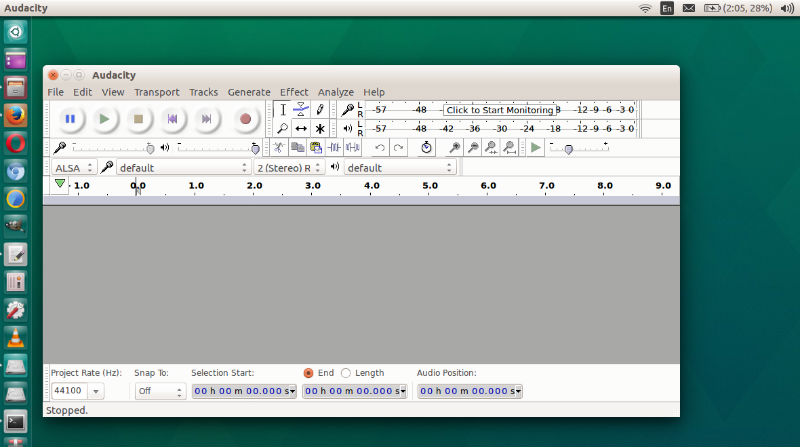
Audacity 2.3.3 is a maintenance release to reorganize the structure of the underlying code. This is so that we can make better changes for the user experience in the future.
There are no new and almost no changed features in this release. However, we have fixed many long standing bugs, at the same time as making the restructuring. We are also taking the opportunity to retire some features which are better done by other approaches.
Improvements:
- Equalization effect now split into two effects, Filter Curve and Graphic EQ.
- Presets (using manage button) now active/working.
- Can now have two points at same frequency for steep steps.
- ‘What you hear is what you get’ for exports. Formerly the solo button
preferences could lead to differences in which tracks were exported. - Leading silence (blank space) not skipped over in exports.
- Quality setting on AAC/M4A exports.
- Some confusing functionality removed (better achieved in other ways)
- Removed Nyquist Workbench (use built-in nyquist features)
- Removed Vocal Remover (use Vocal Reduction)
- Removed On-Demand aliased files (copy files instead)
- Removed ‘Normalize on Load’ (Normalize as needed on export, instead)
Bug Fixes:
Over 150 bugs in 2.3.2 fixed, including:
- 2112 – Crash when opening Equalization settings in a Macro
- 2127 – Crash deleting a track while in Record/Pause state
- 2176 – Crash when attempting to time shift multiple tracks
- 2141 – Tabbing between labels stopped working
- 2200 – Refusal to export some large (4GB) files on size grounds
Install Audacity Ubuntu Terminal
Run the following commands in terminal to install Audacity 2.3.3 in Ubuntu via command line:
 sudo apt-get update
 sudo add-apt-repository ppa:ubuntuhandbook1/audacity
 sudo apt-get update
 sudo apt-get install audacity
If you wish to uninstall Audacity via Ubuntu command line, run the following command:
 sudo apt-get remove --autoremove audacity audacity-data
 sudo apt-get update