
How to install Vivaldi Web Browser on Ubuntu Linux. The latest version of Vivaldi web browser, Vivaldi 2.10 comes with upgraded Chromium 79.0.3945.94.
Vivaldi 2.10 Changes & Features
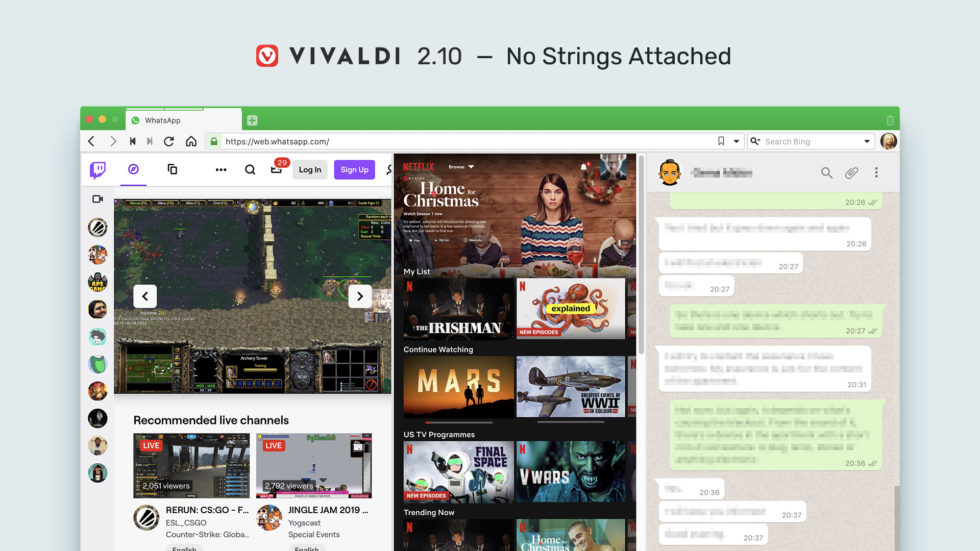
Colour-coordinated: Match your themes with OS
To match the themes according to your OS, go to Settings → Themes → Scheduled Themes → Use Operating System Theme. You may pick any pre-installed or custom theme to be used in light and dark mode.
Better site compatibility with User Agent changes
From this update onwards, you’ll be able to browse smoothly all those websites that claim to be incompatible with Vivaldi. This is because we’ve changed Vivaldi’s user agent string. Basically, the word ‘Vivaldi’ is being dropped from the user agent string.
For the uninitiated, a browser sends its “user agent” to every website you connect to. A user agent is a string – that is, a line of text – identifying the browser to the web server, including the version number and operating system.
Other Improvements
- Improvements in the Address Bar layout along with some tweaks in keyboard handling.
- If you are a heavy user of Extensions in Vivaldi, there have been improvements in the toggle to show or hide hidden extensions.
- Significant performance improvements to Quick Commands.
Changelog from 2.9 to 2.10
New
- [New][User Agent] Only set Vivaldi/Version for duckduckgo.com, ecosia.org|com, qwant.com, startpage.com and vivaldi.com|net VB-60585
- [New][Themes][Settings] Add a theme scheduling option to follow operating system light/dark theme VB-59849
- [New][Quick Commands] Keep text in input field if command not executed: Settings → Quick Commands → Keep Last Entered Value VB-58811
- [New][Keyboard][Bookmarks] Support for focusing the bookmark bar: can be mapped as a shortcut VB-59807
- [New][Extensions] Horizontal extension-popup instead of vertical extension-popup VB-60392
Accessibility
- [Accessibility] Focus does not go to password popup VB-4077
Address Bar
- [Address Bar] Context menu is delayed on right click with lots of notes VB-58379
- [Address Bar] Hidden bottom address bar is on top (when focused) VB-59116
- [Address Bar] Hostname with an appended slash is not recognized as URL VB-59972
- [Address Bar] Nickname search requires two spaces to show nicknamed icon VB-55619
- [Address Bar] Progress bar goes from right to left when adding content to existing page VB-60699
- [Address Bar] URL is not focused when “Settings → Tabs → New Tab page → Specific Page” is set VB-59976
- [Address Bar] Unsafe script references in the blocked content dialog are misleading VB-59357
- [Address Bar][Mac] Right-click selects text in Vivaldi VB-37269
- [Address Bar][Regression] Focus not in the address bar in private windows VB-59372
- [Address Bar][Regression] Should support drag-and-drop editing VB-60069
- [Audio] It is impossible to unmute an inactive tab playing a video (music on YouTube) VB-51450
Bookmarks
- [Bookmarks] No “Date added” column/ “Sort by Date Added”: it can be toggled from title row context menu VB-53043
- [Bookmarks] Panel toolbar displays ‘needs upgrade’ VB-60695
- [Bookmarks] Tree sorting button tab stops should follow Full Key Access VB-17472
Dev Tools
- [Dev Tools] Audit is broken VB-47497
- [Dev Tools] Undocked dev tools should have the URL of the inspected page in the title bar VB-60032
History
- [History] Manager says 0:00:00 in List and Day Views when OS language is Japanese VB-60147
- [History] Week number in manager should be locale aware VB-57025
- [History][Bookmarks] Sorting arrows are the opposite of what they should be VB-25098
- [History][Regression][Mac] Popup buttons move to left after hitting Delete VB-60549
Keyboard
- [Keyboard][Accessibility][Panels] Allow use of use arrow keys to navigate the buttons on the toolbar VB-60201
Notes
- [Notes][Themes] “Go to address” button has incorrect colors in dark theme VB-60605
- [Popup] Title bar is blurred VB-45975
Quick Commands
- [Quick Commands] Enabling both “Keep last entered value” and “open on nickname match” makes QC otherwise unusable VB-59872
- [Quick Commands] History search can be very slow VB-60573
- [Quick Commands] Text is kept after a command is executed VB-59965
Settings
- [Settings] Gesture mapping column can collapse VB-8008
- [Settings][Search] It is not obvious how to save the default VB-60550
Speed Dial
- [Speed Dial] No immediate feedback after a link is clicked VB-58111
- [Speed Dial] The border of the highlighted thumbnail is cut off when using rounded corners VB-60581
- [Speed Dial] Unable to open an entry in a new private window using the context menu VB-59418
- [Speed Dial][Sync][Regression] Loss of user-defined thumbnails VB-60519
Sync
- [Sync][Settings] Sync button does not go to the sync section if settings is closed VB-59431
Tabs
- [Tabs] Add “Alt-click to reopen last closed tab” tooltip to Trash button: middle click also works VB-28989
- [Tabs] Unable to clone multiple selected tabs VB-58497
- [Tabs][Regression] Can’t close tab stack from the windows panel, not with the button, nor the right-click menu. VB-59341
Themes
- [Themes] Scheduled themes UI selection issue VB-60416
Windows
- [Windows] Update Notifier icon has empty context menu VB-53436
- [Windows][Linux][Settings][Keyboard] Switch the default shortcut for Settings to Ctrl+F12 VB-60305
Linux
- [Linux] Proprietary media and Widevine are not installed for users with a poor internet connection VB-60547
- [Linux] Update Widevine to 4.10.1582.1 and proprietary media support to 78.0.3904.X VB-59903
macOS
- [macOS] Too many window-tiling options displayed in window menu under Catalina VB-58755
Others
- [Sound] Permissions to allow microphone access aren’t being saved VB-59566
- [Sound] Reopening tab results in incorrect muting VB-56449
- [Sound] “Ask” is invisible in the sound permission popup VB-59326
- [Start page] Focus stolen from before unload dialog opener VB-59225
- [Crash] Crash on startup with old prefs/profile VB-60338
- [Crash][Regression] Changing UI zoom while having undocked dev tools for UI open causes crash VB-60315
- [Regression] Hang opening a background tab from a pinned tab when action would create a Tab Stack VB-57575
- [Regression] Popup window doesn’t close by window.close VB-59999
- [Regression] Tab thumbnail doesn’t get updated until you visit/open/close another tab VB-59669
- [Regression] Tabs don’t get detached when dropped inside the window VB-60807
- [Regression] getDisplayMedia doesn’t work VB-61112
- [Regression][Panels] Floating panel + tabs positioned on the left side causes issues VB-59415
- A new tab opened from with “no images” set should inherit “no images” VB-12945
- Long file names make save dialog unreadable VB-60439
- No warning before closing a window if exit confirm is off VB-54151
- Upgraded Chromium to 79.0.3945.94