
HandBrake 1.3.3 released with new changes and bug-fixes. HandBrake video transcoder is a free and open source tool for converting videos on Linux Ubuntu systems.
HandBrake takes videos you already have and makes new ones that work on your mobile phone, tablet, TV media player, game console, computer, or web browser—nearly anything that supports modern video formats.
HandBrake works with most common video files and formats, including ones created by consumer and professional video cameras, mobile devices such as phones and tablets, game and computer screen recordings, and DVD and Blu-ray discs. HandBrake leverages tools such as FFmpeg, x264, and x265 to create new MP4 or MKV video files from these Sources.
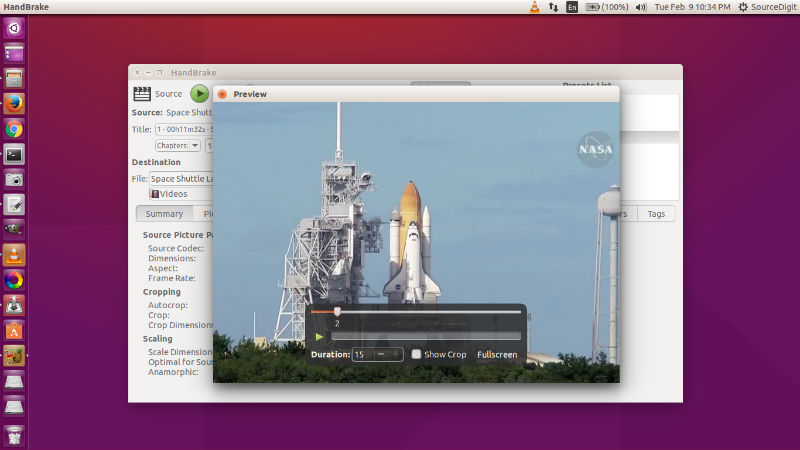
HandBrake 1.3.3 – Change (all platforms)
General
- Fixed ISO 639-2/B language codes not set correctly in MKV (affects Hebrew, Indonesian, Javanese, and Yiddish) (#2903)
- Improved support for sources where pixel format cannot be quickly identified, e.g. due to delayed video track start (#2893)
- Added logging to identify where hardware support is disabled
- Miscellaneous bug fixes and improvements
Video
- Improved Intel QSV memory footprint by eliminating a buffer pool (#2675)
- Improved Intel QSV H.265 memory buffer size as required by newer Intel Media SDK (#2862)
- Fixed and improved Intel QSV in various situations, especially hardware decoding (#873, #2660, #2661, #2829)
- Fixed full range video being not being identified as limited range after conversion where filters are used (#2859)
Subtitles
- Fixed handling of overlapping SSA import subtitles (791adba)
- Improved support for out-of-order SSA subtitles as allowed by specification (#2906)
Command line interface
- Fixed –preset failure unless full path is specified, e.g. –preset=”Category Name/Preset Name” (#2838)
Build system
- Improved Flatpak to better conform to freedesktop metainfo standards
- Improved Intel QSV Flatpak plugin build effiency using cmake-ninja
- Added a patch to fix cross compiling libdav1d using GCC 10.x (quality of life improvement)
- Official HandBrake 1.3.3 Windows release is built using GCC 9.x and is not directly affected by this issue
Third-party libraries
- Updated libraries
- FFmpeg 4.2.3 (decoding and filters)
Install HandBrake 1.3.3
Run the following commands in terminal to install HandBrake 1.3.3 video transcoder on Linux Ubuntu:
sudo apt upgradesudo apt updatesudo add-apt-repository ppa:stebbins/handbrake-releasessudo apt updatesudo apt install handbrake-gtk
Once installed, open HandBrake video transcoder from Ubuntu Dash or Terminal.
Download HandBrake 1.3.3 video transcoder
https://github.com/HandBrake/HandBrake/releases/tag/1.3.3