
Learn how to use calendar command in Ubuntu Linux. Here are the examples of how to use cal command in Unix/Linux and ncal command in Unix/Linux Systems.
Calendar Command in Ubuntu Linux
The cal utility displays a simple calendar in traditional format.
Calendar Command Options
-m: Display monday as the first day of the week.
-j: Display julian dates (days one-based, numbered from January 1).
-y: Display a calendar for the current year.
ncal Command in Linux
You can also use ncal command in Linux systems. It is similar to cal command, but it displays a calendar and the date of Easter.
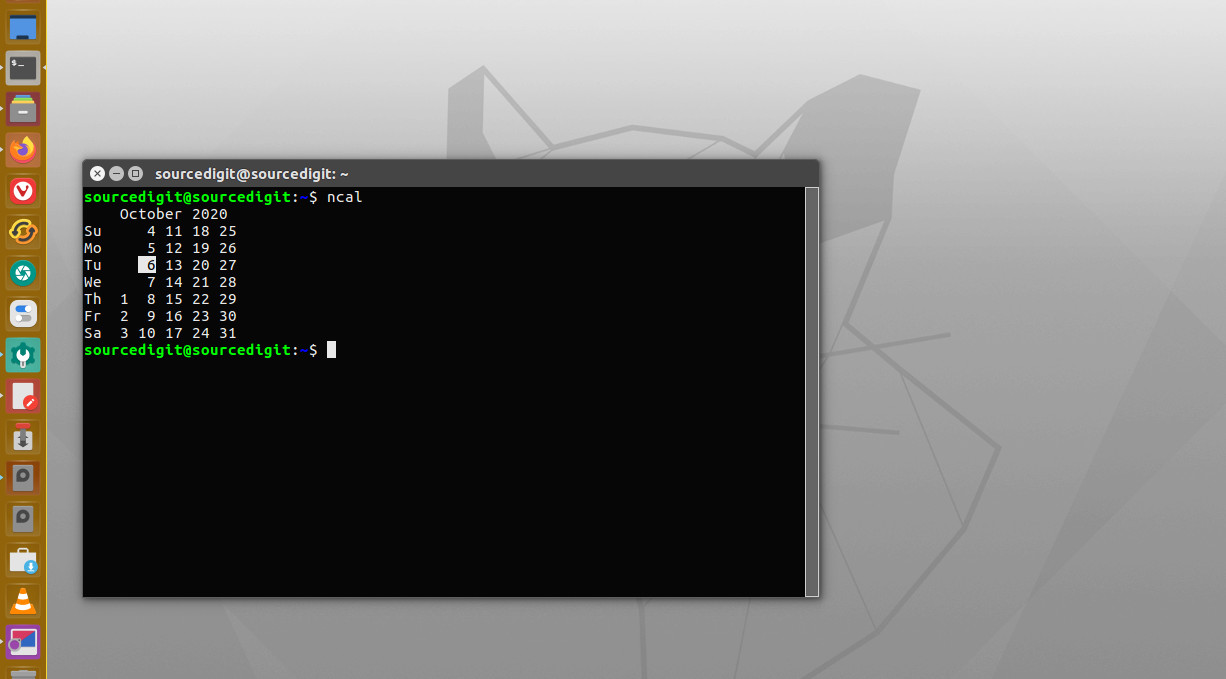
The ncal utility displays an alternative layout, more options and the date of Easter. The new format is a little cramped but it makes a year fit on a 25×80 terminal. If arguments are not specified, the current month is displayed.
How to use cal command in Linux?
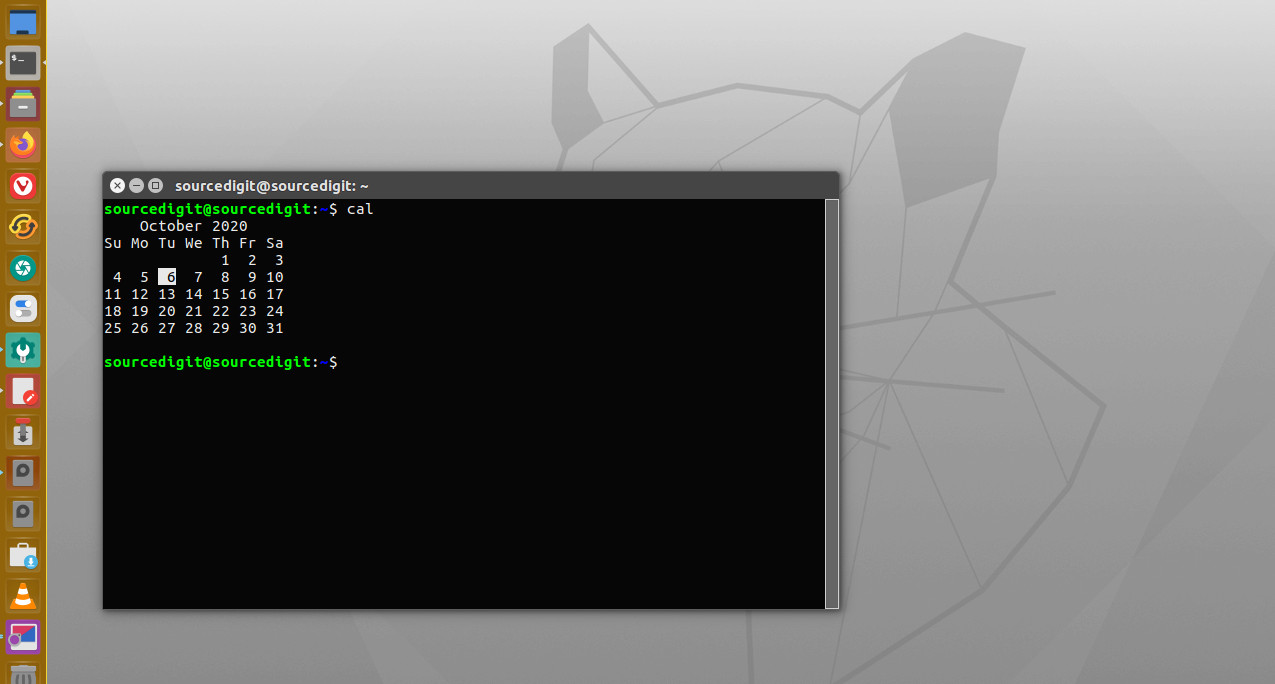
Show a calendar in the terminal
To show a calendar in the terminal simply run the cal command. The command will display a calendar of the current month with the current day highlighted.
cal
Show more than one month
To display more than one month pass the -n option along with the number of months that you wish to show. For example if you wish to see 2 months calendar from the current date/month, use the numeric 2.
cal -n 2
Show week numbers
To display week numbers use the -w command option.
cal -w
Show the day of the year in numbers
To show the day of the year in numbers use the -j command option. Note that this command option will display days numbered from January 1.
cal -j
Show a calendar for a particular day, month and year
To print a calendar for a particular month and year pass the day month and year to the cal command. The format is cal date month year. For example, if you wish to display the calendar of 01 January 2021, run the following command:
cal 01 01 2021
To display complete year calendar.
cal -y
NOTE
A year starts on Jan 1. The first day of the week is determined by the locale.
A single parameter specifies the year (1 – 9999) to be displayed; note the year must be fully specified: ”cal 89” will not display a calendar for 1989. Two parameters denote the month (1 – 12) and year.
Three parameters denote the day (1-31), month and year, and the day will be highlighted if the calendar is displayed on a terminal.
If no parameters are specified, the current month’s calendar is displayed.